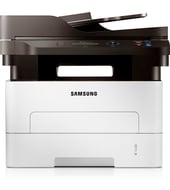
Samsung SL-M2876 owners get software for printing, scanning and faxing from HP's download page. The firmware file covers the M2876FD and M2876HN variants. Windows drivers, utilities and a universal driver are all available, so most owners can match a download to a task quickly.
Samsung SL-M267x, 287x Series Scan Driver
Win 10 64-bitWin 10 32-bitWin 7 64-bitWin 7 32-bit
Download Samsung SL-M267x, 287x Series Scan Driver (26.3 MB) for Windows. HP lists it as the recommended download for this printer.
Quick install: download the recommended file above, run it, and connect the USB cable only when the installer asks, then print a test page. Full steps
Samsung Xpress SL-M2876 driver for Windows
Basic driver only
Win 10 64-bitWin 10 32-bitWin 7 64-bitWin 7 32-bit
Details
- File name
M267x_287x_Series_WIN_SPL_PCL_V3.13.13.00.01_CDV1.44.exe- MD5 checksum (from HP)
b5a6b5c6ef71eaf84830d66a085eda93- Software ID (HP)
- fp-198363-5 · verify on HP
Win 10 64-bitWin 10 32-bitWin 7 64-bitWin 7 32-bit
Details
- File name
M267x_287x_Series_WIN_Scanner_V3.31.19.04_CDV1.44.exe- MD5 checksum (from HP)
c7e121346462a145b4f71a0edde5cde8- Software ID (HP)
- fp-198362-4 · verify on HP
Win 10 64-bitWin 10 32-bitWin 7 64-bitWin 7 32-bit
Details
- File name
M267x_287x_Series_WIN_Printer_V3.13.13.00.01_CDV1.44.zip- MD5 checksum (from HP)
d36f00e804cd10f30b5d7412bd117025- Software ID (HP)
- fp-198361-5 · verify on HP
HP Universal Print Driver
Win 11Win 10 64-bitWin 10 32-bitWin 7 64-bitWin 7 32-bit
Details
- File name
SamsungUniversalPrintDriver3_V3.00.16.0101.01.exe- MD5 checksum (from HP)
c16cfa11640d1f39933117946ac9f9c9- Software ID (HP)
- fp-193881-4 · verify on HP
- Release notes
- Read on HP
Firmware
Win 10 64-bitWin 10 32-bitWin 7 64-bitWin 7 32-bit
Details
- File name
M2876HN_4in1_XIL_V3.07.01.37.zip- MD5 checksum (from HP)
5903291f48d8f11365f9cd2df39774ac- Software ID (HP)
- fp-194903-2 · verify on HP
Utilities and other software
Win 10 64-bitWin 10 32-bitWin 7 64-bitWin 7 32-bit
Details
- File name
WIN_EDC_V2.02.61.exe- MD5 checksum (from HP)
4a551c29773263cfce5001c8924b9240- Software ID (HP)
- fp-196544-4 · verify on HP
Win 10 64-bitWin 10 32-bitWin 7 64-bitWin 7 32-bit
Details
- File name
WIN_PCFAX_V2.02.35.exe- MD5 checksum (from HP)
aa2fd8fe2c5d3b06d3645943bb61c8a3- Software ID (HP)
- fp-191421-6 · verify on HP
Win 10 64-bitWin 10 32-bitWin 7 64-bitWin 7 32-bit
Details
- File name
M267x_287x_Series_WIN_EDC_V1.06.46_CDV1.40.exe- MD5 checksum (from HP)
9db8d143cc04e0d58703969443acbf4b- Software ID (HP)
- fp-198350-1 · verify on HP
Win 10 64-bitWin 10 32-bitWin 7 64-bitWin 7 32-bit
Details
- File name
WIN_OCR_V1.01.25.exe- MD5 checksum (from HP)
396f1f8f2b77e531340870a9418519ac- Software ID (HP)
- fp-194463-4 · verify on HP
Win 11Win 10 64-bitWin 10 32-bitWin 7 64-bitWin 7 32-bit
Details
- File name
WIN_EPM_V2.00.01.36.exe- MD5 checksum (from HP)
aaeb8b73b590790c8b7037424b50c3e6- Software ID (HP)
- fp-194462-5 · verify on HP
More Samsung Xpress SL-M2876 driver downloads: Utilities and other software
Win 11Win 10 64-bitWin 10 32-bitWin 7 64-bitWin 7 32-bit
Details
- File name
RemoteDiagnosis.exe- MD5 checksum (from HP)
5cec144198f6f417598f422e8d485665- Software ID (HP)
- ss-302867-1 · verify on HP
Win 11Win 10 64-bitWin 10 32-bitWin 7 64-bitWin 7 32-bit
Details
- File name
SetIP_V1.05.08.3.14.exe- MD5 checksum (from HP)
ae9b0051606d60949becd6b6f3658bfa- Software ID (HP)
- fp-191426-2 · verify on HP
All files come straight from HP (ftp.hp.com). We checked them against HP’s list on Oct 25, 2026. Systems checked: Win 11, Win 10 64-bit, Win 10 32-bit, Win 7 64-bit, Win 7 32-bit, macOS 13, macOS 12, macOS 11, macOS 10.15, Linux. Older systems may have more files on HP’s page for this model.
Samsung Xpress SL-M2876 driver support by operating system
64-bit
64-bit
Which Samsung Xpress SL-M2876 driver should I choose?
HP groups downloads into four categories. Basic drivers are driver-only packages. The print driver is 40.5 MB, and the No Installer version is 21.1 MB and needs manual installation through Add Printer. The scan driver is 26.3 MB. Utilities add extras such as diagnostics, IP setup and fax. The Universal Print Driver (38.5 MB) is a generic driver for IT-managed setups. The firmware file is 17.5 MB. Update firmware only if it fixes a problem you have, after reading the release note.
Samsung Set IP assigns a network IP address using the printer's MAC address. The firmware file covers the SL-M2676FH, M2876FD and M2876HN. Windows 11 support comes through the utilities and Universal Print Driver, while the basic drivers cover Windows 10 and 7.
How to install the Samsung Xpress SL-M2876 driver
- Download Samsung SL-M267x, 287x Series Scan Driver (26.3 MB) from the HP page.
- Confirm you run Windows 10 or Windows 7, 32-bit or 64-bit.
- Run the downloaded file and follow the prompts on screen.
- Download the 40.5 MB Samsung SL-M267x, 287x Series Print Driver too if you need to print.
- Use Samsung Set IP with the printer's MAC address if the printer needs a network IP address.
Adding the printer by hand or installing on Linux? See our printer driver install guide.
Storing the toner cartridge for the Samsung Xpress SL-M2876
Toner cartridges contain parts that react to light, temperature and humidity. Keep the cartridge in the same room where the printer runs, and leave it in its sealed original package until you install it. Opening the package early shortens its shelf and working life a great deal.
If you remove the cartridge from the printer, slip it into the protective bag from its original package. Lay it flat, with the same side up as when it was installed. Also avoid temperatures above 40°C (104°F), humidity below 20% or above 80%, direct sunlight, dust, salty air and long periods in a car.
Making a basic copy on your Samsung Xpress SL-M2876
Load a single original as described in the Loading originals section of the guide, then enter the number of copies with the arrow or number keypad if you need more than one. Then press Start. The machine has default copy settings, so a quick copy needs no changes.
However, you can change options for each copy with the control panel buttons, including Reduce/Enlarge, Darkness and Original. Darkness runs from Light+5, the lightest, to Dark+5, the darkest. Pressing Stop/Clear while you set options cancels them. Pressing it during a copy stops the job. Menu access differs between models.
Fixing paper feeding problems
If paper sticks together, check the tray's maximum capacity, confirm the paper type is correct, and flex or fan the sheets before reloading. Humid conditions can make sheets cling. When several sheets will not feed, the tray may hold mixed types, so load one type, size and weight only.
Therefore, when paper will not feed or keeps jamming, remove obstructions, reload the stack correctly and take out any excess. Paper that is too thick or out of specification causes trouble too. Open the front cover and clear debris. For envelopes that skew, set the paper guides against both sides.
Each file lists the MD5 checksum HP publishes. Our guide to checking a driver download shows how to compare it. If an HP link is down, try the Microsoft Update Catalog search for the Samsung Xpress SL-M2876.
Samsung Xpress SL-M2876 driver troubleshooting
Printer shows offline or print jobs stick in the queue
Run Samsung Printer Diagnostics version 1.0.4.29 on Windows. It diagnoses and fixes offline printers and stuck jobs. Afterward, send a short test page to confirm printing works.
Printed pages look faded or streaked
Check whether the supply is running low and replace it if so. Remove and reseat the cartridge, then print another page. Persistent streaks mean the supply needs replacing.
Easy Printer Manager or Network PC Fax misbehaves on Windows 10
Install Samsung Easy Printer Manager version 2.00.01.36 or Samsung Network PC Fax Utility version 2.02.35. Both fix a Windows 10 RS4 compatibility issue.
For “driver is unavailable”, offline printers and stuck print jobs, see our printer driver troubleshooting guide.
Samsung Xpress SL-M2876 driver FAQ
Which Windows versions does the recommended download support?
Samsung SL-M267x, 287x Series Scan Driver supports Windows 10 (64-bit and 32-bit) and Windows 7 (64-bit and 32-bit). HP lists no macOS download for this printer.
How big is the print driver?
The Samsung SL-M267x, 287x Series Print Driver is 40.5 MB. The No Installer version is 21.1 MB and needs a manual install through Add Printer.
Does the Universal Print Driver support Windows 11?
Yes. The Samsung Universal Print Driver for Windows (version 3.00.16.0101.01, 38.5 MB) supports Windows 11, Windows 10 and Windows 7. It suits IT-managed setups.
Which printer models does the firmware file cover?
The firmware file covers the SL-M2676FH, M2876FD and M2876HN. It is version 3.07.01.37 and 17.5 MB. HP recommends reading the release note before installing it.
Drivers for similar Samsung printers
Owners of related models can find the matching downloads here: Samsung Xpress SL-M2010 Laser series driver, Samsung Xpress SL-M2020 Laser driver, Samsung Xpress SL-M2020W Laser driver, Samsung Xpress SL-M2022 Laser driver, Samsung Xpress SL-M2060 Laser Multifunction series driver, Samsung Xpress SL-M2070FW Laser Multifunction driver.
Last checked: Oct 25, 2026. Samsung and Samsung Xpress SL-M2876 are trademarks of Samsung Electronics. HP Inc. hosts these downloads. This site is not affiliated with Samsung or HP.