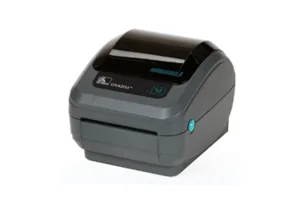
 The Zebra GK420d driver for Windows is the ZDesigner Windows Printer Driver v5 (14 MB). Every file Zebra lists for the GK420d is shown once below, and each button downloads it straight from Zebra's own server.
Download the Zebra GK420d driver
Each row also names the systems the file supports, as listed by Zebra. Zebra's End User License Agreement applies to these downloads.
Windows driver files for the Zebra GK420d
Windows Printer Driver v5Driver · zd51177415-certified.exeUse this driver if you need to use either CPCL or EPL printer command languages. 'ZDesigner Printer Driver' is compatible with ZebraDesigner 3 and prior versions. Not for Windows on Arm processors.Supports: Windows 11, Windows 10, Windows Server 2025, Windows Server 2022, Windows Server 20195.1.17.7415Jan 28, 202514 MBZebraDesigner 3 Label Design SoftwareSoftware · zebradesigner3-330104.zipBoth the FREE ZebraDesigner Essentials 3 and PAID ZebraDesigner Professional 3 editions will be installed. The application will initially run as the free Essentials edition.Supports: Windows3.3.0.104Dec 31, 2025197 MBFirmware Download Utility (ZDownloader)Utility · firmware-downloader-v50013.zipA utility that uploads Printer OS (Firmware) and Service Packs to your printer.Supports: Windows-Jun 30, 202623 MBZebra Printer Setup Utilities for WindowsUtility · zsu-1191327.zipUse this software to configure your printer after Printer Driver installation. Recommended driver installation and configuration utility (zsu-1191327.zip).Supports: Windows 11, Windows 10, Windows Server 2025, Windows Server 2022, Windows Server 20191.1.9.1327Dec 10, 202511 MBV61.17.17Z V61.17.17Z (v61-17-17z.exe)Firmware · v61-17-17z.exeSupports: Windows61.17.17Dec 30, 20132 MBOLE for Retail POS (OPOS)POS driver · zebra-printer-opos-driver-installer-v1-14-1-143.exeVersion 1.14.1.143. Use this driver to develop applications that are compatible with the Unified POS specification. See the release notes for printer compatibility and system requirements.Supports: Windows 11, Windows 10, Windows 8.1, Windows 71.14.1.143Dec 1, 20227 MBManuals and guides
Mac OS, Linux/Unix Drivers InformationGuide · ZSN108111-v4_CUPS_Installation.pdfOperating System: Mac OS, Linux/UnixSupports: macOS, Linux-Date not listed476 KBYou can compare this list with Zebra's GK420d support page. Therefore, pick the file by your operating system.
Mac and Linux setup with CUPS
Zebra does not provide its own driver for macOS or Linux. Instead, it suggests the CUPS driver that these systems already include, and the CUPS guide in the table above gives the steps. When CUPS asks for the model, choose the command language your printer uses.
Install the Zebra GK420d driver step by step
First, do not connect the printer to the computer yet. Zebra warns that a GK420d plugged in by USB before the driver is installed can show up as an unknown device in Devices and Printers. If that has already happened, follow Zebra’s recovery steps before you go on.
Next, download Windows Printer Driver v5 from the table above and run the installer. Zebra’s own walk-through is Installing the Drivers and Running the Printer Installation Wizard.
Then install Zebra Setup Utilities, which is the tool Zebra provides to configure the printer after the driver. After that, connect the cable and turn the printer on. For the settings, see Zebra’s Setup Utilities guide.
Finally, load the labels, run a media calibration and print a configuration report. As a result, the printer learns the label length and the first label starts in the right place.
For installer errors on Windows, see the driver installation guide for Windows 11 and the driver installation error guide.
Last checked: Nov 28, 2026. Zebra is a trademark of its owner. This site is not affiliated with Zebra.