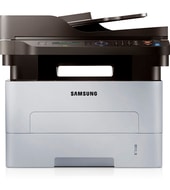
Windows users who print, scan and fax with the Samsung SL-M2870 can choose from basic drivers, a universal driver and several utilities. HP hosts all of them. Most owners need only a driver, while the utilities cover network setup, scanning, faxing and troubleshooting.
Samsung SL-M267x, 287x Series Scan Driver
Win 10 64-bitWin 10 32-bitWin 7 64-bitWin 7 32-bit
For Windows, download the Samsung SL-M267x, 287x Series Scan Driver (26.3 MB). It is HP's recommended download for this printer. Check that your Windows version matches the file before you install.
Quick install: download the recommended file above, run it, and connect the USB cable only when the installer asks, then print a test page. Full steps
Samsung SL-M2870 driver for Windows
Basic driver only
Win 10 64-bitWin 10 32-bitWin 7 64-bitWin 7 32-bit
Details
- File name
M267x_287x_Series_WIN_SPL_PCL_V3.13.13.00.01_CDV1.44.exe- MD5 checksum (from HP)
b5a6b5c6ef71eaf84830d66a085eda93- Software ID (HP)
- fp-198363-5 · verify on HP
Win 10 64-bitWin 10 32-bitWin 7 64-bitWin 7 32-bit
Details
- File name
M267x_287x_Series_WIN_Scanner_V3.31.19.04_CDV1.44.exe- MD5 checksum (from HP)
c7e121346462a145b4f71a0edde5cde8- Software ID (HP)
- fp-198362-4 · verify on HP
Win 10 64-bitWin 10 32-bitWin 7 64-bitWin 7 32-bit
Details
- File name
M267x_287x_Series_WIN_Printer_V3.13.13.00.01_CDV1.44.zip- MD5 checksum (from HP)
d36f00e804cd10f30b5d7412bd117025- Software ID (HP)
- fp-198361-5 · verify on HP
HP Universal Print Driver
Win 10 64-bitWin 10 32-bitWin 7 64-bitWin 7 32-bit
Details
- File name
SamsungUniversalPrintDriver3XPS.exe- MD5 checksum (from HP)
e84fbd8cb76504c5af0832cbdf17e052- Software ID (HP)
- fp-189931-3 · verify on HP
Win 11Win 10 64-bitWin 10 32-bitWin 7 64-bitWin 7 32-bit
Details
- File name
SamsungUniversalPrintDriver3_V3.00.16.0101.01.exe- MD5 checksum (from HP)
c16cfa11640d1f39933117946ac9f9c9- Software ID (HP)
- fp-193881-4 · verify on HP
- Release notes
- Read on HP
Utilities and other software
Win 10 64-bitWin 10 32-bitWin 7 64-bitWin 7 32-bit
Details
- File name
WIN_EDC_V2.02.61.exe- MD5 checksum (from HP)
4a551c29773263cfce5001c8924b9240- Software ID (HP)
- fp-196544-4 · verify on HP
Win 10 64-bitWin 10 32-bitWin 7 64-bitWin 7 32-bit
Details
- File name
WIN_PCFAX_V2.02.35.exe- MD5 checksum (from HP)
aa2fd8fe2c5d3b06d3645943bb61c8a3- Software ID (HP)
- fp-191421-6 · verify on HP
Win 10 64-bitWin 10 32-bitWin 7 64-bitWin 7 32-bit
Details
- File name
M267x_287x_Series_WIN_EDC_V1.06.46_CDV1.40.exe- MD5 checksum (from HP)
9db8d143cc04e0d58703969443acbf4b- Software ID (HP)
- fp-198350-1 · verify on HP
Win 10 64-bitWin 10 32-bitWin 7 64-bitWin 7 32-bit
Details
- File name
WIN_OCR_V1.01.25.exe- MD5 checksum (from HP)
396f1f8f2b77e531340870a9418519ac- Software ID (HP)
- fp-194463-4 · verify on HP
Win 11Win 10 64-bitWin 10 32-bitWin 7 64-bitWin 7 32-bit
Details
- File name
WIN_EPM_V2.00.01.36.exe- MD5 checksum (from HP)
aaeb8b73b590790c8b7037424b50c3e6- Software ID (HP)
- fp-194462-5 · verify on HP
More Samsung SL-M2870 driver downloads: Utilities and other software
Win 11Win 10 64-bitWin 10 32-bitWin 7 64-bitWin 7 32-bit
Details
- File name
EWS_V3.70.18.0.exe- MD5 checksum (from HP)
f5931d8421d1066dd64aa63dfe2c0d74- Software ID (HP)
- fp-191418-2 · verify on HP
Win 11Win 10 64-bitWin 10 32-bitWin 7 64-bitWin 7 32-bit
Details
- File name
RemoteDiagnosis.exe- MD5 checksum (from HP)
5cec144198f6f417598f422e8d485665- Software ID (HP)
- ss-302867-1 · verify on HP
Win 11Win 10 64-bitWin 10 32-bitWin 7 64-bitWin 7 32-bit
Details
- File name
SetIP_V1.05.08.3.14.exe- MD5 checksum (from HP)
ae9b0051606d60949becd6b6f3658bfa- Software ID (HP)
- fp-191426-2 · verify on HP
All files come straight from HP (ftp.hp.com). We checked them against HP’s list on Oct 25, 2026. Systems checked: Win 11, Win 10 64-bit, Win 10 32-bit, Win 7 64-bit, Win 7 32-bit, macOS 13, macOS 12, macOS 11, macOS 10.15, Linux. Older systems may have more files on HP’s page for this model.
Samsung SL-M2870 driver support by operating system
64-bit
64-bit
Which Samsung SL-M2870 driver should I choose?
HP offers three categories. Basic drivers (21.1 to 40.5 MB) are driver-only packages for printing or scanning, and most owners should start there. Utilities (1.5 to 28.7 MB) add extras such as Set IP, Easy Wireless Setup, Easy Printer Manager and Printer Diagnostics. The Universal Print Driver (28.0 and 38.5 MB) is a generic driver that suits IT-managed setups. Pick it only if your administrator asks for it.
The Samsung Easy Wireless Setup utility configures wireless network settings. Samsung Set IP assigns a network IP address using the printer's MAC address. Windows 11 appears in the support list for the utilities and the 3.00.16.0101.01 universal driver, while the basic drivers list Windows 10 and Windows 7.
How to install the Samsung SL-M2870 driver
- Confirm your Windows version: the scan driver supports Win 10 64-bit, Win 10 32-bit, Win 7 64-bit and Win 7 32-bit.
- Download Samsung SL-M267x, 287x Series Scan Driver (26.3 MB) from this page.
- Open the downloaded file when the transfer finishes.
- Follow the on-screen prompts to complete the installation.
- Add the Samsung SL-M267x, 287x Series Print Driver (40.5 MB) as well if you also need to print, since the scan driver is driver-only.
Adding the printer by hand or installing on Linux? See our printer driver install guide.
Network tools for your Samsung Xpress SL-M2870
Several programs help you set up and manage the printer on a network. Before you use any of them, set the IP address first. However, some features and optional goods may be unavailable depending on your model or country, so check the features list in the guide.
SyncThru Web Admin Service is a web-based tool for administrators. It lets them monitor and troubleshoot network machines remotely from any site with corporate internet access. Also, SetIP is a utility for picking a network interface and entering TCP/IP addresses by hand. It does not support TCP/IPv6.
Replacing the toner cartridge
When a toner cartridge reaches the end of its life, the machine stops printing, so it is time to swap it. Before installing the new one, shake it thoroughly. This improves the initial print quality. Also, illustrations in the guide may differ from your machine, depending on its options or model.
Do not leave it in light for more than a few minutes; cover it with paper if needed. Hold it by the handle and never touch the green area. Never open the package with a knife or scissors, since they might scratch the drum. Wipe toner off clothes with a dry cloth. Then wash them in cold water.
Fixing scanning problems on the Samsung Xpress SL-M2870
If the scanner does not work, first check how the original is placed: face down on the glass, or face up in the document feeder. Also confirm the printer cable is connected properly and not defective; swap in a known good cable if needed. Then check the scan port in your application, for example USB001.
There may be too little free memory for the document. Try the Prescan function, or lower the scan resolution. For slow scanning, remember that graphics scan more slowly than text. Scan mode also slows communication because it needs a lot of memory. Setting your computer to ECP printer mode in the BIOS can help.
Each file lists the MD5 checksum HP publishes. Our guide to checking a driver download shows how to compare it. If an HP link is down, try the Microsoft Update Catalog search for the Samsung SL-M2870.
Samsung SL-M2870 driver troubleshooting
Printer shows offline or print jobs stick in the queue
Run Samsung Printer Diagnostics version 1.0.4.29. It is an automated Windows tool for offline printers and stuck jobs. Afterward, confirm the printer is powered on and connected to your PC or network.
Prints look faded, streaky or blank in places
Check the supply level first. Then remove the cartridge, reseat it firmly and print a test page. Replace the cartridge if the problem continues.
Samsung utilities fail to work properly on Windows 10
Install Samsung Easy Printer Manager version 2.00.01.36, which fixes a Windows 10 RS4 compatibility issue. Easy Document Creator 2.02.61 and Network PC fax Utility 2.02.35 carry the same fix.
For “driver is unavailable”, offline printers and stuck print jobs, see our printer driver troubleshooting guide.
Samsung SL-M2870 driver FAQ
Which Windows versions does the Samsung SL-M2870 driver support?
The Samsung SL-M267x, 287x Series Scan Driver supports Win 10 64-bit, Win 10 32-bit, Win 7 64-bit and Win 7 32-bit. Some utilities and the 3.00.16.0101.01 universal driver also list Win 11.
How big is the recommended download?
The Samsung SL-M267x, 287x Series Scan Driver is 26.3 MB, version 3.31.19.04, dated Jun 30, 2023. The matching print driver is 40.5 MB.
What does the Windows 10 RS4 fix cover?
HP lists a fix for a Windows 10 RS4 compatibility issue in Samsung Easy Printer Manager 2.00.01.36, Easy Document Creator 2.02.61 and Network PC fax Utility 2.02.35.
How do I set the printer's IP address on a network?
Use Samsung Set IP, version 1.05.08.03.14 (1.5 MB). It sets the network IP address using the printer's MAC address, which works as its hardware serial number on the network.
Drivers for similar Samsung printers
Owners of related models can find the matching downloads here: Samsung Xpress SL-M2010 Laser series driver, Samsung Xpress SL-M2020 Laser driver, Samsung Xpress SL-M2020W Laser driver, Samsung Xpress SL-M2022 Laser driver, Samsung Xpress SL-M2060 Laser Multifunction series driver, Samsung Xpress SL-M2070FW Laser Multifunction driver.
Last checked: Oct 25, 2026. Samsung and Samsung SL-M2870 are trademarks of Samsung Electronics. HP Inc. hosts these downloads. This site is not affiliated with Samsung or HP.