Advertisement
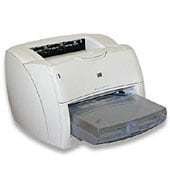
Paper handling and duplex options in Windows depend on the driver you pick for the HP LaserJet 1200 series. HP offers generic Universal Print Drivers and a few utilities for it. Choose by Windows version, and by whether you need PCL6 or PostScript.
HP Universal Print Driver for Windows PCL6 (64-bit)
Win 10 64-bitWin 7 64-bit
HP lists no model-specific driver, only generic ones. Get HP Universal Print Driver for Windows PCL6 (64-bit): 20.2 MB for Win 11, 20.3 MB for Win 10.
Quick install: download the recommended file above, run it, and connect the USB cable only when the installer asks, then print a test page. Full steps
HP LaserJet 1200 series driver for Windows
HP Universal Print Driver
Win 10 64-bitWin 7 64-bit
Details
- File name
upd-pcl6-win10-x64-8.2.0.26778.zip- MD5 checksum (from HP)
1311b735d1ada9b02676d32b5ba5b232- Software ID (HP)
- ds-99374-36 · verify on HP
- Release notes
- Read on HP
Win 10 64-bitWin 7 64-bit
Details
- File name
upd-ps-win10-x64-8.2.0.26778.zip- MD5 checksum (from HP)
626ec0b8d41d3be40357b3c825c3502d- Software ID (HP)
- ds-99376-35 · verify on HP
- Release notes
- Read on HP
Win 11
Details
- File name
upd-pcl6-win11-x64-8.2.0.26819.zip- MD5 checksum (from HP)
5660c16a00e21f11736fd003063d6d13- Software ID (HP)
- ds-365647-1 · verify on HP
- Release notes
- Read on HP
Win 11
Details
- File name
upd-ps-win11-x64-8.2.0.26819.zip- MD5 checksum (from HP)
d27ad643905526df8cc9a89b556dbf42- Software ID (HP)
- ds-365648-1 · verify on HP
- Release notes
- Read on HP
Win 11Win 10 64-bitWin 7 64-bit
Details
- File name
HP-PARK-v1.9.2.zip- MD5 checksum (from HP)
b7f948771a52c13721d963c6830ac7b5- Software ID (HP)
- ds-99433-30 · verify on HP
- Release notes
- Read on HP
More hP Universal Print Driver
Win 11 ARM64
Details
- File name
upd-pcl6-win11-ARM64-8.2.0.26778.zip- MD5 checksum (from HP)
e270ca97f4ddb5139217621ccc205506- Software ID (HP)
- ds-359027-2 · verify on HP
- Release notes
- Read on HP
Utilities and other software
Win 10 64-bit
Details
- File name
Dot4x64.msi- MD5 checksum (from HP)
0eacd9b44879a4cdb528b66938b29139- Software ID (HP)
- fp-148007-1 · verify on HP
HP LaserJet 1200 series driver for Linux
Linux
Details
- Software ID (HP)
- mp-163323-1 · verify on HP
All files come straight from HP (ftp.hp.com). We checked them against HP’s list on Oct 25, 2026. Systems checked: Win 11, Win 10 64-bit, Win 7 64-bit, macOS 26, macOS 15, macOS 13, Linux. Older systems may have more files on HP’s page for this model.
HP LaserJet 1200 series driver support by operating system
| Download | Win 11 | Win 10 64-bit |
Win 7 64-bit |
|---|---|---|---|
| HP Universal Print Driver | ✓ | ✓ | ✓ |
| Utilities and other software | – | ✓ | – |
Which HP LaserJet 1200 series driver should I choose?
HP lists no model-specific driver for this printer, only generic drivers and utilities. The Universal Print Driver category holds generic drivers that suit IT-managed setups. Pick PCL6 first, and choose PostScript only if your software needs it. Sizes run from 20.1 MB to 21.5 MB. The same category includes the Print Administrator Resource Kit, 18.7 MB, for print administrators. The Utility category has the USB DOT4 communication driver, 1.5 MB, for Win 10 64-bit.
HP offers a Windows 11 ARM64 build, version 8.2.0.26778, at 20.1 MB. Win 11 64-bit builds for PCL6 and PS are version 8.2.0.26819. Win 10 and Win 7 64-bit builds are version 8.2.0.26778.
How to install the HP LaserJet 1200 series driver
- Check your Windows version: Win 11, Win 10 64-bit or Win 7 64-bit.
- Download the matching HP Universal Print Driver for Windows PCL6 (64-bit) file.
- Open the HP Universal Print Driver System Administrator's Guide for the proper installation or upgrade steps.
- Follow those steps for your Windows version.
- Print a test page to confirm the driver works.
Adding the printer by hand or installing on Linux? See our printer driver install guide.
Each file lists the MD5 checksum HP publishes. Our guide to checking a driver download shows how to compare it. If an HP link is down, try the Microsoft Update Catalog search for the HP LaserJet 1200 series.
HP LaserJet 1200 series driver troubleshooting
Printer not found or nothing prints after installing the driver
Confirm the printer is powered on and connected to your PC or network. Restart both, then try again. Reinstall the driver using the System Administrator's Guide if it still fails.
Faint, streaked or smeared pages
Take out the toner cartridge, rock it gently side to side, and reseat it. Swap in a new cartridge if the streaks stay.
Driver will not install on a Windows 11 ARM64 PC
Download HP Universal Print Driver for Windows PCL6 (ARM64-bit), version 8.2.0.26778, 20.1 MB. The regular 64-bit build targets other systems.
For “driver is unavailable”, offline printers and stuck print jobs, see our printer driver troubleshooting guide.
HP LaserJet 1200 series driver FAQ
Which driver does HP recommend for Windows?
HP Universal Print Driver for Windows PCL6 (64-bit). It is 20.2 MB for Win 11 and 20.3 MB for Win 10 and Win 7. HP lists no model-specific driver here.
Does HP offer a PostScript driver?
Yes. HP offers Universal Print Driver for Windows PS (64-bit) at 21.4 MB for Win 11. A PostScript (64-bit) build at 21.5 MB covers Win 10 and Win 7.
Is there a driver for Windows 11 on ARM?
Yes. HP Universal Print Driver for Windows PCL6 (ARM64-bit) is version 8.2.0.26778, dated Sep 26, 2026. The download is 20.1 MB and supports Win 11 ARM64.
What is the DOT4 utility for?
It is a USB DOT4 communication driver, 1.5 MB, version 7.0.0.29. HP says it provides bi-directional USB communication on Windows 8 and higher. HP lists it for Win 10 64-bit.
Drivers for similar HP printers
Owners of related models can find the matching downloads here: HP LaserJet 1018 Refurbished driver, HP LaserJet 1022nw driver, HP LaserJet Tank 1020 driver.
Last checked: Oct 25, 2026. HP and HP LaserJet 1200 series are trademarks of HP Inc. This site is not affiliated with HP.
Advertisement