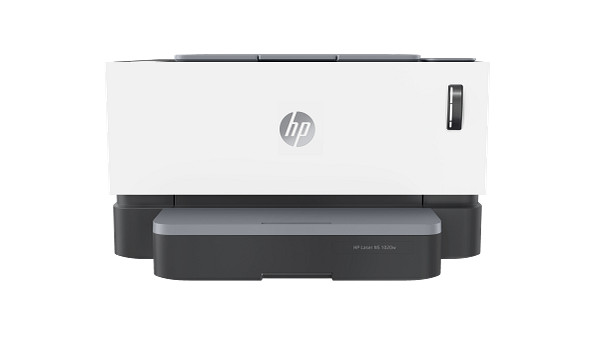
Connection is by USB only: one Hi-Speed USB 2.0 port, with no wireless and no network support. The HP LaserJet 1020 series is a laser printer rated at up to 15 ppm and 600 x 600 dpi. It suits one user printing 250 to 2000 pages a month.
HP LaserJet 1020 Plus Full Feature Software and Driver
Win 11Win 10 64-bit
Download the HP LaserJet 1020 Plus Full Feature Software and Driver (80.2 MB) for Windows. It supports Win 11 and Win 10 64-bit.
Quick install: download the recommended file above, run it, and connect the USB cable only when the installer asks, then print a test page. Full steps
HP LaserJet 1020 series driver for Windows
Win 11Win 10 64-bit
Details
- File name
hp_LJ1020_Full_Solution-v2012_918_1_57980.exe- MD5 checksum (from HP)
15df44a98c797ac03bd8f84681604a17- Software ID (HP)
- bi-124608-2 · verify on HP
All files come straight from HP (ftp.hp.com). We checked them against HP’s list on Oct 25, 2026. Systems checked: Win 11, Win 10 64-bit, Win 7 64-bit, macOS 26, macOS 15, macOS 13, Linux. Older systems may have more files on HP’s page for this model.
HP LaserJet 1020 series driver support by operating system
64-bit
Latest HP LaserJet 1020 series driver and firmware updates
- HP LaserJet 1020 Plus Full Feature Software and Driver v1601 (Feb 09, 2016) · HP rates this update recommended: Documents update for HP SMO
Which HP LaserJet 1020 series driver should I choose?
HP offers one download category for this printer: Full software and drivers. The file is 80.2 MB, version 1601, dated Feb 09, 2016. HP says it matches the solution on the in-box CD that came with the printer. Choose it for any install on Win 11 or Win 10 64-bit.
Duplex printing is manual, with driver support. Input is a 150-sheet tray plus a single-sheet priority slot, and the output bin holds 100 sheets. There is no display, and the printer uses host-based printing, so it needs the driver installed.
How to install the HP LaserJet 1020 series driver
- Make sure the computer has about 590 MB of free disk space.
- Close any software programs running on the computer.
- Click the Download button and save the file to your hard disk.
- Double-click the downloaded file to extract the driver files into a folder named like the printer model.
- Follow the on-screen instructions to finish installation. Use the USB port, the printer's only connection type.
Adding the printer by hand or installing on Linux? See our printer driver install guide.
HP LaserJet 1020 series specifications
HP LaserJet 1020 series driver specs: printing
HP LaserJet 1020 series driver specs: paper handling
HP LaserJet 1020 series driver specs: connectivity, supplies and size
Source: HP product specifications for the HP LaserJet 1020 Printer series.
Each file lists the MD5 checksum HP publishes. Our guide to checking a driver download shows how to compare it. If an HP link is down, try the Microsoft Update Catalog search for the HP LaserJet 1020 series.
HP LaserJet 1020 series driver troubleshooting
Computer does not detect the printer over USB
Try another USB cable and a different USB port on the computer. Skip hubs and plug in directly. Restart the printer and computer afterward.
Printed pages look faint or streaked
Remove the toner cartridge and rock it gently to spread the toner. Reinstall it firmly. Replace the cartridge if pages stay faint.
Paper jams or misfeeds
Confirm the paper is 16 to 43 lb bond and a supported size. Fan the stack, then load it in the 150-sheet tray. Single sheets can go in the priority slot.
For “driver is unavailable”, offline printers and stuck print jobs, see our printer driver troubleshooting guide.
HP LaserJet 1020 series driver FAQ
Which Windows versions does the driver support?
The HP LaserJet 1020 Plus Full Feature Software and Driver supports Win 11 and Win 10 64-bit. HP lists no other operating systems for this printer.
How big is the driver download?
The file is 80.2 MB, version 1601, dated Feb 09, 2016. The install needs approximately 590 MB of free hard disk space.
Can I print wirelessly or over a network?
No. HP lists wireless capability as No and network ready as None. The only standard connection is one Hi-Speed USB 2.0 port.
Does it print on both sides automatically?
No. Duplex printing is manual, with driver support provided. You flip and reload the pages yourself.
Drivers for similar HP printers
Owners of related models can find the matching downloads here: HP LaserJet 1018 driver, HP LaserJet 1022nw driver, HP LaserJet 1200 series driver.
Last checked: Oct 25, 2026. HP and HP LaserJet 1020 series are trademarks of HP Inc. This site is not affiliated with HP.
2 thoughts on “HP LaserJet 1020 series Driver Download”