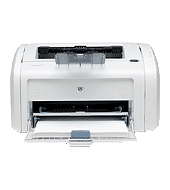
Laser printing with host-based processing means the HP LaserJet 1018 leans on a driver installed on your PC. It prints black text at up to 12 ppm, with the first page out in as little as 10 seconds. HP recommends 250 to 1000 pages a month, which suits a home office or a single desk.
HP LaserJet 1018 Printer Hostbased Plug and Play Basic Driver
Win 7
64-bit
Download the HP LaserJet 1018 Printer Hostbased Plug and Play Basic Driver. Take the 3.1 MB file for Win 7 64-bit or the 2.6 MB file for Win 7 32-bit.
Quick install: download the recommended file above, run it, and connect the USB cable only when the installer asks, then print a test page. Full steps
HP LaserJet 1018 driver for Windows
HP LaserJet 1018 Printer Hostbased Plug and Play Basic Driver (for Win 7 64-bit)Win 7 64-bit
Details
- Description
- The Plug and Play Bundle provides basic printing functions
- File name
lj1018_1020_1022-HB-pnp-win64-en.exe- MD5 checksum (from HP)
d946e3984d48c18812169cb3d31063b2- Software ID (HP)
- bi-58529-4 · verify on HP
HP LaserJet 1018 Printer Hostbased Plug and Play Basic Driver (for Win 7 32-bit)Win 7 32-bit
Details
- File name
lj1018_1020_1022-HB-pnp-win32-en.exe- MD5 checksum (from HP)
1ae55beb593952094d8de8013e15e51f- Software ID (HP)
- bi-58503-3 · verify on HP
HP LaserJet 1018 driver for Linux
HP Printers - Driver Support for Linux OSLinux
Details
- Software ID (HP)
- mp-54524-1 · verify on HP
All files come straight from HP (ftp.hp.com). We checked them against HP’s list on Oct 25, 2026. Systems checked: Win 11, Win 10 64-bit, Win 7 64-bit, macOS 26, macOS 15, macOS 13, Linux. Older systems may have more files on HP’s page for this model.
HP LaserJet 1018 driver support by operating system
DownloadWin 7
64-bitBasic driver only✓Latest HP LaserJet 1018 driver and firmware updates
- HP LaserJet 1018 Printer Hostbased Plug and Play Basic Driver (for Win 7 64-bit) v20120918 (Nov 04, 2009): Windows 8 Support
Which HP LaserJet 1018 driver should I choose?
HP offers one category for this printer: Basic driver. It comes as a Plug and Play bundle that provides basic printing functions. Pick the file that matches your Windows 7 install. The 64-bit file is 3.1 MB and the 32-bit file is 2.6 MB. HP does not offer a separate full software package for this model.
Duplex printing is manual, with driver support. Connection is Hi-Speed USB 2.0 only; HP offers no wireless, no network port, and no HP ePrint. Paper input is a 150-sheet tray plus a single-sheet priority slot, and the face-down bin holds 100 sheets.
How to install the HP LaserJet 1018 driver
- Close any software programs running on your computer.
- Click the Download only button and save the file.
- Double-click the downloaded file. When the self-extracting process appears, accept the license agreement and click Next.
- Wait while driver installation begins and the driver files are pre-installed.
- Insert the USB cable when the screen prompts you to connect it.
- Let Plug and Play finish installing the driver, then click Finish.
Adding the printer by hand or installing on Linux? See our printer driver install guide.
HP LaserJet 1018 specifications
Printing: HP LaserJet 1018 driver specs
Print speed blackNormal: Up to 12 ppm Speed specification per industry standard testing methodsPrint speed colorSpeed specification per industry standard testing methodsFirst page out (ready)Black: As fast as 10 secPrint quality black (best)Black: Up to 600 x 600 dpi (1200 dpi effective output)Duty cycle (monthly, letter)Up to 3000 pages Duty cycle is defined as the maximum number of pages per month of imaged output. This value provides a comparison of product robustness in relation to other HP LaserJet or HP Color LaserJet devices, and enables appropriate…Recommended monthly page volume250 to 1000 HP recommends that the number of printed pages per month be within the stated range for optimum device performance, based on factors including supplies replacement intervals and device life over an extended warranty period.Print languagesHost-based printingHP ePrint capabilityNoPaper handling: HP LaserJet 1018 driver specs
Duplex printingManual (driver support provided)Paper handling input, standard150-sheet input tray, single-sheet priority feed slotPaper handling output, standard100-sheet face-down binMedia sizes supportedLetter, legal, executive, postcards, envelopes (No 10, Monarch)Media sizes, customMain tray: 5.8 x 8.27 to 8.5 x 14 in; input slot: 3 x 5 to 8.5 x 14 inMaximum output capacity (sheets)Up to 100 sheetsMedia typesPaper (laser, plain, photo), envelopes, labels, cardstock, transparencies, postcardsConnectivity, supplies and size: HP LaserJet 1018 driver specs
Connectivity, standard1 Hi-Speed USB 2.0Wireless capabilityNoDisplayNoneDimensions (W x D x H)14.6 x 9.5 x 8.2 inWeight11 lbManufacturer WarrantyOne-year limited warrantyNetwork readyNoneSource: HP product specifications for the HP LaserJet 1018 Printer.
Each file lists the MD5 checksum HP publishes. Our guide to checking a driver download shows how to compare it. If an HP link is down, try the Microsoft Update Catalog search for the HP LaserJet 1018.
HP LaserJet 1018 driver troubleshooting
Windows does not detect the printer over USB
Reseat the USB cable at both ends and try a different USB port on the PC. If the connect prompt never appeared, run the downloaded installer again and follow the steps in order.
Pages print faint or with streaks
Open the cover, remove the toner cartridge, and rock it gently side to side to spread the toner. Reinsert it firmly. Replace the cartridge if the streaks continue.
Driver will not work on Windows 8
HP lists Windows 8 support as the fix in version 20120918 of the Hostbased Plug and Play Basic Driver. Download that version, in the 32-bit or 64-bit build, and reinstall.
For “driver is unavailable”, offline printers and stuck print jobs, see our printer driver troubleshooting guide.
HP LaserJet 1018 driver FAQ
Which Windows versions does the driver cover?
HP offers the Basic driver for Win 7 32-bit and Win 7 64-bit. Version 20120918 also lists Windows 8 support as its fix.
How large are the driver files?
The Win 7 64-bit file is 3.1 MB. The Win 7 32-bit file is 2.6 MB.
Can I connect the printer over Wi-Fi?
No. HP lists one Hi-Speed USB 2.0 port as the standard connection, with no wireless capability and no network readiness.
What paper sizes can it handle?
It takes letter, legal, executive, postcards, and envelopes (No 10, Monarch). Custom sizes run from 5.8 x 8.27 to 8.5 x 14 in in the main tray.
Drivers for similar HP printers
Owners of related models can find the matching downloads here: HP LaserJet 1020 series driver, HP LaserJet 1022 series driver, HP LaserJet 1200 series driver.
Last checked: Oct 25, 2026. HP and HP LaserJet 1018 are trademarks of HP Inc. This site is not affiliated with HP.