Advertisement
Download HP-hosted software for the HP LaserJet P1006 from the direct links below. These are legacy packages. Check each package’s listed operating systems before installing; an older Windows driver is not automatically compatible with Windows 11.
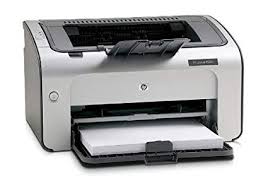
HP LaserJet P1006 driver downloads
The download buttons below link directly to HP’s file servers. Select a package that matches your operating system. Where a package is intended for an older operating system, do not assume support for a newer version.
| Driver or software | File details / listed platform | Direct download |
|---|---|---|
| HP LaserJet P1000–P1500 Hostbased Plug and Play Basic Driver | 64-bit package ljP1000_P1500-HB-pnp-win64-en.exe · 3.8 MB Version 20130415 · legacy Windows 64-bit package |
Download from HP |
| HP LaserJet P1000–P1500 Hostbased Plug and Play Basic Driver | 32-bit package ljP1000_P1500-HB-pnp-win32-en.exe · 3.4 MB Version 20130415 · legacy Windows package |
Download from HP |
| HP LaserJet P1005/P1006/P1007/P1008/P1500 Full Feature Software and Driver | HP_LaserJet_P1000_P1500_Series.dmg · 10.1 MB Legacy Mac OS X 10.3/10.4/10.5 package |
Download from HP |
| HP LaserJet P1005/P1006/P1500 Printer Series Full Solution | hp_LJ_P1005_P1505_Full_Solution_ROW.exe · 163.3 MB Version 8.0 · legacy Windows package; confirm OS compatibility first |
Download from HP |
| HP Mac Printer Driver | HPPrinterDriver3.1.dmg · 547.3 MB Version 3.1 · older Mac OS X package |
Download from HP |
| HP Mac Printer Drivers | HewlettPackardPrinterDrivers.dmg · 557.4 MB Version 5.1 · older macOS/OS X package |
Download from HP |
| HP LaserJet P1000 and P1500 Series Plug and Play Recovery Utility | P1000Repair.exe · 0.1 MB Legacy Windows utility |
Download from HP |
Compatibility note: These direct links are hosted on HP’s download infrastructure, but several files are old. The package records do not certify Windows 11 compatibility. If a package will not install, try Windows’ built-in printer setup or verify current compatibility before installing.
How to install
- Check whether your Windows version is 32-bit or 64-bit in Settings → System → About.
- Choose a package above only if its supported operating systems include yours.
- Download and run the installer, then follow its instructions. Connect the USB cable when prompted.
- Print a test page from Windows printer settings.
Fix common installation problems
- The installer will not start: Confirm the package matches your OS and architecture. Avoid forcing compatibility settings unless recommended by HP.
- Windows cannot find the printer: Check power, reconnect the USB cable, try another USB port, and open Settings → Bluetooth & devices → Printers & scanners.
- No package lists your current Windows version: Do not treat a legacy package as confirmed compatible. Try Windows’ built-in printer setup.
Need help installing this driver?
Follow our step-by-step guide to installing a printer driver on Windows 11. If setup fails, use our guide to fixing printer driver installation errors. If Windows cannot detect the printer, see how to fix a printer not recognized by Windows.
For older hardware, also read how to use older printers on modern operating systems.
Frequently asked questions
Can I download the files directly from this page?
Yes. The buttons above link directly to HP-hosted files; you do not need to visit a third-party driver download site.
Does the HP LaserJet P1006 have a Windows 11 driver?
The legacy packages listed here do not establish Windows 11 support. Windows may offer a compatible built-in driver, but availability can vary.
Should I choose 32-bit or 64-bit?
Choose a package matching your system type and the operating systems listed for that package. The filename alone is not a complete compatibility guarantee.
Download sources: HP-hosted software files. Confirm package compatibility before installation.
Advertisement