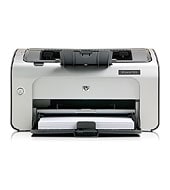
Setup is a USB cable to one computer. This printer has a single Hi-Speed USB 2.0 port, with no wireless and no network option. The HP LaserJet P1006 is a host-based laser printer for black output. It suits a home desk or small office printing 250 to 1500 pages a month.
HP LaserJet P1005/P1006/P1500 Printer Series Full Feature Software and Driver
Win 7 64-bit
For Windows, download HP LaserJet P1005/P1006/P1500 Printer Series Full Feature Software and Driver (163.3 MB). HP marks it as the recommended download for this printer.
Quick install: download the recommended file above, run it, and connect the USB cable only when the installer asks, then print a test page. Full steps
HP LaserJet P1006 driver for Windows
Win 7 64-bit
Details
- File name
hp_LJ_P1005_P1505_Full_Solution_ROW.exe- MD5 checksum (from HP)
9e4187511b7d32f247693c89e73dfd45- Software ID (HP)
- bi-54963-7 · verify on HP
Win 11Win 10 64-bitWin 7 64-bit
Details
- File name
ljP1000_P1500-HB-pnp-win64-en.exe- MD5 checksum (from HP)
53a04f82d7d9b9147eec013c0c74d897- Software ID (HP)
- bi-55362-7 · verify on HP
HP LaserJet P1006 driver for Linux
Linux
Details
- Software ID (HP)
- mp-54524-1 · verify on HP
All files come straight from HP (ftp.hp.com). We checked them against HP’s list on Oct 25, 2026. Systems checked: Win 11, Win 10 64-bit, Win 7 64-bit, macOS 26, macOS 15, macOS 13, Linux. Older systems may have more files on HP’s page for this model.
HP LaserJet P1006 driver support by operating system
64-bit
64-bit
Which HP LaserJet P1006 driver should I choose?
HP lists two downloads. The Basic driver is 3.9 MB. It is a Plug and Play host-based driver that gives basic printing functions, and it covers Win 11, Win 10 64-bit and Win 7 64-bit. The Full software and drivers package is 163.3 MB. It matches the in-box CD and is listed for Win 7 64-bit. Remove any older version of it before installing. Pick the basic driver if you only need to print.
Duplex is manual, and the driver supports it. The input side has a 150-sheet tray and a 10-sheet priority feed slot. Output goes to a 100-sheet face-down bin. Supported sizes include letter, legal, executive, postcards and No. 10 and Monarch envelopes.
How to install the HP LaserJet P1006 driver
- Close any programs running on your computer. Make sure about 590 MB of free disk space is available.
- Click the "Download Only" button and save the file to your hard disk.
- Double-click the downloaded file. It extracts the driver files into a folder named similarly to the printer model.
- Follow the on-screen instructions to continue the installation.
- Connect the printer with a USB cable when the installer asks. USB is the only connection this model has.
Adding the printer by hand or installing on Linux? See our printer driver install guide.
HP LaserJet P1006 specifications
Printing
Paper handling
Connectivity, supplies and size
Source: HP product specifications for the HP LaserJet P1006 Printer.
Each file lists the MD5 checksum HP publishes. Our guide to checking a driver download shows how to compare it. If an HP link is down, try the Microsoft Update Catalog search for the HP LaserJet P1006.
HP LaserJet P1006 driver troubleshooting
Print jobs hang in the spooler after the printer is power cycled during an out-of-paper error
HP lists this fix in the Full Feature Software and Driver version 8.0. Uninstall the older version first, then install 8.0. Reload paper, and clear stuck jobs from the print queue.
Windows does not detect the printer over USB
Check that the USB cable is seated at both ends and the printer is powered on. Try another USB port or cable. Plug directly into the computer, not through a hub.
Printed pages look faint, streaked or smeared
Check the toner cartridge is seated correctly. Remove it, rock it gently to spread the toner, and reinstall it. Confirm the paper type is supported. If marks stay, replace the cartridge.
For “driver is unavailable”, offline printers and stuck print jobs, see our printer driver troubleshooting guide.
HP LaserJet P1006 driver FAQ
Which Windows versions does the P1006 driver support?
The Basic driver lists Win 11, Win 10 64-bit and Win 7 64-bit. The Full Feature Software and Driver lists Win 7 64-bit only. HP gives no other operating systems in these downloads.
Which driver does HP recommend for the P1006?
HP recommends the HP LaserJet P1005/P1006/P1500 Printer Series Full Feature Software and Driver, version 8.0, dated Sep 17, 2014. It is 163.3 MB and it is the same solution as the in-box CD.
How big are the downloads?
The Basic driver is 3.9 MB. The Full Feature Software and Driver is 163.3 MB. The install instructions say about 590 MB of free hard disk space is required.
Can the P1006 print over Wi-Fi or a network?
No. It has only a Hi-Speed USB 2.0 port. Wireless capability is listed as No, and network ready and optional connectivity are both listed as None.
Drivers for similar HP printers
Owners of related models can find the matching downloads here: HP LaserJet P1005 Limited driver, HP LaserJet P1500 series driver, HP LaserJet Pro P1102 driver, HP LaserJet Pro P1102w with Toner Bundle driver, HP LaserJet Pro P1606dn driver.
Last checked: Oct 25, 2026. HP and HP LaserJet P1006 are trademarks of HP Inc. This site is not affiliated with HP.