Advertisement
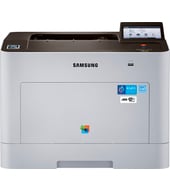
Office documents at 1,000 to 2,500 pages a month fit the Samsung SL-C2620 well. It prints up to 27 ppm in black and color, with automatic duplex as standard. Connections include USB, Gigabit Ethernet and built-in Wi-Fi.
C2620 Series Print Driver
Win 10 64-bitWin 10 32-bitWin 7 64-bitWin 7 32-bit
For Windows, download the C2620 Series Print Driver (32.8 MB). HP recommends this basic driver for the Samsung SL-C2620.
Quick install: download the recommended file above, run it, and choose Wi-Fi or USB when the installer asks, then print a test page. Full steps
Samsung SL-C2620 driver for Windows
Basic driver only
Win 10 64-bitWin 10 32-bitWin 7 64-bitWin 7 32-bit
Details
- Description
- C2620 Series Print Driver
- File name
C2620_Seriesc_WIN_SPL_PCL_V3.13.06.02.18_CDV1.14.exe- MD5 checksum (from HP)
cad4e78fa75b0cbf699ff87762d6a894- Software ID (HP)
- fp-194010-1 · verify on HP
Win 10 64-bitWin 10 32-bitWin 7 64-bitWin 7 32-bit
Details
- Description
- C2620 Series Print Driver(No Installer)
- File name
C2620_Seriesc_WIN_Printer_V3.13.06.02.18_CDV1.14.zip- MD5 checksum (from HP)
31cb7bdbf24ce69a639d827653b5716b- Software ID (HP)
- fp-194009-1 · verify on HP
HP Universal Print Driver
Win 10 64-bitWin 10 32-bitWin 7 64-bitWin 7 32-bit
Details
- File name
SamsungUniversalPrintDriver3PS.exe- MD5 checksum (from HP)
ce41fb72e76b48b5857bc8d88a4c0c74- Software ID (HP)
- fp-193882-2 · verify on HP
Win 10 64-bitWin 10 32-bitWin 7 64-bitWin 7 32-bit
Details
- File name
SamsungUniversalPrintDriver3XPS.exe- MD5 checksum (from HP)
e84fbd8cb76504c5af0832cbdf17e052- Software ID (HP)
- fp-189931-3 · verify on HP
Win 11Win 10 64-bitWin 10 32-bitWin 7 64-bitWin 7 32-bit
Details
- File name
SamsungUniversalPrintDriver3_V3.00.16.0101.01.exe- MD5 checksum (from HP)
c16cfa11640d1f39933117946ac9f9c9- Software ID (HP)
- fp-193881-4 · verify on HP
- Release notes
- Read on HP
Firmware
Win 10 64-bitWin 10 32-bitWin 7 64-bitWin 7 32-bit
Details
- File name
C2620_V4.00.01.36.zip- MD5 checksum (from HP)
040aec5cded1124d9fc774a0467137d4- Software ID (HP)
- fp-194946-2 · verify on HP
Utilities and other software
Win 10 64-bitWin 10 32-bitWin 7 64-bitWin 7 32-bit
Details
- File name
EasyColorManager_V4.00.14.zip- MD5 checksum (from HP)
3326a3a8474326805caebaf923f900e2- Software ID (HP)
- fp-194289-1 · verify on HP
Win 11Win 10 64-bitWin 10 32-bitWin 7 64-bitWin 7 32-bit
Details
- File name
WIN_EPM_V2.00.01.36.exe- MD5 checksum (from HP)
aaeb8b73b590790c8b7037424b50c3e6- Software ID (HP)
- fp-194462-5 · verify on HP
Win 11Win 10 64-bitWin 10 32-bitWin 7 64-bitWin 7 32-bit
Details
- File name
RemoteDiagnosis.exe- MD5 checksum (from HP)
5cec144198f6f417598f422e8d485665- Software ID (HP)
- ss-302867-1 · verify on HP
Win 11Win 10 64-bitWin 10 32-bitWin 7 64-bitWin 7 32-bit
Details
- File name
SetIP_V1.05.08.3.14.exe- MD5 checksum (from HP)
ae9b0051606d60949becd6b6f3658bfa- Software ID (HP)
- fp-191426-2 · verify on HP
All files come straight from HP (ftp.hp.com). We checked them against HP’s list on Oct 25, 2026. Systems checked: Win 11, Win 10 64-bit, Win 10 32-bit, Win 7 64-bit, Win 7 32-bit, macOS 13, macOS 12, macOS 11, macOS 10.15, Linux. Older systems may have more files on HP’s page for this model.
Samsung SL-C2620 driver support by operating system
| Download | Win 11 | Win 10 64-bit |
Win 10 32-bit | Win 7 64-bit |
Win 7 32-bit |
|---|---|---|---|---|---|
| Basic driver only | – | ✓ | ✓ | ✓ | ✓ |
| HP Universal Print Driver | ✓ | ✓ | ✓ | ✓ | ✓ |
| Firmware | – | ✓ | ✓ | ✓ | ✓ |
| Utilities and other software | ✓ | ✓ | ✓ | ✓ | ✓ |
Which Samsung SL-C2620 driver should I choose?
Pick the Basic driver for normal use. The C2620 Series Print Driver is 32.8 MB, and a No Installer version is 22.3 MB. Universal Print Drivers are generic drivers for IT-managed setups; the Windows version is 38.5 MB. Utilities add tools such as Samsung Printer Diagnostics (23.1 MB) and Samsung Easy Color Manager (12.3 MB). Firmware is a 111.1 MB file, and HP lists no problem it fixes, so skip it.
Automatic duplex is standard. Paper handling includes a 50-sheet multipurpose tray, a 250-sheet input tray and a 150-sheet output bin, plus an optional 520-sheet tray. For networking, you can use Gigabit Ethernet or built-in Wi-Fi 802.11 b/g/n.
How to install the Samsung SL-C2620 driver
- Download the C2620 Series Print Driver (32.8 MB) from this page.
- Open the downloaded file when the transfer finishes.
- Follow the installer prompts on screen.
- Connect the printer by USB, Ethernet or built-in Wi-Fi 802.11 b/g/n.
- Run Samsung Set IP (1.5 MB) if the printer needs a network IP address; it works from the MAC address.
- Print a test page from any app to confirm the setup.
Adding the printer by hand or installing on Linux? See our printer driver install guide.
Samsung SL-C2620 specifications
Samsung SL-C2620 driver specs: printing
| Print speed black | Normal: Up to 27 ppm |
|---|---|
| Print speed color | Up to 27 ppm |
| First page out (ready) | Black: As fast as 14 sec |
| Print quality black (best) | Black: Up to 9,600 x 600 dpi Color: Up to 9,600 x 600 dpi |
| Duty cycle (monthly, letter) | Up to 60,000 pages |
| Recommended monthly page volume | 1,000 to 2,500 |
| Print languages | SPL, PCL5, PCL6, PS3, PDF V1.7 |
Samsung SL-C2620 driver specs: paper handling
| Duplex printing | Automatic (standard) |
|---|---|
| Paper handling input, standard | 50-sheet multipurpose tray, 250-sheet input tray, optional 520-sheet input tray |
| Paper handling output, standard | 150-sheet output bin |
| Media sizes supported | Tray 1: Legal, Folio, Letter, Executive, Statement, Envelope Monarch, Envelope No. 10, Envelope No. 9; Tray 2: Legal, Folio, Letter, Executive, Statement, Envelope Monarch, Envelope No. 10, Envelope No. 9 |
| Media sizes, custom | Tray 1: 3 x 5 to 8.5 x 14 in; Tray 2: 3 x 5 to 8.5 x 14 in |
| Maximum output capacity (sheets) | Up to 150 sheets |
| Media types | Plain / Thin / Thick / Thicker / Cardstock / Transparency / Pre-printed / Recycled / Archive / Bond / Label / Envelope / Cotton / Colored / Hole Punched / LetterHead / Cardstock 3" x 5" / Glossy |
| Media weight, supported | Tray 1: 16 to 59 lb; Tray 2: 16 to 59 lb |
Samsung SL-C2620 driver specs: connectivity, supplies and size
| Connectivity, standard | Hi-Speed USB 2.0 port, Host USB; built-in Giga Ethernet 10/100/1000 Base-TX network port; built-in Wi-Fi 802.11 b/g/n |
|---|---|
| Wireless capability | Yes, Built in Wi-Fi 802.11 b/g/n; authentication via WEP, WPA/WPA2 Enterprise; encryption via AES or TKIP |
| Mobile printing capability | Apple AirPrint™; Wireless direct printing; Mopria™-certified; Mobile Apps; Samsung Cloud Print; Google Cloud Print™; PrinterOn Print |
| Display | 4.3-in Color Touchscreen Panel |
| Dimensions (W x D x H) | 16.5 x 17.8 x 13.9 in |
| Weight | 44.4 lb |
| Manufacturer Warranty | Warranty varies by country. Please contact customer service for information. |
Source: HP product specifications for the Samsung ProXpress SL-C2620 Color Laser Printer series.
Each file lists the MD5 checksum HP publishes. Our guide to checking a driver download shows how to compare it. If an HP link is down, try the Microsoft Update Catalog search for the Samsung SL-C2620.
Samsung SL-C2620 driver troubleshooting
Printer shows offline or jobs stick in the queue
Confirm the printer is on and joined to the same network as your PC. Restart both devices. Run Samsung Printer Diagnostics (23.1 MB), which HP offers for offline printers and stuck print jobs.
Prints look faded, streaky or off-color
Check the supplies and replace any that are low or empty. Print a test page afterward. Samsung Easy Color Manager (12.3 MB) can adjust color balance, saturation and brightness.
Samsung Easy Printer Manager misbehaves on Windows 10
Install Samsung Easy Printer Manager version 2.00.01.36 (28.7 MB). HP states this release fixed a Windows 10 RS4 compatibility issue.
For “driver is unavailable”, offline printers and stuck print jobs, see our printer driver troubleshooting guide.
Samsung SL-C2620 driver FAQ
Does the C2620 driver support Windows 11?
HP lists the C2620 Series Print Driver for Windows 10 and Windows 7, 32-bit and 64-bit. For Windows 11, HP offers the Samsung Universal Print Driver for Windows, version 3.00.16.0101.01, at 38.5 MB.
How big is the driver without the installer?
The C2620 Series Print Driver (No Installer) is 22.3 MB, version 3.13.06.02.18. The version with the installer is 32.8 MB.
Can I print from a phone or tablet?
Yes. HP lists Apple AirPrint, wireless direct printing, Mopria certification, Samsung Cloud Print, Google Cloud Print and PrinterOn Print. HP also lists mobile apps.
Does the firmware file fix anything?
HP lists no fixes for the firmware file, version 4.00.01.36, which is 111.1 MB. It supports Windows 10 and Windows 7.
Drivers for similar Samsung printers
Owners of related models can find the matching downloads here: Samsung ProXpress SL-C2670 Color Laser Multifunction series driver, Samsung ProXpress SL-C2680 Color Laser Multifunction series driver, Samsung ProXpress SL-C3010 Color Laser series driver, Samsung ProXpress SL-C3060FW Color Laser Multifunction driver, Samsung ProXpress SL-C4010 Color Laser series driver, Samsung ProXpress SL-C4012 Color Laser series driver.
Last checked: Oct 25, 2026. Samsung and Samsung SL-C2620 are trademarks of Samsung Electronics. HP Inc. hosts these downloads. This site is not affiliated with Samsung or HP.
Advertisement
7 thoughts on “Samsung SL-C2620 Driver Download”