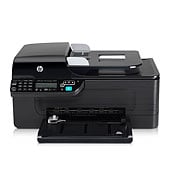
Everyday office documents in modest volume suit this inkjet all-in-one, the HP Officejet 4575 All-in-One – K710a. It prints, copies, scans and faxes, with a 100-sheet input tray and a flatbed plus ADF scanner. HP recommends 350 to 600 pages per month, so it fits a small home office.
Download the HP Officejet Driver Removal Utility (2.4 MB) for Windows. It is the only download HP offers for this printer, and it is the recommended one.
Quick install: download the recommended file above, run it, and connect the USB cable only when the installer asks, then print a test page. Full steps
HP Officejet 4575 All-in-One – K710a driver for Windows
Win 7 64-bit
Details
- Description
- This Software and Driver Removal Utility is intended for users to remove the HP software from their system. If problems arise while installing or…
- File name
OJ4500vK710_Scrubber_14.exe- MD5 checksum (from HP)
2f3b51a44c1bff087c03b3d33a7cdb32- Software ID (HP)
- mp-85038-2 · verify on HP
HP Officejet 4575 All-in-One – K710a driver for Linux
Linux
Details
- Software ID (HP)
- mp-54524-1 · verify on HP
All files come straight from HP (ftp.hp.com). We checked them against HP’s list on Oct 25, 2026. Systems checked: Win 11, Win 10 64-bit, Win 7 64-bit, macOS 26, macOS 15, macOS 13, Linux. Older systems may have more files on HP’s page for this model.
HP Officejet 4575 All-in-One – K710a driver support by operating system
64-bit
Which HP Officejet 4575 All-in-One – K710a driver should I choose?
HP offers one download category for this printer: Utility. A utility is a support tool, not a print driver. The HP Officejet Driver Removal Utility is 2.4 MB, version 14.0.0, for Win 7 64-bit. Choose it when HP software installs or uninstalls badly and you need a clean start before trying again.
This model has no duplex printing and no wireless, so connect it by USB or the RJ-45 network port. The input tray holds 100 sheets and the output tray holds 20. The display is a 1-line text LCD.
How to install the HP Officejet 4575 All-in-One – K710a driver
- Click the Download button, then click Save and store the file in a location you can find.
- Make sure the printer is not connected to the computer before you run the file.
- Double-click the downloaded .exe file and select a directory to extract the contents to.
- Wait while the compressed file expands. HP warns this can take a while.
- Select the install button for the connectivity you want, follow the wizard, and plug in the printer when prompted.
Adding the printer by hand or installing on Linux? See our printer driver install guide.
HP Officejet 4575 All-in-One – K710a specifications
Source: HP product specifications for the HP Officejet 4575 All-in-One Printer – K710a.
Each file lists the MD5 checksum HP publishes. Our guide to checking a driver download shows how to compare it. If an HP link is down, try the Microsoft Update Catalog search for the HP Officejet 4575 All-in-One – K710a.
HP Officejet 4575 All-in-One – K710a driver troubleshooting
HP software fails to install or uninstall
Download the HP Officejet Driver Removal Utility version 14.0.0 (2.4 MB). Run it to remove the HP software, then start the installation again. Keep the printer disconnected until the wizard asks you to plug it in.
Windows does not detect the printer over USB
Check that the USB cable is firmly seated at both ends. Try a different USB port and a different cable. Turn the printer off and on, then run the installer again.
Prints look faint or streaky
This printer uses HP thermal inkjet technology. Check that the cartridges are seated correctly and not empty. Make sure the paper type matches the media you loaded, then print again.
For “driver is unavailable”, offline printers and stuck print jobs, see our printer driver troubleshooting guide.
HP Officejet 4575 All-in-One – K710a driver FAQ
Which Windows version does the download support?
HP lists the HP Officejet Driver Removal Utility for Win 7 64-bit only. HP does not offer other operating systems for this printer in its current downloads.
How big is the download?
The HP Officejet Driver Removal Utility is 2.4 MB. HP dates version 14.0.0 to Aug 31, 2010. The file is compressed and may take time to expand when you run it.
Can this printer print on both sides automatically?
No. HP states that duplex printing is not supported on this model. You need to turn pages over by hand if you want two-sided output.
Does this printer connect over Wi-Fi?
No. HP lists wireless capability as No. The standard connections are 1 USB port, 1 phone port and 1 RJ-45 (10/100Base-TX) network port.
Last checked: Oct 25, 2026. HP and HP Officejet 4575 All-in-One – K710a are trademarks of HP Inc. This site is not affiliated with HP.