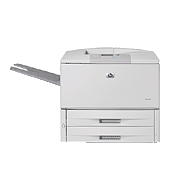
Plan your connection first, since networking needs an optional HP Jetdirect server or wireless accessory. The HP LaserJet 9050dn prints black at up to 50 ppm. It suits workgroups printing 15,000 to 50,000 pages monthly.
HP Universal Print Driver for Windows PCL6 (64-bit)
Win 10 64-bitWin 7 64-bit
HP lists no model-specific driver here. Download HP Universal Print Driver for Windows PCL6 (64-bit) as HP's generic option. Sizes are 20.2 MB for Win 11 and 20.3 MB for Win 10 or Win 7.
Quick install: download the recommended file above, run it, and choose Wi-Fi or USB when the installer asks, then print a test page. Full steps
HP LaserJet 9050dn driver for Windows
HP Universal Print Driver
Win 10 64-bitWin 7 64-bit
Details
- File name
upd-pcl6-win10-x64-8.2.0.26778.zip- MD5 checksum (from HP)
1311b735d1ada9b02676d32b5ba5b232- Software ID (HP)
- ds-99374-36 · verify on HP
- Release notes
- Read on HP
Win 10 64-bitWin 7 64-bit
Details
- File name
upd-ps-win10-x64-8.2.0.26778.zip- MD5 checksum (from HP)
626ec0b8d41d3be40357b3c825c3502d- Software ID (HP)
- ds-99376-35 · verify on HP
- Release notes
- Read on HP
Win 10 64-bitWin 7 64-bit
Details
- Software ID (HP)
- ds-114621-1 · verify on HP
Win 11
Details
- File name
upd-pcl6-win11-x64-8.2.0.26819.zip- MD5 checksum (from HP)
5660c16a00e21f11736fd003063d6d13- Software ID (HP)
- ds-365647-1 · verify on HP
- Release notes
- Read on HP
Win 11
Details
- File name
upd-ps-win11-x64-8.2.0.26819.zip- MD5 checksum (from HP)
d27ad643905526df8cc9a89b556dbf42- Software ID (HP)
- ds-365648-1 · verify on HP
- Release notes
- Read on HP
Win 11Win 10 64-bitWin 7 64-bit
Details
- File name
HP-PARK-v1.9.2.zip- MD5 checksum (from HP)
b7f948771a52c13721d963c6830ac7b5- Software ID (HP)
- ds-99433-30 · verify on HP
- Release notes
- Read on HP
More hP Universal Print Driver
Win 11 ARM64
Details
- File name
upd-pcl6-win11-ARM64-8.2.0.26778.zip- MD5 checksum (from HP)
e270ca97f4ddb5139217621ccc205506- Software ID (HP)
- ds-359027-2 · verify on HP
- Release notes
- Read on HP
Firmware
Win 11Win 10 64-bitWin 7 64-bitmacOS 26macOS 15macOS 13Linux
Details
- Description
- This Readme file provides specific installation instructions and other information you should know before you perform a firmware update for your HP…
- File name
lj9040-50_fw_utility_08_300_1.exe- MD5 checksum (from HP)
4ccd14b4c7d8e9dc43dcf1d49ee0ef91- Software ID (HP)
- hv-100876-9 · verify on HP
Win 11Win 10 64-bitWin 7 64-bitmacOS 26macOS 15macOS 13Linux
Details
- Description
- The HP LaserJet printer firmware update file available from the HP web site contains firmware for the printer, embedded JetDirect (if applicable), HP…
- File name
lj9040-50_fw_08_300_1.zip- MD5 checksum (from HP)
2a1ce14299188456a557c4d828fefcaa- Software ID (HP)
- hv-100875-9 · verify on HP
Win 11Win 10 64-bitWin 7 64-bitmacOS 26macOS 15macOS 13Linux
Details
- File name
readme_lj9040-50fw_08_300_1.pdf- MD5 checksum (from HP)
7238d5ef883256e7b7401089707ede9d- Software ID (HP)
- hv-117267-7 · verify on HP
HP LaserJet 9050dn driver for Linux
Linux
Details
- Software ID (HP)
- mp-163323-1 · verify on HP
All files come straight from HP (ftp.hp.com). We checked them against HP’s list on Oct 25, 2026. Systems checked: Win 11, Win 10 64-bit, Win 7 64-bit, macOS 26, macOS 15, macOS 13, Linux. Older systems may have more files on HP’s page for this model.
HP LaserJet 9050dn driver support by operating system
64-bit
64-bit
Which HP LaserJet 9050dn driver should I choose?
HP lists no model-specific driver for this printer, only generic drivers and utilities. Universal Print Driver downloads are generic drivers that suit IT-managed setups. PCL6 builds run 20.1 to 20.3 MB, and PostScript builds run 21.4 to 21.5 MB. Firmware downloads cover the 9050mfp Series: a 15.3 MB firmware file, an 18.0 MB utility, and a 0.5 MB README. Update firmware only to fix a specific problem, after reading the README.
Duplex printing is automatic, and the warranty is one year, next business day onsite. Tray 1 takes custom sizes from 3.9 x 7.5 to 12.3 x 18.5 in. HP recommends 15,000 to 50,000 pages monthly for best performance.
How to install the HP LaserJet 9050dn driver
- Pick the 20.2 MB build for Win 11, or the 20.3 MB build for Win 10 or Win 7.
- Open the HP Universal Print Driver System Administrator's Guide for install or upgrade steps for your version.
- Connect the printer through an HP Jetdirect print server, the wireless accessory, or a USB cable bought separately.
- Run the downloaded file and follow the guide's steps.
- Print a test page once the installation finishes.
Adding the printer by hand or installing on Linux? See our printer driver install guide.
HP LaserJet 9050dn specifications
Printing
Paper handling
Connectivity, supplies and size
Source: HP product specifications for the HP LaserJet 9050dn Printer.
Each file lists the MD5 checksum HP publishes. Our guide to checking a driver download shows how to compare it. If an HP link is down, try the Microsoft Update Catalog search for the HP LaserJet 9050dn.
HP LaserJet 9050dn driver troubleshooting
Windows cannot find the printer on the network
Confirm the optional HP Jetdirect server or wireless accessory is installed and connected. Check that the 4-line display shows the printer ready. Restart the printer, then the PC, and add it again.
Pages come out faint or streaky
Remove the toner cartridge and rock it gently to spread the toner. Reinstall it and print again. Replace the cartridge if the pages stay faint. Check that the paper is not damp.
Paper jams or misfeeds
Check paper weight first: Tray 1 takes 17 to 58 lb, while Trays 2, 3 and optional Tray 4 take 17 to 53 lb. Reload fresh sheets within the tray's size limits.
For “driver is unavailable”, offline printers and stuck print jobs, see our printer driver troubleshooting guide.
HP LaserJet 9050dn driver FAQ
Which Windows versions does the recommended driver support?
The 20.2 MB PCL6 build covers Win 11. The 20.3 MB PCL6 build covers Win 10 64-bit and Win 7 64-bit. HP also offers a 20.1 MB PCL6 build for Win 11 ARM64.
Does HP offer a driver made only for this printer?
No. HP lists only generic drivers and utilities. The recommended download is HP Universal Print Driver for Windows PCL6 (64-bit), which HP offers as its generic option.
What does the firmware download fix?
HP does not describe a specific fix. It points you to the ReadMe file for details. The firmware is version 08.300.1, 15.3 MB, and covers the 9050mfp Series.
Does this printer support HP ePrint or wireless printing?
HP ePrint is not supported. Wireless is optional and needs a hardware accessory. HP also offers Jetdirect EIO internal and external print servers for network connections.
Last checked: Oct 25, 2026. HP and HP LaserJet 9050dn are trademarks of HP Inc. This site is not affiliated with HP.