Advertisement
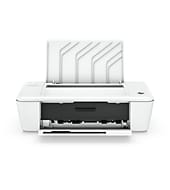
HP offers two downloads for this printer, both for Windows 11, Windows 10 64-bit and Windows 7 64-bit. The HP Deskjet 1010 series is a thermal inkjet printer with a 60-sheet input tray and USB 2.0 only. It suits home users and small desks printing 50 to 200 pages a month.
HP Deskjet 1010 Printer series Full Feature Software and Drivers
Win 11Win 10 64-bitWin 7 64-bit
Download the HP Deskjet 1010 Printer series Full Feature Software and Drivers (88.3 MB) for Windows. HP marks it as recommended, and it includes everything needed to install and use the printer.
Quick install: download the recommended file above, run it, and connect the USB cable only when the installer asks, then print a test page. Full steps
HP Deskjet 1010 series driver for Windows
Win 11Win 10 64-bitWin 7 64-bit
Details
- File name
Full_Webpack-118-DJ1010_Full_Webpack.exe- MD5 checksum (from HP)
9a3bb97411386b0ba069fa1aa6c3a31a- Software ID (HP)
- dj-117518-5 · verify on HP
Win 11Win 10 64-bitWin 7 64-bit
Details
- Description
- This basic feature software solution is a driver-only software solution intended for customers who only want a basic driver to use with their HP…
- File name
Basic_Webpack_x64-118-DJ1010_Basicx64_Webpack.exe- MD5 checksum (from HP)
504881dc79f4d7ecb570f38655830f2a- Software ID (HP)
- dj-117534-5 · verify on HP
HP Deskjet 1010 series driver for Linux
Linux
Details
- Software ID (HP)
- mp-54524-1 · verify on HP
All files come straight from HP (ftp.hp.com). We checked them against HP’s list on Oct 25, 2026. Systems checked: Win 11, Win 10 64-bit, Win 7 64-bit, macOS 26, macOS 15, macOS 13, Linux. Older systems may have more files on HP’s page for this model.
HP Deskjet 1010 series driver support by operating system
| Download | Win 11 | Win 10 64-bit |
Win 7 64-bit |
|---|---|---|---|
| Full software and drivers | ✓ | ✓ | ✓ |
| Basic driver only | ✓ | ✓ | ✓ |
Which HP Deskjet 1010 series driver should I choose?
HP offers a Basic driver and a Full software and drivers package. The Basic driver is 27.1 MB and contains only the driver. Choose it if you want a minimal install without extra software. The Full package is 88.3 MB and includes everything you need to install and use the printer. Pick it for a first-time setup. HP lists no Universal Print Driver or firmware for this model.
This printer connects by USB 2.0 only. It has no wireless and no mobile printing support. Duplex printing is manual, with driver support. The input tray holds 60 sheets, the output tray holds 25, and envelopes max out at 5.
How to install the HP Deskjet 1010 series driver
- Download the Full Feature Software and Drivers file from the HP page and save it to your computer.
- Double-click the downloaded file to start it. If a window asks, click Run or OK.
- Wait while the compressed file extracts. This can take a few minutes.
- Follow the on-screen instructions to finish the software installation.
- Connect the printer with a USB cable when the installer asks for it.
Adding the printer by hand or installing on Linux? See our printer driver install guide.
HP Deskjet 1010 series specifications
Printing
| Print speed black | ISO Laser comparable, Professional Mode: Up to 7 ppm,General Office Mode: Up to 20 ppm Either after first page or after first set of ISO test pages. For details see hp.com/go/printerclaims |
|---|---|
| Print speed color | ISO Laser comparable, Professional Mode: Up to 4 ppm,General Office Mode: Up to 16 ppm Either after first page or after first set of ISO test pages. For details see hp.com/go/printerclaims |
| First page out (ready) | Black: As fast as 17 sec |
| Print quality black (best) | Black: Up to 600 x 600 optimized dpi Color: Up to 4800 x 1200 optimized dpi color (when printing from a computer on selected HP photo papers and 1200 input dpi) |
| Print quality color (best) | Up to 4800 x 1200 optimized dpi color (when printing from a computer on selected HP photo papers and 1200 input dpi) |
| Duty cycle (monthly, letter) | Up to 1000 pages |
| Recommended monthly page volume | 50 to 200 |
| Print speed colour (draft, 4×6 photo) | Either after first page or after first set of ISO test pages. For details see hp.com/go/printerclaims |
| Print technology | HP Thermal Inkjet |
| Print languages | HP PCL3 GUI |
Paper handling
| Duplex printing | Manual (driver support provided) |
|---|---|
| Paper handling input, standard | 60-sheet input tray |
| Paper handling output, standard | 25-sheet output tray |
| Media sizes supported | Letter; legal; 4 x 6 in; 5 x 7 in; 8 x 10 in; No. 10 envelopes |
| Maximum Input Capacity (envelopes) | Up to 5 envelopes |
Connectivity, supplies and size
| Connectivity, standard | 1 USB 2.0 |
|---|---|
| Wireless capability | No |
| Mobile printing capability | Mobile Print Capability not supported |
| Display | None |
| Dimensions (W x D x H) | 16.65 x 8.54 x 5.0 in |
| Weight | 4.55 lb |
| Manufacturer Warranty | With services, software, solutions and support from HP Total Care, you can use, protect and enjoy your HP Technology. Comes with one-year technical phone support |
Source: HP product specifications for the HP Deskjet 1010 Printer series.
Each file lists the MD5 checksum HP publishes. Our guide to checking a driver download shows how to compare it. If an HP link is down, try the Microsoft Update Catalog search for the HP Deskjet 1010 series.
HP Deskjet 1010 series driver troubleshooting
Windows does not detect the printer over USB
Try a different USB cable and another USB port on the computer. Plug straight into the PC, not a hub. Then restart the printer and the computer, and run the installer again.
Prints look streaky or faded
Check that the ink cartridges are seated properly and not empty. Replace any empty cartridge. Load fresh paper, then print again. Choose a higher quality setting in the print dialog if needed.
Licence or data collection prompt appears during setup
Version 32.4.118 of the Full Feature Software and Drivers updated the end user license agreement and data collection statement. Install that version, then read and accept the prompts to continue.
For “driver is unavailable”, offline printers and stuck print jobs, see our printer driver troubleshooting guide.
HP Deskjet 1010 series driver FAQ
Which Windows versions does the driver support?
HP lists Windows 11, Windows 10 64-bit and Windows 7 64-bit for both downloads. HP offers no macOS download for this printer.
How big are the driver downloads?
The Basic Driver is 27.1 MB. The Full Feature Software and Drivers package is 88.3 MB. Both are version 32.4.118.
Can I print wirelessly with this printer?
No. HP lists wireless capability as No and mobile printing as not supported. The only standard connection is one USB 2.0 port.
How fast does it print?
In General Office Mode, HP rates it up to 20 ppm black and 16 ppm color. Professional Mode is up to 7 ppm black and 4 ppm color. The first page can come out in 17 seconds.
Drivers for similar HP printers
Owners of related models can find the matching downloads here: HP DeskJet 1112 driver, HP DeskJet Ink Advantage 1115 driver, HP DeskJet Ink Advantage 1118 driver, HP Deskjet 1510 All-in-One driver, HP Deskjet Ink Advantage 1516 All-in-One driver.
Last checked: Oct 25, 2026. HP and HP Deskjet 1010 series are trademarks of HP Inc. This site is not affiliated with HP.
Advertisement