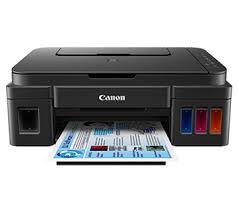
 For the Canon MG2570S, Canon lists the Windows Full Driver & Software Package 2.3 dated 27 Aug 2026 and the Mac CUPS Printer Driver Ver.16.91.1.0 dated 14 Sep 2026 as the newest. Each button opens Canon's own download link.
Which Canon MG2570S driver do I need?
All Canon MG2570S downloads from Canon
Each button opens Canon’s own download link. Canon publishes no checksums, so we list the version, date and size from Canon’s page. Our guide to checking a driver download shows how to verify a file.
Windows downloads for the Canon MG2570S
macOS downloads for the Canon MG2570S
How to install the Canon MG2570S driver
Canon’s own steps for the full driver package:
- Click the link, select [ Save ], specify "Save As", then click [ Save ] to download the file.
- The downloaded file will be saved in the specified place in the self-extracting form (.exe format ).
- Double-click the downloaded .exe file. It will be decompressed and the Setup screen will be displayed. Follow the instructions to install the software and perform the necessary settings.
If an error appears, our driver installation error guide covers the common ones. The Windows 11 driver install guide shows the manual route.
Canon MG2570S driver troubleshooting
Windows does not detect the printer over USB
Unplug the USB cable and plug it into a different port on the PC, not a hub. Turn the printer off and on. If Windows still misses it, run the MP Drivers Ver.1.04 installer again.
The installer stops partway through
Close all other programs and restart the PC. Pause your antivirus, then run the installer again as administrator. Check that the file size matches the listing, since a cut-off download often causes the stop.
The scanner does not appear on a Mac
The printer driver does not add scanning. Install the ICA Driver listed for your macOS version, which is Ver.5.0.1 for macOS 11 and later. Then unplug the USB cable, reconnect it, and reopen your scanning app.
Other models that share files with the Canon MG2570S
Canon lists these models for the same scanner (ICA) driver: PIXMA MG2470, PIXMA MG2570, PIXMA MG2570S.
You can find manuals and firmware for this model on Canon’s official support page.
Canon MG2570S driver FAQ
Which Windows file should I pick?
Pick the Full Driver & Software Package 2.3 (51.17 MB) for full setup. It covers Windows 11 down to XP, including x64 editions. The MP Drivers Ver.1.04 (22.35 MB) installs the printer driver alone.
Which Mac driver matches my macOS version?
Use CUPS Printer Driver Ver.16.91.1.0 for macOS 11 through macOS 27. Ver.16.50.1.0 covers older systems, from Mac OS X v10.7 to macOS 10.15. The ICA scanner driver follows the same split.
What is the XPS printer driver?
It is an optional, advanced driver (Ver.5.70c, 17.72 MB) for Windows. The driver supports 16-bit per color printing, which gives smoother gradation. It covers Windows 11 down to Vista but not XP.
What does the security patch do?
The Windows Printers and Multifunction Printers security patch Ver.1.0.2 fixes a folder vulnerability in installed printer drivers. It is 42.41 KB. The Dec 2024 file covers Windows 11, 10, 8.1 and Server editions. A separate Aug 2021 file covers Windows 7.