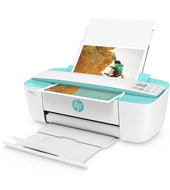
Print, copy, scan and wireless printing come together in the HP DeskJet 3732 All-in-One, a thermal inkjet for light everyday use. HP recommends 50 to 200 pages a month. Built-in Wi-Fi, Wi-Fi Direct and Apple AirPrint let laptops and phones print without a cable.
HP DeskJet and Ink Advantage 3700 All-in-One Print and Scan Driver and Accessories
Win 11Win 10 64-bitWin 7 64-bit
Windows users should download HP DeskJet and Ink Advantage 3700 All-in-One Print and Scan Driver and Accessories (102.6 MB). On a Mac, download Install HP Easy Start (6.3 MB).
Quick install: download the recommended file above, run it, and choose Wi-Fi or USB when the installer asks, then print a test page. Full steps
HP DeskJet 3732 All-in-One driver for Windows
Full software and drivers
Win 11Win 10 64-bitWin 7 64-bit
Details
- File name
Full_Webpack-40.16.1234-DJ3700_Full_Webpack.exe- MD5 checksum (from HP)
a64f64a599561e71c224398eda8410df- Software ID (HP)
- al-163859-7 · verify on HP
Setup apps
Win 11Win 10 64-bitWin 7 64-bit
Details
- File name
HPEasyStart_17_6_15.exe- MD5 checksum (from HP)
d3c5840776dec9f1f7e1ba23499a15e8- Software ID (HP)
- mp-366488-3 · verify on HP
Win 11Win 10 64-bit
Details
- Software ID (HP)
- mp-366135-1 · verify on HP
Firmware
Win 11Win 10 64-bitWin 7 64-bit
Details
- File name
DJ3700_2218A.exe- MD5 checksum (from HP)
753c33105bc9259912c3e12852483914- Software ID (HP)
- al-215329-4 · verify on HP
Utilities and other software
Win 11Win 10 64-bitWin 7 64-bit
Details
- File name
HPEasyStart-13.6.5-DJ3700_40_16_1234_1_Webpack.exe- MD5 checksum (from HP)
7cab4ab748df36b4f7bc7fc4fe0b5521- Software ID (HP)
- al-260049-4 · verify on HP
Win 11Win 10 64-bitWin 7 64-bit
Details
- File name
Basic_Webpack_x64-40.16.1234-DJ3700_Basicx64_Webpack.exe- MD5 checksum (from HP)
e4cb71f3feb7fe167792bf52808dd957- Software ID (HP)
- al-242680-4 · verify on HP
Win 10 64-bitWin 7 64-bit
Details
- File name
HPEPrintAppSetupx64.exe- MD5 checksum (from HP)
f47f746e9f3a0bf359c06d3a4d889b43- Software ID (HP)
- lj-166432-4 · verify on HP
HP DeskJet 3732 All-in-One driver for macOS
macOS 26macOS 15
Details
- File name
HP_Easy_Start.app.zip- MD5 checksum (from HP)
19c1a5f786f5f93f9f778ad71ee444a3- Software ID (HP)
- mp-166618-27 · verify on HP
macOS 26macOS 15macOS 13
Details
- Software ID (HP)
- mp-351535-1 · verify on HP
HP DeskJet 3732 All-in-One driver for Linux
Linux
Details
- Software ID (HP)
- mp-54524-1 · verify on HP
All files come straight from HP (ftp.hp.com). We checked them against HP’s list on Oct 25, 2026. Systems checked: Win 11, Win 10 64-bit, Win 7 64-bit, macOS 26, macOS 15, macOS 13, Linux. Older systems may have more files on HP’s page for this model.
HP DeskJet 3732 All-in-One driver support by operating system
64-bit
64-bit
Which HP DeskJet 3732 All-in-One driver should I choose?
Full software and drivers (102.6 MB) installs the print and scan driver plus accessories on Windows. Setup app downloads, such as HP Easy Start, guide you through setup and need an internet connection for driver installation on Windows. Utility downloads cover special cases: an IT-only package, an offline installer at 173.5 MB, and HP ePrint. Firmware (4.3 MB) is a separate update. Install it only to fix a problem HP lists, such as the Embedded Web Server or network stack changes.
Duplex printing is manual, and HP provides driver support for it. The printer has a 60-sheet input tray, a 25-sheet output tray, one Hi-Speed USB 2.0 port and built-in Wi-Fi. Media runs from 3 x 5 to 8.5 x 14 inches.
How to install the HP DeskJet 3732 All-in-One driver
- Download HP DeskJet and Ink Advantage 3700 All-in-One Print and Scan Driver and Accessories (102.6 MB) from the list below.
- Run the downloaded file on your Windows PC.
- Pick USB or Wi-Fi when the installer offers a connection choice.
- Connect the Hi-Speed USB 2.0 cable, or join the printer to your Wi-Fi network if you chose wireless.
- Finish the installer, then print a test page from any app.
- On a Mac, download Install HP Easy Start (6.3 MB) instead and open it.
Adding the printer by hand or installing on Linux? See our printer driver install guide.
Models supported by this HP DeskJet 3732 driver page
These printers use the same driver files, so every download on this page fits each of them.
Managing the HP DeskJet 3732 All-in-One from your computer
When the printer is on a network, you can open its embedded web server (EWS) from your computer. There you can check status, change settings and manage the device. The EWS works without an Internet connection. However, some features are not available offline, and a few settings may ask for a password.
To reach the EWS over your network, press the Wireless and Information buttons together to print a network configuration page. Then read the IP address or hostname from it and type it into a supported browser, for example http://192.168.0.12. Windows users can also click Print & Scan, then Printer Home Page (EWS).
Opening the EWS through Wi-Fi Direct
You can reach the EWS without a router. First, if the Wi-Fi Direct light is off, press the Wi-Fi Direct button. Press the Information button to print a page showing the Wi-Fi Direct name and password. Then turn wireless on at your computer and connect to that name, which looks like DIRECT-**-HP DeskJet 3700 series.
Enter the Wi-Fi Direct password when prompted. After that, open a supported web browser and type http://192.168.223.1 as the address. This route is useful when the printer is not on your home network. Note that the name format given in HP's guide applies to the whole series.
Cartridge care tips for the HP DeskJet 3732 All-in-One
To stop cartridges drying out, switch the printer off with the Power button and wait until its light goes out. Also, keep new cartridges sealed and taped until you are ready to install them, because the tape reduces ink evaporation. Insert each cartridge in the slot that matches its color and icon, and check that it snaps into place.
When the Estimated Cartridge Levels screen shows one or both cartridges as low, consider buying replacements to avoid delays. However, you do not need to fit them until print quality becomes unacceptable. If you take a cartridge out for any reason, put it back soon, since unprotected cartridges begin to dry out. Aligning the printer also helps print quality.
What the HP cartridge warranty covers
The HP cartridge warranty applies when the cartridge is used in the HP printing device it was designed for. It does not cover cartridges that have been refilled, remanufactured, refurbished, misused or tampered with. Therefore, think carefully before using any cartridge that has been modified in some way.
Cover lasts through the warranty period, provided the HP ink has not run out and the end of warranty date has not passed. You can find that date on the cartridge, written as YYYY/MM/DD. For the full terms, look at the printed documentation that came with the printer, which includes the HP Limited Warranty Statement.
Loading paper and setting default paper size
For full-size paper, raise the input tray and its extender. Insert the stack short edge down with the print side up, and slide it down until it stops. Then slide the paper-width guide right to the paper edge. Pull out the output tray and extender, and lift the paper catch. Photo paper and envelopes go in the far-right side of the input tray.
The printer detects whether paper is loaded and whether it is large, small or medium width. In addition, you can change the default size for each. Open the EWS and click the Settings tab. In Preferences, click Tray and Paper Management, choose the option you want, and click Apply.
HP DeskJet 3732 All-in-One specifications
Source: HP product specifications for the HP DeskJet 3732 All-in-One Printer.
Each file lists the MD5 checksum HP publishes. Our guide to checking a driver download shows how to compare it. If an HP link is down, try the Microsoft Update Catalog search for the HP DeskJet 3732 All-in-One.
HP DeskJet 3732 All-in-One driver troubleshooting
Computer cannot find the printer over Wi-Fi
Confirm the printer and computer share the same network. Restart the printer and router, then run the installer again. Your router must offer 802.11b/g/n. A USB cable works as a fallback.
Prints look faded or streaked
Check the ink levels and reseat the cartridges. Print again on plain paper. Replace any empty cartridge with one HP lists for this printer, since thermal inkjet output fades fast without ink.
Paper will not feed or jams
Switch the printer off and remove loose sheets. Reload no more than 60 sheets in the input tray. Stick to sizes from 3 x 5 to 8.5 x 14 inches.
For “driver is unavailable”, offline printers and stuck print jobs, see our printer driver troubleshooting guide.
HP DeskJet 3732 All-in-One driver FAQ
Which Windows versions does the recommended driver support?
HP lists Windows 11, Windows 10 64-bit and Windows 7 64-bit for the Print and Scan Driver and Accessories download, version 40.16.1234, dated Mar 14, 2022.
How big is the full driver download?
The full software and drivers package is 102.6 MB. The offline EasyStart package is larger at 173.5 MB. The IT Professional package is 59.5 MB.
What does the firmware update change?
Version 001.2218A, dated Jul 26, 2022, updates some basic information in the Embedded Web Server and updates the network stack. It is 4.3 MB and runs on Windows.
Does this printer print on both sides automatically?
No. HP lists duplex printing as manual, with driver support provided. The printer also does not support multitasking, according to HP's specifications.
Drivers for similar HP printers
Owners of related models can find the matching downloads here: HP DeskJet 3720 All-in-One driver, HP DeskJet 3721 All-in-One driver, HP DeskJet 3722 All-in-One driver, HP DeskJet 3723 All-in-One driver, HP DeskJet 3724 All-in-One driver, HP DeskJet 3730 All-in-One driver.
Last checked: Oct 25, 2026. HP and HP DeskJet 3732 All-in-One are trademarks of HP Inc. This site is not affiliated with HP.