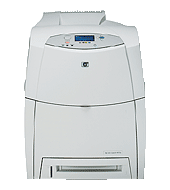
Owners of the HP Color LaserJet 4610n can choose from generic HP drivers and utilities for Windows 11, Windows 10 and Windows 7. Most home and office users need the PCL6 Universal Print Driver. IT admins get PostScript builds and a resource kit too.
HP Universal Print Driver for Windows PCL6 (64-bit)
Win 10 64-bitWin 7 64-bit
HP lists no model-specific driver for this printer, only generic drivers and utilities. Download HP Universal Print Driver for Windows PCL6 (64-bit): 20.2 MB for Windows 11, 20.3 MB for Windows 10 and 7.
Quick install: download the recommended file above, run it, and connect the USB cable only when the installer asks, then print a test page. Full steps
HP Color LaserJet 4610n driver for Windows
HP Universal Print Driver
Win 10 64-bitWin 7 64-bit
Details
- File name
upd-pcl6-win10-x64-8.2.0.26778.zip- MD5 checksum (from HP)
1311b735d1ada9b02676d32b5ba5b232- Software ID (HP)
- ds-99374-36 · verify on HP
- Release notes
- Read on HP
Win 10 64-bitWin 7 64-bit
Details
- File name
upd-ps-win10-x64-8.2.0.26778.zip- MD5 checksum (from HP)
626ec0b8d41d3be40357b3c825c3502d- Software ID (HP)
- ds-99376-35 · verify on HP
- Release notes
- Read on HP
Win 10 64-bitWin 7 64-bit
Details
- Software ID (HP)
- ds-114621-1 · verify on HP
Win 11
Details
- File name
upd-pcl6-win11-x64-8.2.0.26819.zip- MD5 checksum (from HP)
5660c16a00e21f11736fd003063d6d13- Software ID (HP)
- ds-365647-1 · verify on HP
- Release notes
- Read on HP
Win 11
Details
- File name
upd-ps-win11-x64-8.2.0.26819.zip- MD5 checksum (from HP)
d27ad643905526df8cc9a89b556dbf42- Software ID (HP)
- ds-365648-1 · verify on HP
- Release notes
- Read on HP
More HP Color LaserJet 4610n driver downloads: HP Universal Print Driver
Win 11Win 10 64-bitWin 7 64-bit
Details
- File name
HP-PARK-v1.9.2.zip- MD5 checksum (from HP)
b7f948771a52c13721d963c6830ac7b5- Software ID (HP)
- ds-99433-30 · verify on HP
- Release notes
- Read on HP
Win 11 ARM64
Details
- File name
upd-pcl6-win11-ARM64-8.2.0.26778.zip- MD5 checksum (from HP)
e270ca97f4ddb5139217621ccc205506- Software ID (HP)
- ds-359027-2 · verify on HP
- Release notes
- Read on HP
Utilities and other software
Win 10 64-bit
Details
- File name
Dot4x64.msi- MD5 checksum (from HP)
0eacd9b44879a4cdb528b66938b29139- Software ID (HP)
- fp-148007-1 · verify on HP
HP Color LaserJet 4610n driver for Linux
Linux
Details
- Software ID (HP)
- mp-163323-1 · verify on HP
All files come straight from HP (ftp.hp.com). We checked them against HP’s list on Oct 25, 2026. Systems checked: Win 11, Win 10 64-bit, Win 7 64-bit, macOS 26, macOS 15, macOS 13, Linux. Older systems may have more files on HP’s page for this model.
HP Color LaserJet 4610n driver support by operating system
64-bit
64-bit
Which HP Color LaserJet 4610n driver should I choose?
HP offers two categories here: Universal Print Driver and Utility. The Universal Print Driver is a generic driver that suits IT-managed setups and single PCs alike. Choose PCL6 for everyday printing, or the PostScript build (21.4 MB for Windows 11) if your software needs it. The Print Administrator Resource Kit is 18.7 MB and aimed at administrators. The USB (DOT4) utility is 1.5 MB and adds two-way USB communication on Windows 10 64-bit.
Windows 11 on ARM64 PCL6 has its own build, version 8.2.0.26778, at 20.1 MB. The Windows 11 64-bit builds are version 8.2.0.26819. Builds for Windows 10 and Windows 7 are version 8.2.0.26778.
How to install the HP Color LaserJet 4610n driver
- Pick the PCL6 (64-bit) driver that matches your Windows version: the Windows 11 build or the Windows 10 and 7 build.
- Download the file and save it somewhere you can find it.
- Open the HP Universal Print Driver System Administrator's Guide for the installation or upgrade steps.
- Follow the guide's steps for your Windows version.
- Print a test page once the installation finishes.
Adding the printer by hand or installing on Linux? See our printer driver install guide.
Each file lists the MD5 checksum HP publishes. Our guide to checking a driver download shows how to compare it. If an HP link is down, try the Microsoft Update Catalog search for the HP Color LaserJet 4610n.
HP Color LaserJet 4610n driver troubleshooting
Windows does not see the printer or nothing prints
Confirm the printer is on and its cable or network link is firmly connected. Restart both the printer and the PC, then send a test page. Reinstall the driver if it still fails.
Prints look faint, streaky or have blank areas
Check the toner supply first, since a low or empty cartridge causes most of these. Replace any cartridge that is nearly empty. Then print another test page to compare.
The driver will not install or the wrong build downloaded
Match the build to your system. Windows 11 ARM64 needs the ARM64 PCL6 driver, while standard 64-bit PCs need the 64-bit build. Download the correct file and run the installation again.
For “driver is unavailable”, offline printers and stuck print jobs, see our printer driver troubleshooting guide.
HP Color LaserJet 4610n driver FAQ
Which Windows versions can I use?
HP offers drivers for Windows 11, including an ARM64 build, plus Windows 10 64-bit and Windows 7 64-bit. HP lists no downloads for other systems.
Which driver does HP recommend for Windows?
HP Universal Print Driver for Windows PCL6 (64-bit). It is 20.2 MB for Windows 11 and 20.3 MB for Windows 10 and Windows 7.
How big are the downloads?
The PCL6 64-bit drivers are 20.2 MB and 20.3 MB. The PostScript drivers are 21.4 MB and 21.5 MB. The ARM64 driver is 20.1 MB, and the USB utility is 1.5 MB.
Where are the installation instructions?
HP points to the HP Universal Print Driver System Administrator's Guide. It documents the installation and upgrade steps for all supported UPD versions.
Drivers for similar HP printers
Owners of related models can find the matching downloads here: HP Color LaserJet Pro 4201dn driver, HP Color LaserJet Pro 4201dw driver, HP Color LaserJet Pro 4202dn driver, HP Color LaserJet Pro MFP 4301fdw driver, HP Color LaserJet Pro MFP 4302fdn driver, HP LaserJet Pro 4001dne driver.
Last checked: Oct 25, 2026. HP and HP Color LaserJet 4610n are trademarks of HP Inc. This site is not affiliated with HP.