Advertisement

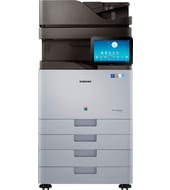
Owners of the Samsung SL-X7400 / SL-X7500 can download print, scan and fax software for Windows. HP offers a PCL6 print driver, a scan driver and utilities for settings, color and document handling. Start with the driver, then add only the utilities you need.
Samsung SL-X7400, 7500, 7600 Series Print Driver PCL6
Win 10 64-bitWin 10 32-bitWin 7 64-bitWin 7 32-bit
For Windows, download Samsung SL-X7400, 7500, 7600 Series Print Driver PCL6 (39.6 MB). Its installer file sets up the PCL 6 driver for you automatically.
Quick install: download the recommended file above, run it, and connect the USB cable only when the installer asks, then print a test page. Full steps
Samsung SL-X7400 / SL-X7500 driver for Windows
Basic driver only
Win 10 64-bitWin 10 32-bit
Details
- File name
V4XPS_X7600_V42.exe- MD5 checksum (from HP)
eb53054fb20fa9cde1ed1dbd7b8ec836- Software ID (HP)
- fp-190518-2 · verify on HP
Win 10 64-bitWin 10 32-bitWin 7 64-bitWin 7 32-bit
Details
- File name
X7600_Series_WIN_PCL_V3.13.14.08.52_CDV1.50.exe- MD5 checksum (from HP)
b59d96fe5e2197d7155ee5308d9c03ec- Software ID (HP)
- fp-194096-4 · verify on HP
Win 10 64-bitWin 10 32-bitWin 7 64-bitWin 7 32-bit
Details
- File name
X7600_Series_WIN_Printer_V3.13.14.08.52_CDV1.50.zip- MD5 checksum (from HP)
499b6fa7461d16541c1ff11580004800- Software ID (HP)
- fp-194097-4 · verify on HP
Win 10 64-bitWin 10 32-bitWin 7 64-bitWin 7 32-bit
Details
- File name
X7600_Series_WIN_Scanner_V3.32.12_CDV1.50.exe- MD5 checksum (from HP)
dbf11b0aa41e8a49f189b3b9f1d67b5d- Software ID (HP)
- fp-194098-3 · verify on HP
HP Universal Print Driver
Win 10 64-bitWin 10 32-bitWin 7 64-bitWin 7 32-bit
Details
- File name
SamsungUniversalPrintDriver3PS.exe- MD5 checksum (from HP)
ce41fb72e76b48b5857bc8d88a4c0c74- Software ID (HP)
- fp-193882-2 · verify on HP
Win 10 64-bitWin 10 32-bitWin 7 64-bitWin 7 32-bit
Details
- File name
SamsungUniversalPrintDriver3XPS.exe- MD5 checksum (from HP)
e84fbd8cb76504c5af0832cbdf17e052- Software ID (HP)
- fp-189931-3 · verify on HP
Win 11Win 10 64-bitWin 10 32-bitWin 7 64-bitWin 7 32-bit
Details
- File name
SamsungUniversalPrintDriver3_V3.00.16.0101.01.exe- MD5 checksum (from HP)
c16cfa11640d1f39933117946ac9f9c9- Software ID (HP)
- fp-193881-4 · verify on HP
- Release notes
- Read on HP
Firmware
Win 10 64-bitWin 10 32-bitWin 7 64-bitWin 7 32-bit
Details
- File name
Samsung_X7600_Series_V6.L6.00.hds.zip- MD5 checksum (from HP)
80c3dc64b35ba985a1635bfaef30391a- Software ID (HP)
- fp-206788-6 · verify on HP
- Release notes
- Read on HP
Utilities and other software
Win 10 64-bitWin 10 32-bitWin 7 64-bitWin 7 32-bit
Details
- File name
EasyColorManager_V4.00.14.zip- MD5 checksum (from HP)
3326a3a8474326805caebaf923f900e2- Software ID (HP)
- fp-194289-1 · verify on HP
Win 10 64-bitWin 10 32-bitWin 7 64-bitWin 7 32-bit
Details
- File name
WIN_EDC_V2.02.61.exe- MD5 checksum (from HP)
4a551c29773263cfce5001c8924b9240- Software ID (HP)
- fp-196544-4 · verify on HP
Win 10 64-bitWin 10 32-bitWin 7 64-bitWin 7 32-bit
Details
- File name
FleetAdminPro_V1.11.012.zip- MD5 checksum (from HP)
e70dd952fcefabf0ef40d7e4d21cb4e1- Software ID (HP)
- fp-195167-2 · verify on HP
Win 10 64-bitWin 10 32-bitWin 7 64-bitWin 7 32-bit
Details
- File name
WIN_PCFAX_V2.02.35.exe- MD5 checksum (from HP)
aa2fd8fe2c5d3b06d3645943bb61c8a3- Software ID (HP)
- fp-191421-6 · verify on HP
Win 10 64-bitWin 10 32-bitWin 7 64-bitWin 7 32-bit
Details
- File name
WIN_OCR_V1.01.25.exe- MD5 checksum (from HP)
396f1f8f2b77e531340870a9418519ac- Software ID (HP)
- fp-194463-4 · verify on HP
More Samsung SL-X7400 / SL-X7500 driver downloads: Utilities and other software
Win 11Win 10 64-bitWin 10 32-bitWin 7 64-bitWin 7 32-bit
Details
- File name
WIN_EPM_V2.00.01.36.exe- MD5 checksum (from HP)
aaeb8b73b590790c8b7037424b50c3e6- Software ID (HP)
- fp-194462-5 · verify on HP
Win 11Win 10 64-bitWin 10 32-bitWin 7 64-bitWin 7 32-bit
Details
- File name
RemoteDiagnosis.exe- MD5 checksum (from HP)
5cec144198f6f417598f422e8d485665- Software ID (HP)
- ss-302867-1 · verify on HP
All files come straight from HP (ftp.hp.com). We checked them against HP’s list on Oct 25, 2026. Systems checked: Win 11, Win 10 64-bit, Win 10 32-bit, Win 7 64-bit, Win 7 32-bit, macOS 13, macOS 12, macOS 11, macOS 10.15, Linux. Older systems may have more files on HP’s page for this model.
Samsung SL-X7400 / SL-X7500 driver support by operating system
| Download | Win 11 | Win 10 64-bit |
Win 10 32-bit | Win 7 64-bit |
Win 7 32-bit |
|---|---|---|---|---|---|
| Basic driver only | – | ✓ | ✓ | ✓ | ✓ |
| HP Universal Print Driver | ✓ | ✓ | ✓ | ✓ | ✓ |
| Firmware | – | ✓ | ✓ | ✓ | ✓ |
| Utilities and other software | ✓ | ✓ | ✓ | ✓ | ✓ |
Which Samsung SL-X7400 / SL-X7500 driver should I choose?
HP lists four categories. Basic drivers cover printing and scanning for this series; the PCL6 print driver is 39.6 MB, and the No Installer version is 20.3 MB but needs manual installation. Universal Print Driver packages (24.4 to 38.5 MB) are generic drivers suited to IT-managed setups. Utilities add tools such as Easy Printer Manager and Easy Color Manager. Firmware is 935.4 MB; update it only if the release note describes your problem.
HP lists one combined driver set for the SL-X7400, 7500 and 7600 series. The Network PC Fax utility works with Samsung multifunction printers supplied with fax. The XPS print driver supports only Windows 10, 32-bit and 64-bit.
How to install the Samsung SL-X7400 / SL-X7500 driver
- Download Samsung SL-X7400, 7500, 7600 Series Print Driver PCL6 (39.6 MB) from this page.
- Open the downloaded file to start the installer.
- Let the installer set up the PCL 6 driver; it does this automatically.
- Follow any prompts the installer shows until it finishes.
- Print a test page from any Windows application to confirm the driver works.
Adding the printer by hand or installing on Linux? See our printer driver install guide.
Each file lists the MD5 checksum HP publishes. Our guide to checking a driver download shows how to compare it. If an HP link is down, try the Microsoft Update Catalog search for the Samsung SL-X7400 / SL-X7500.
Samsung SL-X7400 / SL-X7500 driver troubleshooting
Printer shows as offline or print jobs stay stuck in the queue
Run Samsung Printer Diagnostics 1.0.4.29 (23.1 MB). HP describes it as a Windows tool that diagnoses and fixes offline printers and stuck jobs. Restarting the printer and your PC also helps.
Printouts look faded, streaky or the colors seem off
Check the supplies first and replace any that are empty. For color mismatches, install Samsung Easy Color Manager 4.00.14, which adjusts color balance, saturation, brightness and contrast.
Samsung utilities misbehave on Windows 10 after a feature update
Install Samsung Easy Printer Manager 2.00.01.36, which fixes the Windows 10 RS4 compatibility issue. Easy Document Creator 2.02.61 and Network PC Fax 2.02.35 carry the same fix.
For “driver is unavailable”, offline printers and stuck print jobs, see our printer driver troubleshooting guide.
Samsung SL-X7400 / SL-X7500 driver FAQ
Which Windows versions does the recommended PCL6 driver support?
The Samsung SL-X7400, 7500, 7600 Series Print Driver PCL6 supports Windows 10 (64-bit and 32-bit) and Windows 7 (64-bit and 32-bit). HP does not list Windows 11 for it.
How large is the recommended driver download?
The PCL6 print driver is 39.6 MB, version 3.13.14.08.52, dated Jun 29, 2023. The No Installer version is smaller at 20.3 MB but requires manual installation.
Is there a download for Windows 11?
Yes. HP lists Windows 11 support for Samsung Printer Diagnostics, Samsung Universal Print Driver for Windows and Samsung Easy Printer Manager. The model-specific print and scan drivers list Windows 10 and 7.
Should I update the firmware?
HP offers firmware 6.L6.00, dated Apr 07, 2022, at 935.4 MB. HP recommends reviewing the Release Note file before installing it. Update only if the note matches a problem you have.
Drivers for similar Samsung printers
Owners of related models can find the matching downloads here: Samsung MultiXpress SL-K2200 Laser Multifunction series driver, Samsung MultiXpress SL-K3250 Laser Multifunction series driver, Samsung MultiXpress SL-K4300LX Laser Multifunction driver, Samsung MultiXpress SL-K4350 Laser Multifunction series driver, Samsung MultiXpress SL-K7400 Laser Multifunction series driver, Samsung MultiXpress SL-K7600 Laser Multifunction series driver.
Last checked: Oct 25, 2026. Samsung and Samsung SL-X7400 / SL-X7500 are trademarks of Samsung Electronics. HP Inc. hosts these downloads. This site is not affiliated with Samsung or HP.
Advertisement