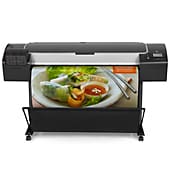
Two automatic roll feeds with smart roll-switching keep the HP DesignJet Z5400 PostScript printing without constant reloading. It also takes sheets 8.3 to 44 in wide and cuts most media automatically. This HP Thermal Inkjet printer suits photo, proofing, and signage work.
HP DesignJet and PageWide XL PCL3 Driver for Windows
Win 11Win 10 64-bit
HP lists no model-specific driver for this printer, only generic drivers and utilities. On Windows, get HP DesignJet and PageWide XL PCL3 Driver for Windows (8.9 MB). On Mac, get HP Click (674.3 MB).
Quick install: download the recommended file above, run it, and connect the USB cable only when the installer asks, then print a test page. Full steps
HP DesignJet Z5400 PostScript driver for Windows
Firmware
Win 11Win 10 64-bit
Details
- Description
- This download includes a firmware update file for your HP Designjet Z5400 44-in PostScript ePrinter series. Please see install instructions
- File name
CH_10_02_00.1.fmw- MD5 checksum (from HP)
3DF316C0604C63AF8AB1FC5162D24628- Software ID (HP)
- pl-169585-4 · verify on HP
- Release notes
- Read on HP
Utilities and other software
Win 11Win 10 64-bit
Details
- File name
HPClick-64bit-Setup-4.12.26.exe- MD5 checksum (from HP)
2000365dd3d2d7fbf833388c3a43a8b2- Software ID (HP)
- pl-303315-28 · verify on HP
- Release notes
- Read on HP
Win 11Win 10 64-bit
Details
- File name
HPClick_Silent_x64-4.12.26.exe- MD5 checksum (from HP)
30afc7ee639d13b149e2d551ae61bdfd- Software ID (HP)
- pl-303314-27 · verify on HP
- Release notes
- Read on HP
Win 11Win 10 64-bit
Details
- File name
HP_DesignJet_Utility_6.4.5.4879.exe- MD5 checksum (from HP)
3ab25e85b45e03874f7c6e054476e1c1- Software ID (HP)
- pl-234803-11 · verify on HP
Win 11Win 10 64-bit
Details
- File name
win-x64-pcl3-drv.exe- MD5 checksum (from HP)
20af1c1bdd5a0c5a36988a5cd3d3affc- Software ID (HP)
- pl-367048-2 · verify on HP
- Release notes
- Read on HP
Win 11Win 10 64-bit
Details
- File name
win_x64_ps3_drv.exe- MD5 checksum (from HP)
cae207d5aaae0a2e5a65a33c59030937- Software ID (HP)
- pl-234797-7 · verify on HP
Win 11Win 10 64-bit
Details
- File name
IntegratedInstaller.exe- MD5 checksum (from HP)
f0990d757f0755c34e1bacfcac28a86d- Software ID (HP)
- pl-234807-17 · verify on HP
More utilities and other software
Win 11Win 10 64-bit
Details
- File name
HPPrintPreviewFull_x64.exe- MD5 checksum (from HP)
48d373b9fac3122bc5a3944b75328191- Software ID (HP)
- pl-295724-8 · verify on HP
Win 11Win 10 64-bit
Details
- File name
win_x64_hpgl2_drv.exe- MD5 checksum (from HP)
55af1942949928acd4398d7189504990- Software ID (HP)
- pl-213993-4 · verify on HP
HP DesignJet Z5400 PostScript driver for macOS
macOS 26macOS 15macOS 13
Details
- File name
HPClick-4.12.26.dmg- MD5 checksum (from HP)
a2bc474fdbac94a2f5bab0d56d5736e2- Software ID (HP)
- pl-320796-26 · verify on HP
- Release notes
- Read on HP
All files come straight from HP (ftp.hp.com). We checked them against HP’s list on Oct 25, 2026. Systems checked: Win 11, Win 10 64-bit, Win 7 64-bit, macOS 26, macOS 15, macOS 13, Linux. Older systems may have more files on HP’s page for this model.
HP DesignJet Z5400 PostScript driver support by operating system
64-bit
Latest HP DesignJet Z5400 PostScript driver and firmware updates
- HP Click v4.12.26 (Oct 15, 2026): General Bug Fixing. Added ink monitoring feature
- HP Designjet Z5400 44-in PostScript ePrinter Firmware Update vCH_10_02_00.1 (Sep 04, 2023): Fixes and enhancements included in version 10_02_00.1 (August 2023): Security Fixes. Gen 5 certificates…
Which HP DesignJet Z5400 PostScript driver should I choose?
HP lists no model-specific driver for this printer, only generic drivers and utilities. Utility covers drivers, such as the 8.9 MB PCL3 driver. It also covers tools: HP Click, Print Preview (251.4 MB), and DesignJet Utility (44.3 MB). Firmware is one 847.8 MB file, version CH_10_02_00.1. Install it only if you need its security fixes, Gen 5 certificates, or removal of the ink expiration date.
Connect over Gigabit Ethernet or Hi-Speed USB 2.0. An EIO Jetdirect accessory slot is also standard. Rolls run 11 to 44 in wide, with a 5.3 in external diameter. The cutter skips canvas and banners, and the unit weighs 189 lb.
How to install the HP DesignJet Z5400 PostScript driver
- Set up the printer, connect it by Ethernet or USB, and turn it on before the computer.
- Close screen savers, virus protection, and other running programs, then download HP DesignJet and PageWide XL PCL3 Driver for Windows (8.9 MB).
- Save the file to a directory you choose, then find it in Windows Explorer and double-click it.
- Pick a folder to extract the driver files into, for example c:\designjet.
- Add the printer through the Windows Add printer wizard, using the extracted INF files.
- On a Mac, download HP Click (674.3 MB) instead.
Adding the printer by hand or installing on Linux? See our printer driver install guide.
HP DesignJet Z5400 PostScript specifications
HP DesignJet Z5400 PostScript driver specs: printing
HP DesignJet Z5400 PostScript driver specs: paper handling
HP DesignJet Z5400 PostScript driver specs: connectivity, supplies and size
Source: HP product specifications for the HP DesignJet Z5400 PostScript Printer.
Each file lists the MD5 checksum HP publishes. Our guide to checking a driver download shows how to compare it. If an HP link is down, try the Microsoft Update Catalog search for the HP DesignJet Z5400 PostScript.
HP DesignJet Z5400 PostScript driver troubleshooting
Computer does not see the printer
Check the Ethernet or USB cable at both ends. Restart the printer, then the computer. If you have a second connection type available, try it. Make sure the printer is on before the computer starts.
Prints look faded, streaky, or have light lines
Confirm no ink supply is empty. Make sure the paper type in the driver matches the media loaded. After changing either one, reprint a small test before running a full job.
Wrong paper type is saved when Windows is set to Japanese
Install HP DesignJet and PageWide XL PCL3 Driver for Windows, version 61.2606.1.100. HP fixed this bug there. That release also corrects some media translations in Japan.
For “driver is unavailable”, offline printers and stuck print jobs, see our printer driver troubleshooting guide.
HP DesignJet Z5400 PostScript driver FAQ
Which operating systems do the recommended downloads support?
The Windows PCL3 driver supports Windows 11 and Windows 10 64-bit. HP Click for Mac supports macOS 26, macOS 15, and macOS 13.
How big are the recommended downloads?
The Windows PCL3 driver is 8.9 MB. HP Click for Mac is 674.3 MB. The Windows version of HP Click is 439.9 MB.
What does the firmware update fix?
Version CH_10_02_00.1 from September 2023 includes security fixes and Gen 5 certificates. It also removes the ink expiration date. The file is 847.8 MB.
What print resolution and storage does this printer have?
HP lists print quality up to 2400 x 1200 optimized dpi. The printer has 64 GB of virtual memory and 320 GB of standard internal storage.
Last checked: Oct 25, 2026. HP and HP DesignJet Z5400 PostScript are trademarks of HP Inc. This site is not affiliated with HP.