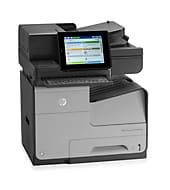
Prints in color, and HP offers network scan and PC fax software for it. This HP OfficeJet Enterprise Color MFP X585 series model uses HP PageWide Technology with pigmented inks. It reaches up to 72 ppm in General Office Mode. HP recommends 2000 to 6000 pages a month, so it suits busy workgroups.
HP OfficeJet Color MFP X585dn, X585f, X585dnm Printer Full Software and Drivers
Win 10 64-bitWin 10 32-bitWin 7 64-bitWin 7 32-bit
On Windows, download HP OfficeJet Color MFP X585dn, X585f, X585dnm Printer Full Software and Drivers (108.5 MB). On a Mac, download Install HP Easy Start (6.3 MB).
Quick install: download the recommended file above, run it, and choose Wi-Fi or USB when the installer asks, then print a test page. Full steps
HP OfficeJet Enterprise Color MFP X585 series driver for Windows
Full software and drivers
Win 10 64-bitWin 10 32-bitWin 7 64-bitWin 7 32-bit
Details
- File name
LJEnt-MFP-X585-Full-Solution-15324.exe- MD5 checksum (from HP)
2c0e104e07e3e015dbb431a72e2bb9d5- Software ID (HP)
- pw-129283-4 · verify on HP
Win 10 64-bitWin 10 32-bitWin 7 64-bitWin 7 32-bit
Details
- File name
LJEnt-Flow-MFP-X585-Full-Solution-15324.exe- MD5 checksum (from HP)
b2eb6f3ee7c385ba6c68622821d9d5f1- Software ID (HP)
- pw-129298-4 · verify on HP
HP Universal Print Driver
Win 10 32-bitWin 7 32-bit
Details
- File name
upd-pcl6-win10-x32-8.2.0.26778.zip- MD5 checksum (from HP)
b747438680b3c4d234d39a05b6aec127- Software ID (HP)
- ds-99353-36 · verify on HP
- Release notes
- Read on HP
Win 10 32-bitWin 7 32-bit
Details
- File name
upd-ps-win10-x32-8.2.0.26778.zip- MD5 checksum (from HP)
257b9dc0589b1269643092312dfe6ec3- Software ID (HP)
- ds-99375-35 · verify on HP
- Release notes
- Read on HP
Win 10 64-bitWin 7 64-bit
Details
- File name
upd-pcl6-win10-x64-8.2.0.26778.zip- MD5 checksum (from HP)
1311b735d1ada9b02676d32b5ba5b232- Software ID (HP)
- ds-99374-36 · verify on HP
- Release notes
- Read on HP
Win 10 64-bitWin 7 64-bit
Details
- File name
upd-ps-win10-x64-8.2.0.26778.zip- MD5 checksum (from HP)
626ec0b8d41d3be40357b3c825c3502d- Software ID (HP)
- ds-99376-35 · verify on HP
- Release notes
- Read on HP
Win 11
Details
- File name
upd-pcl6-win11-x64-8.2.0.26819.zip- MD5 checksum (from HP)
5660c16a00e21f11736fd003063d6d13- Software ID (HP)
- ds-365647-1 · verify on HP
- Release notes
- Read on HP
More HP OfficeJet Enterprise Color MFP X585 series driver downloads: HP Universal Print Driver
Win 11
Details
- File name
upd-ps-win11-x64-8.2.0.26819.zip- MD5 checksum (from HP)
d27ad643905526df8cc9a89b556dbf42- Software ID (HP)
- ds-365648-1 · verify on HP
- Release notes
- Read on HP
Win 11Win 10 64-bitWin 10 32-bitWin 7 64-bitWin 7 32-bit
Details
- File name
HP-PARK-v1.9.2.zip- MD5 checksum (from HP)
b7f948771a52c13721d963c6830ac7b5- Software ID (HP)
- ds-99433-30 · verify on HP
- Release notes
- Read on HP
Win 11 ARM64
Details
- File name
upd-pcl6-win11-ARM64-8.2.0.26778.zip- MD5 checksum (from HP)
e270ca97f4ddb5139217621ccc205506- Software ID (HP)
- ds-359027-2 · verify on HP
- Release notes
- Read on HP
Firmware
Win 11Win 10 64-bitWin 10 32-bitWin 7 64-bitWin 7 32-bitmacOS 26macOS 15macOS 13macOS 10.15Linux
Details
- Description
- HP OfficeJet Enterprise Color X585 Series Printer Firmware Readme. Click here for a FutureSmart comparison guide. The HP LaserJet printer firmware…
- File name
ojX585_fs3.9.9_fw_2309059_000591.zip- MD5 checksum (from HP)
0d4ca914379e77f22bf867ac161d74cc- Software ID (HP)
- pw-285499-1 · verify on HP
- Release notes
- Read on HP
Win 11Win 10 64-bitWin 10 32-bitWin 7 64-bitWin 7 32-bitmacOS 26macOS 15macOS 13macOS 10.15Linux
Details
- Description
- HP OfficeJet Enterprise Color X585 Series Printer Firmware Readme. Click here for a FutureSmart comparison guide. The HP LaserJet printer firmware…
- File name
ojX585_fs4.11.2.3_fw_2411192_064705.zip- MD5 checksum (from HP)
69cb2de39d58a603dd2dd78eeadf92f5- Software ID (HP)
- pw-285288-1 · verify on HP
- Release notes
- Read on HP
Utilities and other software
Win 10 32-bitWin 7 32-bit
Details
- Description
- Use this driver to conveniently fax documents from within PC applications through an analog-fax enabled HP multi-function (MFP) device
- File name
HP_MFP_SendFax300_32bit.exe- MD5 checksum (from HP)
7f20f331c1aa1d827bfa36ff412d1347- Software ID (HP)
- sj-119636-1 · verify on HP
Win 10 32-bitWin 7 32-bit
Details
- File name
HPEPrintAppSetupx86.exe- MD5 checksum (from HP)
e43bcd4abcb0838765aa774702a636b4- Software ID (HP)
- ds-104641-13 · verify on HP
Win 10 64-bitWin 10 32-bit
Details
- File name
HPSHAppsRegistration.Setup.exe- MD5 checksum (from HP)
87bc9f7d8a5171b199052611d62ef7e7- Software ID (HP)
- hv-280006-3 · verify on HP
Win 10 64-bitWin 10 32-bitWin 7 64-bitWin 7 32-bit
Details
- Description
- The driver installer file automatically installs the PCL6 driver for your printer. This is a driver only software solution intended for users who…
- File name
LJEnt-Flow-MFP-X585-Basic-Solution-15324.exe- MD5 checksum (from HP)
89f4aadb30ae5be48acef5140d391fad- Software ID (HP)
- pw-129303-4 · verify on HP
More HP OfficeJet Enterprise Color MFP X585 series driver downloads: Utilities and other software
Win 10 64-bitWin 10 32-bitWin 7 64-bitWin 7 32-bit
Details
- Description
- This solution provides only the PCL 6 driver without an installer. To install the print driver use the Add Printer Wizard. The following are…
- File name
LJEnt-Flow-MFP-X585-Driver-Only-15323_1.exe- MD5 checksum (from HP)
e45a209a3474e509060d49f0b9e3fa61- Software ID (HP)
- pw-129304-3 · verify on HP
Win 10 64-bitWin 10 32-bitWin 7 64-bitWin 7 32-bit
Details
- Description
- This solution provides only the PCL 6 driver without an installer. To install the print driver use the Add Printer Wizard. The following are…
- File name
LJEnt-MFP-X585-Driver-Only-15323_1.exe- MD5 checksum (from HP)
110f7d1c78a7fb5d7883d5650b6546dd- Software ID (HP)
- pw-129288-3 · verify on HP
Win 10 64-bitWin 10 32-bitWin 7 64-bitWin 7 32-bit
Details
- File name
LJEnt-MFP-X585-Basic-Solution-15324.exe- MD5 checksum (from HP)
0dafa3cf5c95f1654a2fe231e474d225- Software ID (HP)
- pw-160844-2 · verify on HP
More HP OfficeJet Enterprise Color MFP X585 series driver downloads: Utilities and other software
Win 10 64-bitWin 10 32-bitWin 7 64-bitWin 7 32-bit
Details
- File name
HPRoam_Win_Installer-1_2_83_79.exe- MD5 checksum (from HP)
0250b96d39e5e8b16b892f46fe40f692- Software ID (HP)
- ti-209321-14 · verify on HP
Win 10 64-bitWin 10 32-bitWin 7 64-bitWin 7 32-bit
Details
- File name
HPScanTwain-1.0.683-HPScanTwain.msi- MD5 checksum (from HP)
d877ffcc5f88f8c4b84a32d2cc4f0c89- Software ID (HP)
- fp-173984-7 · verify on HP
Win 10 64-bitWin 10 32-bitWin 7 64-bitWin 7 32-bitLinux
Details
- File name
HP_Officejet_Enterprise_MFP_X585_Pantone_Files_Mac.zip- MD5 checksum (from HP)
6966A112B53119C6CD762E9976B62C01- Software ID (HP)
- pw-144341-1 · verify on HP
- Release notes
- Read on HP
Win 10 64-bitWin 7 64-bit
Details
- File name
HP_MFP_SendFax300_64bit.exe- MD5 checksum (from HP)
f6634e554f1f0696d95f4b273781b299- Software ID (HP)
- sj-119639-1 · verify on HP
Win 10 64-bitWin 7 64-bit
Details
- File name
HPEPrintAppSetupx64.exe- MD5 checksum (from HP)
f47f746e9f3a0bf359c06d3a4d889b43- Software ID (HP)
- ds-151205-6 · verify on HP
More HP OfficeJet Enterprise Color MFP X585 series driver downloads: Utilities and other software
Win 11Win 10 64-bitWin 10 32-bitWin 7 64-bitWin 7 32-bitmacOS 26macOS 15macOS 13macOS 10.15Linux
Details
- File name
HP_Officejet_Enterprise_MFP_X585_Pantone_Files_Windows.zip- MD5 checksum (from HP)
C45014BECBCCAB2FC8AF49C420E3A440- Software ID (HP)
- pw-144340-1 · verify on HP
- Release notes
- Read on HP
HP OfficeJet Enterprise Color MFP X585 series driver for macOS
Setup apps
macOS 26macOS 15
Details
- File name
HP_Easy_Start.app.zip- MD5 checksum (from HP)
19c1a5f786f5f93f9f778ad71ee444a3- Software ID (HP)
- mp-166618-27 · verify on HP
Utilities and other software
macOS 26macOS 15macOS 13macOS 10.15
Details
- File name
HP_Easy_Admin.app.zip- MD5 checksum (from HP)
32c3c4edfb4e3bc519c3c1731542360e- Software ID (HP)
- mp-218629-7 · verify on HP
macOS 10.15
Details
- Description
- Printing with HP Roam from MacOS requires this driver, an HP Roam online account, and a HP Roam compatible device with built in BLE, or RadBeacon or…
- File name
HP_Roam-1.1.971.dmg- MD5 checksum (from HP)
d51359161f18e5abfe4b82347978e519- Software ID (HP)
- ti-231776-6 · verify on HP
HP OfficeJet Enterprise Color MFP X585 series driver for Linux
Linux
Details
- Software ID (HP)
- mp-163323-1 · verify on HP
All files come straight from HP (ftp.hp.com). We checked them against HP’s list on Oct 25, 2026. Systems checked: Win 11, Win 10 64-bit, Win 7 64-bit, macOS 26, macOS 15, macOS 13, Linux. Older systems may have more files on HP’s page for this model.
HP OfficeJet Enterprise Color MFP X585 series driver support by operating system
64-bit
64-bit
Latest HP OfficeJet Enterprise Color MFP X585 series driver and firmware updates
- HP Roam Installer for MacOS v1.1.971 (Oct 26, 2020): The following fixes or enhancements are included in thisrelease. Added support for macOS Catalina. Includes…
- HP PC Send Fax Driver (for Win 10 64-bit, Win 7 64-bit) v61.063.666.41 (Jun 10, 2013): 1. Windows Server 2008 R2 Support. 2. Windows 8 Support. 3. Windows Server 2012 Support. 4. Increase fax…
Which HP OfficeJet Enterprise Color MFP X585 series driver should I choose?
Full software and drivers packages install the print driver plus HP software; the Windows one is 108.5 MB. The Setup app, Install HP Easy Start (6.3 MB), prepares a Mac for printing. Universal Print Driver downloads, from 17.8 to 21.5 MB, are generic drivers for IT-managed setups. Utility downloads add single functions such as scanning, fax or color palettes. Firmware is a separate download; update it only if the firmware readme describes a problem you have.
Duplex printing is automatic and standard. Wireless is optional and needs a purchased hardware accessory. Replacement ink uses HP 980 cartridges: D8J07A cyan, D8J08A magenta, D8J09A yellow and D8J10A black.
How to install the HP OfficeJet Enterprise Color MFP X585 series driver
- Download HP OfficeJet Color MFP X585dn, X585f, X585dnm Printer Full Software and Drivers (108.5 MB) from the list above.
- Open the downloaded file to start the installer.
- Follow the installer prompts to add the printer and its software.
- Wireless needs the optional hardware accessory, so install that first if you want Wi-Fi.
- Print a test page from any application to confirm the driver works.
- On a Mac, download Install HP Easy Start (6.3 MB) and open it to set up the printer.
Adding the printer by hand or installing on Linux? See our printer driver install guide.
HP OfficeJet Enterprise Color MFP X585 series specifications
HP OfficeJet Enterprise Color MFP X585 series driver specs: printing
HP OfficeJet Enterprise Color MFP X585 series driver specs: printing (continued)
HP OfficeJet Enterprise Color MFP X585 series driver specs: paper handling
HP OfficeJet Enterprise Color MFP X585 series driver specs: connectivity, supplies and size
Source: HP product specifications for the HP OfficeJet Enterprise Color MFP X585 series.
Each file lists the MD5 checksum HP publishes. Our guide to checking a driver download shows how to compare it. If an HP link is down, try the Microsoft Update Catalog search for the HP OfficeJet Enterprise Color MFP X585 series.
HP OfficeJet Enterprise Color MFP X585 series driver troubleshooting
Printer not found during wireless setup
Confirm the optional wireless hardware accessory is installed, since wireless is not built in. Then move closer to the access point, because distance and surroundings affect wireless performance.
Faded or streaky color prints
Replace low HP 980 cartridges with originals. Switch to HP ColorLok paper for best black quality. Reprint afterward to check whether the problem is gone.
iPhone or iPad cannot print
Join the device to the same network as the printer, since AirPrint requires it. Also confirm the printer has an Internet connection if you use HP ePrint.
For “driver is unavailable”, offline printers and stuck print jobs, see our printer driver troubleshooting guide.
HP OfficeJet Enterprise Color MFP X585 series driver FAQ
Which Windows versions does the full software support?
The Windows Full Software and Drivers package lists Windows 10 (32-bit and 64-bit) and Windows 7 (32-bit and 64-bit). It is 108.5 MB, version 10.0.15324.306.
Is there a driver for Windows 11?
HP offers Universal Print Driver downloads for Windows 11: PCL6 64-bit (20.2 MB), PS 64-bit (21.4 MB) and PCL6 ARM64 (20.1 MB). HP lists no model-specific full package for Windows 11.
What do the firmware downloads cover?
HP lists FutureSmart Bundle 4.11.2.3 (169.1 MB) and 3.9.9 (161.0 MB). HP points to the firmware readme for details, so read it before updating.
I own the Flow model. Which download do I need?
For the X585 Flow and X585zm, HP offers its own Full Software and Drivers package, version 10.0.15324.314, at 108.5 MB. It covers Windows 10 and Windows 7.
Drivers for similar HP printers
Owners of related models can find the matching downloads here: HP OfficeJet Enterprise Color X555xh driver.
Last checked: Oct 25, 2026. HP and HP OfficeJet Enterprise Color MFP X585 series are trademarks of HP Inc. This site is not affiliated with HP.