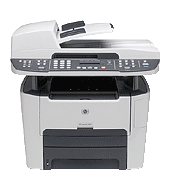
Automatic duplex is standard, and the 250-sheet tray, single-sheet priority slot and 50-sheet document feeder handle most daily paper jobs. The HP LaserJet 3390 All-in-One prints, copies, scans and faxes. It prints black at up to 22 ppm, and HP recommends 1000 to 3000 pages a month, so it suits small workgroups.
HP Universal Print Driver for Windows PCL6 (64-bit)
Win 10 64-bitWin 7 64-bit
For Windows, download the HP Print Administrator Resource Kit (18.7 MB). It is the only download HP marks as recommended for this printer.
Quick install: download the recommended file above, run it, and connect the USB cable only when the installer asks, then print a test page. Full steps
HP LaserJet 3390 All-in-One driver for Windows
HP Universal Print Driver
Win 10 64-bitWin 7 64-bit
Details
- File name
upd-pcl6-win10-x64-8.2.0.26778.zip- MD5 checksum (from HP)
1311b735d1ada9b02676d32b5ba5b232- Software ID (HP)
- ds-99374-36 · verify on HP
- Release notes
- Read on HP
Win 10 64-bitWin 7 64-bit
Details
- File name
upd-ps-win10-x64-8.2.0.26778.zip- MD5 checksum (from HP)
626ec0b8d41d3be40357b3c825c3502d- Software ID (HP)
- ds-99376-35 · verify on HP
- Release notes
- Read on HP
Win 10 64-bitWin 7 64-bit
Details
- Software ID (HP)
- ds-114621-1 · verify on HP
Win 11
Details
- File name
upd-pcl6-win11-x64-8.2.0.26819.zip- MD5 checksum (from HP)
5660c16a00e21f11736fd003063d6d13- Software ID (HP)
- ds-365647-1 · verify on HP
- Release notes
- Read on HP
Win 11
Details
- File name
upd-ps-win11-x64-8.2.0.26819.zip- MD5 checksum (from HP)
d27ad643905526df8cc9a89b556dbf42- Software ID (HP)
- ds-365648-1 · verify on HP
- Release notes
- Read on HP
More HP LaserJet 3390 All-in-One driver downloads: HP Universal Print Driver
Win 11Win 10 64-bitWin 7 64-bit
Details
- File name
HP-PARK-v1.9.2.zip- MD5 checksum (from HP)
b7f948771a52c13721d963c6830ac7b5- Software ID (HP)
- ds-99433-30 · verify on HP
- Release notes
- Read on HP
Win 11 ARM64
Details
- File name
upd-pcl6-win11-ARM64-8.2.0.26778.zip- MD5 checksum (from HP)
e270ca97f4ddb5139217621ccc205506- Software ID (HP)
- ds-359027-2 · verify on HP
- Release notes
- Read on HP
Firmware
Win 10 64-bitWin 7 64-bit
Details
- Description
- This utility is for use on Microsoft Windows 32 and 64 bit operating systems. The utility can be used with a USB connection. Be sure to use the…
- File name
3390-92_FW_Update-20120925.exe- MD5 checksum (from HP)
78661f6e10c405b7e9b2b589ce8c6e02- Software ID (HP)
- ma-38210-6 · verify on HP
- Release notes
- Read on HP
Utilities and other software
Win 10 64-bit
Details
- File name
Dot4x64.msi- MD5 checksum (from HP)
0eacd9b44879a4cdb528b66938b29139- Software ID (HP)
- fp-148007-1 · verify on HP
HP LaserJet 3390 All-in-One driver for Linux
Linux
Details
- Description
- HP LaserJet 3390/92 Printer firmware update for Linux, Unix, and Mac systems
- File name
3390-92fw_all_20120925.rfu- MD5 checksum (from HP)
0c32f093fb2e975eb1de36f91f1258f7- Software ID (HP)
- ma-58935-2 · verify on HP
- Release notes
- Read on HP
Linux
Details
- Software ID (HP)
- mp-163323-1 · verify on HP
All files come straight from HP (ftp.hp.com). We checked them against HP’s list on Oct 25, 2026. Systems checked: Win 11, Win 10 64-bit, Win 7 64-bit, macOS 26, macOS 15, macOS 13, Linux. Older systems may have more files on HP’s page for this model.
HP LaserJet 3390 All-in-One driver support by operating system
64-bit
64-bit
Latest HP LaserJet 3390 All-in-One driver and firmware updates
- HP LaserJet 3390/3392 Printer Firmware Update Utility v20120925 (Oct 08, 2012): HP LaserJet 3390/3392 Firmware Enhancements and Fix List. This firmware update includes the following…
Which HP LaserJet 3390 All-in-One driver should I choose?
Universal Print Driver downloads are generic drivers meant for IT-managed setups. The PCL6 builds run about 20 MB and the PostScript builds about 21 MB. The Print Administrator Resource Kit (18.7 MB) sits in the same category. The DOT4 utility (1.5 MB) only handles two-way USB communication. Firmware updates run 3.9 to 4.3 MB. Install one only when its fix list matches a problem you have.
Connections are built-in 10/100 Ethernet (one RJ-45 port) and Hi-Speed USB. The output bin holds 125 sheets, and the document feeder takes letter and legal. Memory is 64 MB with no upgrade, and there is no internal storage.
How to install the HP LaserJet 3390 All-in-One driver
- Download the HP Print Administrator Resource Kit (18.7 MB) from this page.
- Connect the printer to the PC with a USB cable, or to your network through the RJ-45 Ethernet port.
- Open the downloaded file and follow the prompts it shows.
- Read the documentation that comes with the kit before you deploy anything to other users.
- Print a test page to confirm the connection works.
Adding the printer by hand or installing on Linux? See our printer driver install guide.
HP LaserJet 3390 All-in-One specifications
HP LaserJet 3390 All-in-One driver specs: printing
HP LaserJet 3390 All-in-One driver specs: paper handling
HP LaserJet 3390 All-in-One driver specs: connectivity, supplies and size
Source: HP product specifications for the HP LaserJet 3390 All-in-One Printer.
Each file lists the MD5 checksum HP publishes. Our guide to checking a driver download shows how to compare it. If an HP link is down, try the Microsoft Update Catalog search for the HP LaserJet 3390 All-in-One.
HP LaserJet 3390 All-in-One driver troubleshooting
Windows does not detect the printer over USB
Try a different USB cable and another port on the PC. Skip USB hubs. Restart the printer and the PC, then reconnect. The 1.5 MB DOT4 utility covers two-way USB communication.
The printer cannot be reached over Ethernet
Reseat the cable in the RJ-45 port at both ends. Confirm the PC and printer share the same network. Restart the printer, then try printing again.
Pages jam or feed crookedly from the tray
Remove the stack from the 250-sheet tray, fan it and reload it flat. Stick to supported sizes such as letter, legal, postcards and index cards. Clear any stuck sheet before printing.
For “driver is unavailable”, offline printers and stuck print jobs, see our printer driver troubleshooting guide.
HP LaserJet 3390 All-in-One driver FAQ
Which Windows versions have a driver download?
HP offers Universal Print Driver downloads for Win 11, plus Win 10 64-bit and Win 7 64-bit. The Print Administrator Resource Kit also covers all three. HP lists no 32-bit driver here.
How big is the recommended download?
The HP Print Administrator Resource Kit, version 1.9.2, is 18.7 MB. HP dates it Nov 18, 2024. The Windows PCL6 Universal Print Driver for Win 11 is 20.2 MB.
What does the firmware update change?
HP lists an enhancements and fixes list for the 3390/3392 firmware, version 20120925, dated Oct 08, 2012. One item adds an "RFU" entry. Read the full list on the download page.
Does this printer print on both sides automatically?
Yes. HP lists automatic duplex printing as standard. Black print speed is up to 22 ppm, and the first page comes out in as little as 8.5 seconds.
Drivers for similar HP printers
Owners of related models can find the matching downloads here: HP Color LaserJet Pro 3202dw driver, HP Color LaserJet Pro MFP 3301fdn driver, HP LaserJet Pro 3001dwe driver, HP LaserJet Pro 3002dn driver, HP LaserJet Pro MFP 3102fdn driver, HP LaserJet Pro MFP3102fdwe driver.
Last checked: Oct 25, 2026. HP and HP LaserJet 3390 All-in-One are trademarks of HP Inc. This site is not affiliated with HP.