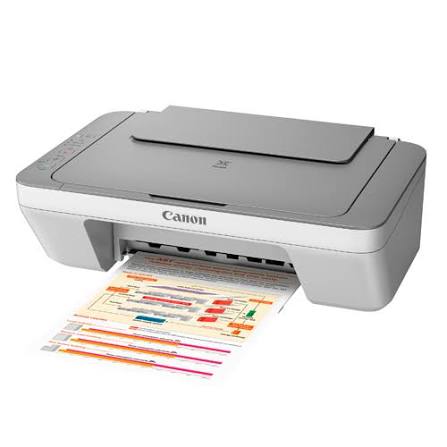
 Canon's newest Windows driver for the PIXMA MG2470 is the MG2400 series Full Driver & Software Package Ver. 1.2, dated 27 Aug 2026. The newest macOS driver is the MG2470 CUPS Printer Driver Ver. 16.91.0.0, dated 14 Sep 2026. The download buttons open Canon's own download link.
Which Canon PIXMA MG2470 driver do I need?
All Canon PIXMA MG2470 downloads from Canon
Each button opens Canon’s own download link. Canon publishes no checksums, so we list the version, date and size from Canon’s page. Our guide to checking a driver download shows how to verify a file.
Canon PIXMA MG2470 Windows downloads
Canon PIXMA MG2470 macOS downloads
How to install the Canon PIXMA MG2470 driver
Canon’s own steps for the full driver package:
- Click the link, select [ Save ], specify "Save As", then click [ Save ] to download the file.
- The downloaded file will be saved in the specified place in the self-extracting form (.exe format ).
- Double-click the downloaded .exe file. It will be decompressed and the Setup screen will be displayed. Follow the instructions to install the software and perform the necessary settings.
If an error appears, our driver installation error guide covers the common ones. The Windows 11 driver install guide shows the manual route.
Canon PIXMA MG2470 driver troubleshooting
Windows does not detect the printer during setup
Check that the printer is on and the USB cable is firmly seated. Try a different USB port, with no hub. Restart the PC and run the installer again. Then confirm the printer appears under Printers & scanners in Settings.
The installer stops partway through
Close other programs and turn off any running antivirus temporarily. Unplug the USB cable, restart the PC, and run the installer again as administrator. Reconnect the cable only when the installer asks for it.
The scanner is missing on my Mac
The CUPS driver only handles printing. Install the ICA Driver Ver.5.0.1 for scanning, then restart the Mac. Reconnect the printer with the USB cable and open Image Capture to check that the scanner appears.
Other models that share files with the Canon PIXMA MG2470
Canon lists these models for the same scanner (ICA) driver: PIXMA MG2570, PIXMA MG2570S, PIXMA MG3570, PIXMA MG5570, PIXMA MG6470, PIXMA MG7170, PIXMA P200.
You can find manuals and firmware for this model on Canon’s official support page.
Canon PIXMA MG2470 driver FAQ
Which Windows file should I pick first?
Pick the MG2400 series Full Driver & Software Package Ver. 1.2. It installs the drivers and software you need for full functionality. It covers Windows XP through Windows 11. The MP Drivers Ver. 1.04 are a driver-only alternative.
Which macOS versions does the newest Mac driver cover?
The MG2470 CUPS Printer Driver Ver. 16.91.0.0 covers macOS 11 through macOS 15, plus macOS 26 and macOS 27. Older Macs need the MG2400 series drivers, which go back to Mac OS X v10.7.
What is the Windows security patch?
The Windows Printers and Multifunction Printers security patch Ver.1.0.2 fixes a folder vulnerability in installed printer drivers. Without it, other users can access and replace the driver folder. The newest build covers Windows 10, Windows 11 and several Windows Server versions.
What is the XPS printer driver for?
The MG2470 XPS Printer Driver Ver. 5.70b is optional and Windows only. It supports 16-bit per color printing, which gives smoother gradation than the standard driver. Most users do not need it for everyday documents.