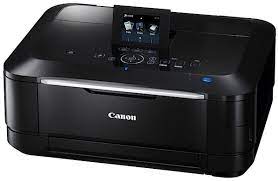
 Canon lists these newest MG8170 drivers: Windows Ver. 1.05 (22 Jul 2015), macOS Ver. 16.10.0.0 (09 Sep 2021). Each button opens Canon's own download link.
Which Canon PIXMA MG8170 driver do I need?
All Canon PIXMA MG8170 downloads from Canon
Each button opens Canon’s own download link. Canon publishes no checksums, so we list the version, date and size from Canon’s page. Our guide to checking a driver download shows how to verify a file.
Canon PIXMA MG8170 Windows downloads
Canon PIXMA MG8170 macOS downloads
How to install the Canon PIXMA MG8170 driver
Canon’s own steps for the full driver package:
- Click the link, select [ Save ], specify "Save As", then click [ Save ] to download the file.
- The downloaded file will be saved in the specified place in the self-extracting form ( .exe format ).
- Double-click the downloaded EXE file to decompress it, then installation will start automatically.
- On the Start menu, click Control Panel, and then, under Programs click Uninstall a Program.
- A page will open with a list of installed programs. Double click on the program that you want to uninstall.
If an error appears, our driver installation error guide covers the common ones. The Windows 11 driver install guide shows the manual route.
Canon PIXMA MG8170 driver troubleshooting
The computer does not find the printer on the network.
Install the MP Driver first. It includes IJ Network Tool. Put the printer and computer on the same network, then run the tool again. On OS X 10.6 to 10.8, the Mini Master Setup also covers network setup.
The installer stops partway through.
Restart the computer, close other programs, and run the installer again. Check that the file matches your system. Windows XP x64 has its own MP Driver, and OS X 10.5 or 10.6 needs CUPS driver 11.7.1.0.
The scanner does not show up on a Mac.
Install a scanner driver separately from the printer driver. macOS v10.12 uses Scanner Driver 17.4.1c. OS X 10.5 to 10.11 uses 17.4.1b. ICA Driver 4.0.0 also covers macOS v10.12 down to Mac OS X v10.7.
You can find manuals and firmware for this model on Canon’s official support page.
Canon PIXMA MG8170 driver FAQ
Which file do I need on Windows?
Pick MP Driver Ver. 1.05 (30.06 MB). It covers Windows 10 down to XP and includes IJ Network Tool. The XPS Printer Driver 5.56 is a separate option for Vista through Windows 10, and it supports 16-bpc printing.
Which macOS versions have a driver?
CUPS Printer Driver 16.10.0.0 covers macOS v10.12 down to Mac OS X v10.7. Version 11.7.1.0 covers OS X 10.5 and 10.6. Printer Driver 7.32.1 covers OS X 10.4 and 10.5.
How do Windows and macOS downloads differ?
Windows uses one MP Driver that includes the network tool. macOS splits the job into a CUPS printer driver and a separate scanner driver, either TWAIN or ICA. Install both on a Mac if you want to print and scan.
What is the security patch?
CUPS Printer Driver 11.7.1.0, dated 05 Sep 2017, is for OS X 10.5 and 10.6. Canon's update history says the security of the software was enhanced. The listing gives no further detail.