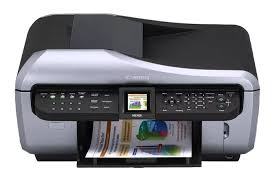
 Canon PIXMA MX7600 newest: Windows MP Driver 1.02 (22 Jul 2015), macOS CUPS Printer Driver 11.7.1.0 (09 Sep 2021). Each button opens Canon's own download link.
Which Canon PIXMA MX7600 driver do I need?
All Canon PIXMA MX7600 downloads from Canon
Each button opens Canon’s own download link. Canon publishes no checksums, so we list the version, date and size from Canon’s page. Our guide to checking a driver download shows how to verify a file.
Windows downloads for the Canon PIXMA MX7600
macOS downloads for the Canon PIXMA MX7600
Canon PIXMA MX7600 driver troubleshooting
Windows does not detect the printer after I install the driver.
Check the USB cable or network link first. Then match the driver to your Windows bitness. The 32-bit and 64-bit MP Drivers are separate files. Reinstall with the correct one. On a network, use the Mini Master Setup.
The installer stops partway through on Windows.
Close other programs and unplug the printer until the setup asks for it. Confirm you picked the right 32-bit or 64-bit file. Windows 7 users can also try the Canon Inkjet Printer Driver Add-On Module.
My Mac prints, but the scanner does not appear.
The printer driver does not install scanning. Download the MX7600 series Scanner Driver 13.12.2a or the ICA Driver 4.0.0, and match it to your macOS version. Reconnect the printer afterward.
You can find manuals and firmware for this model on Canon’s official support page.
Canon PIXMA MX7600 driver FAQ
Which Windows file should I pick?
Pick MP Driver Ver.1.02 and match your bitness. One file covers 32-bit Windows 10 through 2000. Another covers 64-bit Windows 10 through Vista. Windows XP 64-bit has its own 1.02 file.
Which file sets the printer up on a network in Windows?
Use the MX7600 series Mini Master Setup, version 1.02, dated 16 Oct 2013. It holds the Setup application, MP Drivers and IJ Network Tool. It has separate 32-bit and 64-bit files for Windows 8.1 down to Vista.
Which macOS versions does the newest printer driver cover?
CUPS Printer Driver 11.7.1.0 covers OS X 10.7 (Lion) through 10.11 (El Capitan). Mac OS X 10.5 and 10.6 need the separate 11.7.1.0 file dated 05 Sep 2017.
Do I need separate drivers for scanning on a Mac?
Yes. Canon lists the Scanner Driver 13.12.2a for OS X 10.5 to 10.11. The ICA Driver 4.0.0 covers macOS 10.12 (Sierra) down to Mac OS X 10.7. Snow Leopard also has ICA Driver 3.3.4.