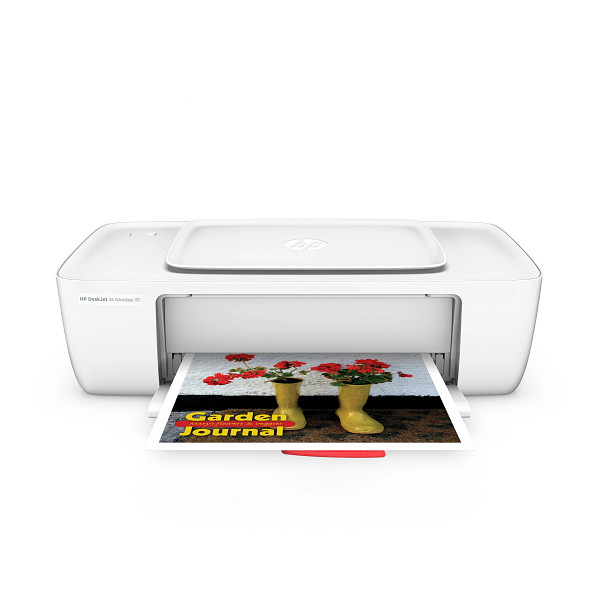
Home offices and students who print 50 to 100 pages a month of plain documents, brochures and photos are the target for the HP DeskJet Ink Advantage 1115 / 1118. It uses HP Thermal Inkjet technology and connects by USB 2.0 only. It has no display and no wireless.
HP DeskJet 1110 series Print and Scan Driver and Accessories
Win 11Win 10 64-bitWin 7 64-bit
On Windows, download HP DeskJet 1110 series Print and Scan Driver and Accessories (124.7 MB). On a Mac, download Install HP Easy Start (6.3 MB).
Quick install: download the recommended file above, run it, and connect the USB cable only when the installer asks, then print a test page. Full steps
According to HP’s support site, the same driver files fit the HP DeskJet 1110, 1111 and 1112, so every download on this page works for them too.
HP DeskJet Ink Advantage 1115 / 1118 driver for Windows
Win 11Win 10 64-bitWin 7 64-bit
Details
- File name
Full_Webpack-40.15.1230-DJ1110_Full_Webpack.exe- MD5 checksum (from HP)
0b5519b9cf6432a14eb7ed533c4039b4- Software ID (HP)
- al-146795-4 · verify on HP
Win 11Win 10 64-bitWin 7 64-bit
Details
- File name
HPEasyStart_17_6_15.exe- MD5 checksum (from HP)
d3c5840776dec9f1f7e1ba23499a15e8- Software ID (HP)
- mp-366488-3 · verify on HP
HP DeskJet Ink Advantage 1115 / 1118 driver for macOS
macOS 26macOS 15
Details
- File name
HP_Easy_Start.app.zip- MD5 checksum (from HP)
19c1a5f786f5f93f9f778ad71ee444a3- Software ID (HP)
- mp-166618-27 · verify on HP
HP DeskJet Ink Advantage 1115 / 1118 driver for Linux
Linux
Details
- Software ID (HP)
- mp-54524-1 · verify on HP
All files come straight from HP (ftp.hp.com). We checked them against HP’s list on Oct 25, 2026. Systems checked: Win 11, Win 10 64-bit, Win 7 64-bit, macOS 26, macOS 15, macOS 13, Linux. Older systems may have more files on HP’s page for this model.
HP DeskJet Ink Advantage 1115 / 1118 driver support by operating system
64-bit
64-bit
Which HP DeskJet Ink Advantage 1115 / 1118 driver should I choose?
HP offers two kinds of download for this printer. The full software and drivers package (124.7 MB) holds everything needed to install and use the printer on Windows 11, Windows 10 64-bit or Windows 7 64-bit. Setup apps are smaller. HP Easy Start is 26.5 MB on Windows and 6.3 MB on Mac, and it guides you through setup. The Windows version needs an internet connection to fetch the driver. Windows 7 users need Service Pack 1.
Connection is USB 2.0 only, so keep the printer next to the computer. Duplex printing is manual, with driver support. The input tray holds 60 sheets, the output tray holds 25, and the printer takes up to 5 envelopes. It does not print borderless.
How to install the HP DeskJet Ink Advantage 1115 / 1118 driver
- Download HP DeskJet 1110 series Print and Scan Driver and Accessories (124.7 MB) from this page.
- Open the downloaded file and let the installer start.
- Follow the on-screen prompts to finish installing the software.
- Connect the printer to your PC with a USB cable.
- Print a test page from any document to confirm it works.
- On a Mac, download Install HP Easy Start (6.3 MB) and run it instead.
Adding the printer by hand or installing on Linux? See our printer driver install guide.
Models supported by this HP DeskJet Ink Advantage 1115 / 1118 driver page
These printers use the same driver files, so every download on this page fits each of them.
HP DeskJet Ink Advantage 1115 / 1118 specifications
Source: HP product specifications for the HP DeskJet Ink Advantage 1115 Printer.
Each file lists the MD5 checksum HP publishes. Our guide to checking a driver download shows how to compare it. If an HP link is down, try the Microsoft Update Catalog search for the HP DeskJet Ink Advantage 1115 / 1118.
HP DeskJet Ink Advantage 1115 / 1118 driver troubleshooting
Computer does not detect the printer over USB
Check that the printer is powered on. Plug the USB cable directly into the computer, not a hub. Try another port or cable. Restart both the printer and the computer, then run the installer again.
Prints look faded, streaky or have gaps
Check that the ink cartridges are installed correctly and not empty. Replace any empty cartridge. Load plain paper or HP photo paper, and pick the matching media type in the print settings.
Mac running macOS 26 cannot complete printer setup
Download Install HP Easy Start version 2.16.7.260722. HP added macOS 26 support in that release. Run it, then follow its prompts to prepare your Mac for printing.
For “driver is unavailable”, offline printers and stuck print jobs, see our printer driver troubleshooting guide.
HP DeskJet Ink Advantage 1115 / 1118 driver FAQ
Which Windows versions does the full driver support?
The HP DeskJet 1110 series Print and Scan Driver and Accessories (version 40.15.1230) supports Windows 11, Windows 10 64-bit and Windows 7 64-bit.
Which macOS versions does HP Easy Start support?
Install HP Easy Start version 2.16.7.260722 supports macOS 26 and macOS 15. It is a 6.3 MB download, dated Aug 14, 2026.
Can I print wirelessly from a phone?
No. HP lists no wireless capability, no HP ePrint and no mobile printing support for this printer. Connect it to a computer with the USB 2.0 port.
Does the printer print on both sides automatically?
No. HP lists duplex printing as manual, with driver support. You flip the pages yourself. The printer does not offer borderless printing either.
Drivers for similar HP printers
Owners of related models can find the matching downloads here: HP DeskJet 1112 driver, HP Deskjet 1010 series driver, HP Deskjet Ink Advantage 1516 All-in-One driver.
Last checked: Oct 25, 2026. HP and HP DeskJet Ink Advantage 1115 / 1118 are trademarks of HP Inc. This site is not affiliated with HP.
Great free down loads.
thanx for this free download it really helps alot
plz. free driver insatalation if possible
plz. free can give drive if possible thanks