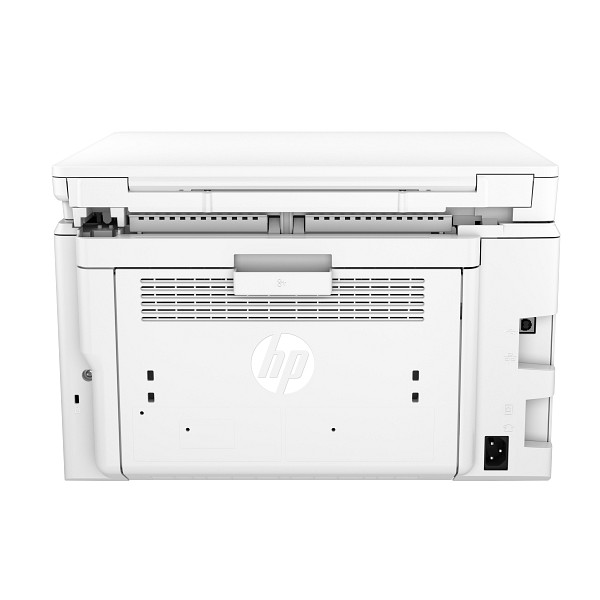
Offices that print black-and-white documents at 250 to 2,500 pages a month fit this laser printer. The HP LaserJet Pro MFP M227sdn prints and scans, with automatic duplex and speeds up to 30 ppm. A 250-sheet input tray covers routine batches.
HP LaserJet Pro MFP M227sdn/Ultra M230sdn Full Feature Software and Drivers
Win 11Win 10 64-bitWin 7 64-bit
On Windows, download HP LaserJet Pro MFP M227sdn/Ultra M230sdn Full Feature Software and Drivers (184.2 MB). On macOS, download Install HP Easy Start (6.3 MB).
Quick install: download the recommended file above, run it, and connect the USB cable only when the installer asks, then print a test page. Full steps
HP LaserJet Pro M227sdn driver for Windows
Full software and drivers
Win 11Win 10 64-bitWin 7 64-bit
Details
- File name
Full_Webpack-44.11.2775-LJM227-M231_UW_3_1_Full_Webpack.exe- MD5 checksum (from HP)
b48f43f52ba383be7e13407e738be032- Software ID (HP)
- Im-174428-11 · verify on HP
Basic driver only
Win 11Win 10 64-bitWin 7 64-bit
Details
- File name
Basic_Webpack_x64-44.11.2775-LJM227-M231_UW_3_1_Basicx64_Webpack.exe- MD5 checksum (from HP)
310e0bf6a0b250e357070b12a45fa8a6- Software ID (HP)
- Im-174446-11 · verify on HP
Setup apps
Win 11Win 10 64-bitWin 7 64-bit
Details
- File name
HPEasyStart_17_6_15.exe- MD5 checksum (from HP)
d3c5840776dec9f1f7e1ba23499a15e8- Software ID (HP)
- mp-366488-3 · verify on HP
Win 11Win 10 64-bit
Details
- Software ID (HP)
- mp-366135-1 · verify on HP
HP Universal Print Driver
Win 10 64-bitWin 7 64-bit
Details
- File name
upd-pcl6-win10-x64-8.2.0.26778.zip- MD5 checksum (from HP)
1311b735d1ada9b02676d32b5ba5b232- Software ID (HP)
- ds-99374-36 · verify on HP
- Release notes
- Read on HP
Win 10 64-bitWin 7 64-bit
Details
- File name
upd-ps-win10-x64-8.2.0.26778.zip- MD5 checksum (from HP)
626ec0b8d41d3be40357b3c825c3502d- Software ID (HP)
- ds-99376-35 · verify on HP
- Release notes
- Read on HP
Win 11
Details
- File name
upd-pcl6-win11-x64-8.2.0.26819.zip- MD5 checksum (from HP)
5660c16a00e21f11736fd003063d6d13- Software ID (HP)
- ds-365647-1 · verify on HP
- Release notes
- Read on HP
Win 11
Details
- File name
upd-ps-win11-x64-8.2.0.26819.zip- MD5 checksum (from HP)
d27ad643905526df8cc9a89b556dbf42- Software ID (HP)
- ds-365648-1 · verify on HP
- Release notes
- Read on HP
Win 11 ARM64
Details
- File name
upd-pcl6-win11-ARM64-8.2.0.26778.zip- MD5 checksum (from HP)
e270ca97f4ddb5139217621ccc205506- Software ID (HP)
- ds-359027-2 · verify on HP
- Release notes
- Read on HP
Firmware
Win 11Win 10 64-bitWin 7 64-bit
Details
- File name
HP_LaserJet_Pro_MFP_M227_series_and_Ultra_MFP_M230_Printer_Series_20241025.exe- MD5 checksum (from HP)
126c38a7674aaa73e19c3787d5b5fc05- Software ID (HP)
- Im-178935-12 · verify on HP
Utilities and other software
Win 10 64-bitWin 7 64-bit
Details
- File name
HPEPrintAppSetupx64.exe- MD5 checksum (from HP)
f47f746e9f3a0bf359c06d3a4d889b43- Software ID (HP)
- lj-166432-4 · verify on HP
HP LaserJet Pro M227sdn driver for macOS
Setup apps
macOS 26macOS 15
Details
- File name
HP_Easy_Start.app.zip- MD5 checksum (from HP)
19c1a5f786f5f93f9f778ad71ee444a3- Software ID (HP)
- mp-166618-27 · verify on HP
macOS 26macOS 15macOS 13
Details
- Software ID (HP)
- mp-351535-1 · verify on HP
Firmware
macOS 15macOS 13
Details
- File name
HP_LaserJet_Pro_MFP_M227_series_and_Ultra_MFP_M230_Printer_Series_20241025.dmg- MD5 checksum (from HP)
4fce9e7b37795c98d5c5b98c60658201- Software ID (HP)
- Im-178944-11 · verify on HP
- Release notes
- Read on HP
Utilities and other software
macOS 26macOS 15macOS 13
Details
- File name
HP_Easy_Admin.app.zip- MD5 checksum (from HP)
32c3c4edfb4e3bc519c3c1731542360e- Software ID (HP)
- mp-218629-7 · verify on HP
HP LaserJet Pro M227sdn driver for Linux
Linux
Details
- Software ID (HP)
- mp-54524-1 · verify on HP
All files come straight from HP (ftp.hp.com). We checked them against HP’s list on Oct 25, 2026. Systems checked: Win 11, Win 10 64-bit, Win 7 64-bit, macOS 26, macOS 15, macOS 13, Linux. Older systems may have more files on HP’s page for this model.
HP LaserJet Pro M227sdn driver support by operating system
64-bit
64-bit
Which HP LaserJet Pro M227sdn driver should I choose?
Full software and drivers (184.2 MB) installs everything HP offers for Windows setup. The basic driver (86.7 MB) installs the driver only. Setup apps such as HP Easy Start (26.5 MB on Windows) guide you through setup and need an internet connection for drivers. Universal Print Driver packages are generic drivers for IT-managed setups. Install the firmware utility (18.5 MB on Windows) only to fix a specific problem.
The input side has a 250-sheet tray and a 10-sheet priority tray, and the output tray holds 150 sheets. Duplex printing is automatic. Replacement toner is HP 30A CF230A (~1600 pages) or HP 30X CF230X (~3500 pages), and the HP 32A CF232A imaging drum lasts ~23000 pages.
How to install the HP LaserJet Pro M227sdn driver
- Close all running programs and turn on the printer.
- Leave the USB cable unplugged until the installer prompts you to connect it.
- For a network connection, plug in the network cable before you run the installer.
- Click Download on this page, then click the downloaded file. Extraction and installation start automatically.
- Follow the on-screen instructions to finish. To install later, choose Save, then double-click the file when ready.
- On a Mac, download Install HP Easy Start (6.3 MB) and run it to set up the printer.
Adding the printer by hand or installing on Linux? See our printer driver install guide.
Print envelopes from Windows
To print envelopes, open the Print option in your program, choose the printer, and click Properties or Preferences to reach the print driver. The button name differs between programs. On Windows 8, 8.1 and 10 Start screen apps, the layout and features differ from the desktop steps.
Next, open the Paper/Quality tab. Choose the correct envelope size under Paper size, set Paper type to Envelope, and set Paper source to Manual feed. Then click OK to close Document Properties, and click OK in the Print dialog box to send the job.
Replace the imaging drum: HP LaserJet Pro M227sdn
Start by lifting the scanner assembly and opening the cartridge door. Take the toner cartridge out for the time being, then pull out the used imaging drum. Unpack the new drum and release its packaging. However, do not touch the drum itself, because fingerprints can cause print-quality problems.
Line up the new drum with the tracks inside the printer and push it in until it sits firmly. Then do the same with the toner cartridge, aligning it with the tracks until it is firmly seated. Finally, close the cartridge door and lower the scanner assembly.
Print on both sides automatically in Windows
Automatic two-sided printing works only if your printer has an automatic duplexer installed. Without one, or for paper types the duplexer does not support, you need to print on both sides manually. In Windows, begin by choosing Print in your program and opening the printer's Properties or Preferences.
Open the Finishing tab and select Print on both sides. Then click OK to close the Document Properties dialog, and click Print in the Print dialog. Note that the button name varies by program, and Start screen apps in Windows 10, 8.1 and 8 look different from desktop programs.
Copying with the HP LaserJet Pro M227sdn
The copy steps depend on the type of control panel. On a 2-line panel, place the document on the scanner glass following the indicators on the printer, then press the Copy Menu button. Use the arrow keys to select the Optimize menu and press OK.
Optimize offers Auto Select, the default, Mixed for text and graphics, Text for mostly text, and Picture for mostly graphics. Then press the Number of Copies button, set the count with the arrow keys, and press OK. Press Start Copy to begin.
Scan from your computer with HP Scan
HP Scan lets you start a scan from software on your computer. You can save the scanned image as a file or send it to another software application. First, open the HP Printer Assistant; in Windows 10, go to Start, All Apps, HP, then pick the printer name.
On Windows 7, click Start, All Programs, HP, the printer's folder, and then the printer name. Once the Printer Assistant is open, select Scan and choose Scan a Document or Photo. Adjust the settings if needed, then click Scan. Windows 8 and 8.1 use different routes from the Start screen.
Fixing the 10.30.0X Unauthorized Cartridge message
The 10.30.0X Unauthorized <Color> Cartridge message means the administrator has set the printer to use only genuine HP supplies that are still under warranty. Therefore, the toner cartridge must be replaced before printing can continue again.
The recommended action is to replace it with a genuine HP toner cartridge. If you believe you bought a genuine HP supply, visit www.hp.com/go/anticounterfeit. There you can check whether the cartridge is genuine and learn what to do if it is not.
HP LaserJet Pro M227sdn specifications
Source: HP product specifications for the HP LaserJet Pro MFP M227sdn.
Each file lists the MD5 checksum HP publishes. Our guide to checking a driver download shows how to compare it. If an HP link is down, try the Microsoft Update Catalog search for the HP LaserJet Pro M227sdn.
HP LaserJet Pro M227sdn driver troubleshooting
The installer cannot find the printer
Confirm the printer is on. For a network setup, check that the network cable was connected before the installer started. For USB, connect the cable only when the installer asks. Then run the installer again.
Pages print faint or streaky
Remove the toner cartridge and rock it gently to spread the toner. If prints stay faint, replace it with an HP 30A (CF230A) or HP 30X (CF230X). Worn drums need an HP 32A (CF232A).
Paper jams or feeds badly
Check that your media matches the supported types, weight of 16 to 43 lb, and custom sizes of 3 x 5 to 8.5 x 14 in. Avoid overfilling the 250-sheet input tray.
For “driver is unavailable”, offline printers and stuck print jobs, see our printer driver troubleshooting guide.
HP LaserJet Pro M227sdn driver FAQ
Which Windows versions does the full driver support?
The Full Feature Software and Drivers (version 44.11.2775) supports Windows 11, Windows 10 64-bit and Windows 7 64-bit. HP released it on May 12, 2022.
Which macOS versions can use HP Easy Start?
Install HP Easy Start (version 2.16.7.260722, 6.3 MB) supports macOS 26 and macOS 15. HP added macOS 26 support in that release.
How big are the Windows downloads?
The full software and drivers package is 184.2 MB. The basic driver is 86.7 MB. HP Easy Start for Windows is 26.5 MB, and it needs an internet connection to install drivers.
Does this printer print on both sides automatically?
Yes. HP lists automatic duplex printing as standard. Print speed reaches up to 30 ppm in black, and print quality reaches up to 1200 x 1200 dpi.
Drivers for similar HP printers
Owners of related models can find the matching downloads here: HP LaserJet Pro MFP M227fdn driver, HP LaserJet Pro MFP M227fdw driver, HP Color LaserJet Pro M254nw driver, HP Color LaserJet Pro M255dw driver, HP Color LaserJet Pro MFP M277dw driver, HP Color LaserJet Pro MFP M277n driver.
Last checked: Oct 25, 2026. HP and HP LaserJet Pro M227sdn are trademarks of HP Inc. This site is not affiliated with HP.