 The main Brother HL-L3280CDW download for Windows is the Full Driver & Software Package (version E1, Aug 6, 2026, 212.90 MB). Below, every file Brother lists for this printer is shown once, for Windows, macOS and Linux, and each button downloads it straight from Brother’s own server.
Brother lists the main Windows installer (the Full Driver & Software Package) for the HL-L3280CDW and for the HL-L3295CDW, HL-L8245CDW. This model appears only on some other files, such as the printer driver, and not on the full installer: HL-L3220CDW. Therefore each file row below says which of these models Brother lists it for; pick files that name your model.
Download the Brother HL-L3280CDW driver for the HL-L3220CDW, HL-L3295CDW, HL-L8245CDW
Moreover, each row names the systems the file supports, as listed by Brother. Where one file serves several systems, they appear together in that row.
Windows files for the Brother HL-L3280CDW and HL-L3220CDW, HL-L3295CDW & HL-L8245CDW
Drivers
Install one of these first. They make the printer work with Windows.
Full Driver & Software PackageDriver · Y21B_C1_ULWT-inst-E1.EXEIf you are using Windows 11, please refer to this FAQ and change your Windows settings before installation.Supports: Windows 11, Windows 10 (32-bit), Windows 10 (64-bit), Windows Server 2025, Windows Server 2022, Windows Server 2019, Windows Server 2016Only for the HL-L3280CDW, HL-L3295CDW, HL-L8245CDW: Brother does not list this file for the HL-L3220CDW.E1Aug 6, 2026212.90 MBBR-Script driver (Postscript language emulation)Driver · Y21B_C1-ps-100_USA.EXEThis is a printer driver for PostScript printing.Supports: Windows 11, Windows 10 (32-bit), Windows 10 (64-bit), Windows Server 2025, Windows Server 2022, Windows Server 2019, Windows Server 20161.0.0.0Feb 1, 20230.91 MBEnhanced Generic PCL Driver (32-bit)Driver · genp5e-32-eng-109.EXERecommended download if you have multiple Brother print devices on your network, you can use this driver instead of downloading specific drivers for each separaSupports: Windows 10 (32-bit)1.09Aug 30, 20171.01 MBEnhanced Generic PCL Driver (64-bit)Driver · genp5e-64-eng-109.EXERecommended download if you have multiple Brother print devices on your network, you can use this driver instead of downloading specific drivers for each separaSupports: Windows 11, Windows 10 (64-bit), Windows Server 2025, Windows Server 2022, Windows Server 2019, Windows Server 20161.09Aug 30, 20171.01 MBPrinter DriverDriver · Y21B_C1-hostm-170.EXEThis download only includes the printer driver.Supports: Windows 11, Windows 10 (32-bit), Windows 10 (64-bit), Windows Server 2025, Windows Server 2022, Windows Server 2019, Windows Server 20161.7.0.0Jan 24, 202529.49 MBUniversal Printer Driver for BR-Script (PostScript language emulation)Driver · UNIV-PS-01181.EXERecommended download if you have multiple Brother print devices, you can use this driver instead of downloading specific drivers for each separate device.Supports: Windows 11, Windows 10 (32-bit), Windows 10 (64-bit), Windows Server 2025, Windows Server 2022, Windows Server 2019, Windows Server 20161.18.1.0Jan 15, 202611.54 MBUtilities and extra software
These tools are optional, so you can print without them.
BRAdmin LightUtility · BRAdminLight_1400000.exeThis software allows you to search for Brother products in a TCP/IP environment, view the status and configure basic network settings, such as IP address.Supports: Windows 11, Windows 10 (32-bit), Windows 10 (64-bit), Windows Server 2025, Windows Server 2022, Windows Server 2019, Windows Server 20161.40.0000Aug 7, 202442.02 MBBRAdmin Professional 4Utility · Setup_BRAdminPro4_1.24.0000.exeThis software allows system administrators deploy and manage their networked/USB connected Brother printers and scanners and view the status of most other SNMP Supports: Windows 11, Windows 10 (32-bit), Windows 10 (64-bit), Windows Server 2025, Windows Server 2022, Windows Server 2019, Windows Server 20161.24.0000Oct 30, 202638.26 MBBRAgentUtility · bragent1390000.exeThe BRAdmin Professional software is able to communicate with Remote "Agents".Supports: Windows 11, Windows 10 (32-bit), Windows 10 (64-bit), Windows Server 2025, Windows Server 2022, Windows Server 2019, Windows Server 20161.39.0000Mar 21, 20259.50 MBBrother Secure Print Advanced InstallerUtility · secureprintadvanced-1-4-0.EXE(requires a license key to activate, contact your dealer or Brother office if unsure of compatibility) This solution allows you to release your printed documentSupports: Windows 11, Windows 10 (32-bit), Windows 10 (64-bit), Windows Server 2025, Windows Server 2022, Windows Server 2019, Windows Server 20161.4.0Mar 16, 202378.94 MBBrother iPrint&ScanUtility · iPrintScan-Setup-17_1_0_61.exeThis application provides access to printing, scanning and workflow functionality.Supports: Windows 11, Windows 10 (32-bit), Windows 10 (64-bit)17.1.0.61Nov 6, 2026371.29 MBDriver Language Switching ToolUtility · DrvLangChg_10161.EXEThis tool enables you to switch the language of the printer driver* and scanner driver.Supports: Windows 11, Windows 10 (32-bit), Windows 10 (64-bit), Windows Server 2025, Windows Server 2022, Windows Server 2019, Windows Server 20161.0.16.1Feb 3, 20230.74 MBEasySetupUtility · EasySetup_2_9_3_0.exeThis software guides you through the initial setup of your machine, connecting it to your computer, and installing any necessary software.Supports: Windows 11, Windows 10 (32-bit), Windows 10 (64-bit)2.9.3.0Oct 30, 2026141.28 MBMass Deployment ToolUtility · BrotherMassDeploymentTool_v2130.zipThis tool allows administrators to change settings on many Brother network devices.Supports: Windows 11, Windows 10 (32-bit), Windows 10 (64-bit), Windows Server 2025, Windows Server 2022, Windows Server 2019, Windows Server 20162.13.0Nov 4, 202629.52 MBNetwork Connection Repair ToolUtility · nettool_1230.EXEThis utility assists you in restoring printing capability with minimal user interaction.Supports: Windows 11, Windows 10 (32-bit), Windows 10 (64-bit), Windows Server 2025, Windows Server 2022, Windows Server 2019, Windows Server 20161.2.30.0Jan 21, 20261.67 MBSoftware Update Notification UpdaterUtility · SoftUpdNotificationUpdater_1_0_21_0_IS23a.exeSoftware Update Notification is a tool for updating installed software and firmware for each Brother product.Supports: Windows 11, Windows 10 (32-bit), Windows 10 (64-bit), Windows Server 2022, Windows Server 2019, Windows Server 20161.0.21.0Jan 7, 202620.52 MBStatus Monitor Update ToolUtility · StatusMonitorUpdater_1_43_0_0_IS23a.exeThis tool updates the Status Monitor which is installed on your computer.Supports: Windows 11, Windows 10 (32-bit), Windows 10 (64-bit)1.43.0.0Jan 7, 202621.60 MBStatus Monitor Update ToolUtility · StatusMonitorUpdater_1_37_1_0.exeThis tool updates the Status Monitor which is installed on your computer.Supports: Windows 11, Windows 10 (32-bit), Windows 10 (64-bit), Windows Server 2022, Windows Server 2019, Windows Server 20161.37.1.0Sep 20, 202370.14 MBUninstall ToolUtility · delinf_10860.EXEThis Uninstall Tool is useful if you want to reinstall the driver through Windows Plug and Play.Supports: Windows 11, Windows 10 (32-bit), Windows 10 (64-bit), Windows Server 2025, Windows Server 2022, Windows Server 2019, Windows Server 20161.0.86.0Oct 28, 20260.88 MBWireless Setup HelperUtility · WirelessSetupHelper1.5.0_enus.exeThis utility assists you in finding the security settings (SSID and Network Key) of your wireless network required to configure the wireless network settings ofSupports: Windows 11, Windows 10 (32-bit), Windows 10 (64-bit)1.05.0000Mar 21, 20252.01 MBWireless Setup WizardUtility · wlanwiz_lto_5g_waw_1_00_0007.exeThis wizard guides you on configuring the wireless network settings of your Brother machine.Supports: Windows 11, Windows 10 (32-bit), Windows 10 (64-bit), Windows Server 2022, Windows Server 2019, Windows Server 2016Only for the HL-L3280CDW, HL-L3295CDW, HL-L8245CDW: Brother does not list this file for the HL-L3220CDW.1.00.0007Oct 14, 20255.59 MBFirmware
Firmware updates the printer itself rather than the computer, so read the note on each row first.
Firmware Update ToolFirmware · BrMain4905.exeThis tool updates your Brother machine firmware via the internet, by sending the firmware to your machine from the Brother internet server.Supports: Windows 11, Windows 10 (32-bit), Windows 10 (64-bit)Same tool for different Brother models: Brother offers this same file on the download pages of its different models. It finds your connected machine and fetches the firmware for it from Brother. The version and date in this row are the latest firmware Brother lists for the HL-L3280CDW.1.41/COct 8, 202620.11 MBmacOS files for the Brother HL-L3280CDW and HL-L3220CDW, HL-L3295CDW & HL-L8245CDW
Full Software PackageUtility · StartHereMac_1_0_0_19.dmgWe recommend this download to get the most functionality out of your Brother machine.Supports: macOS 27.x, macOS 26.x, macOS 15.x1.0.0Sep 29, 2026246.56 MBFull Software PackageUtility · ColorLaserPRT21_ULW_TouchPanel_106.dmgWe recommend this download to get the most functionality out of your Brother machine.Supports: macOS 14.x, macOS 13.xOnly for the HL-L3280CDW, HL-L3295CDW, HL-L8245CDW: Brother does not list this file for the HL-L3220CDW.1.0.6Sep 26, 202512.36 MBHTTP to USB BridgeUtility · HttpToUsbBridgeInstaller_1_1_11.dmgThis software enables access to the Web Based Management utility from iPrint&Scan for Desktop via USB.Supports: macOS 27.x, macOS 26.x, macOS 15.x, macOS 14.x, macOS 13.x1.1.11Jan 19, 20230.29 MBFirmware Update ToolFirmware · BrMain423.dmgThis tool updates your Brother machine firmware via the internet, by sending the firmware to your machine from the Brother internet server.Supports: macOS 27.x, macOS 14.x, macOS 26.x, macOS 13.x, macOS 15.xSame tool for different Brother models: Brother offers this same file on the download pages of its different models. It finds your connected machine and fetches the firmware for it from Brother. The version and date in this row are the latest firmware Brother lists for the HL-L3280CDW.1.41/COct 8, 202620.31 MBLinux files for the Brother HL-L3280CDW and HL-L3220CDW, HL-L3295CDW & HL-L8245CDW
Driver Install ToolDriver · linux-brprinter-installer-2.2.6-1.gzThe tool will install LPR, CUPSwrapper driver and scanner driver (for scanner models).Supports: Linux (rpm), Linux (deb)2.2.6-1Oct 22, 20260.02 MBLinux printer driver (deb package) (32-bit i386 package)Driver · hll3280cdwpdrv-3.5.1-1.i386.debThis is Linux printer driver.Supports: Linux (deb)Only for the HL-L3280CDW: Brother does not list this file for the HL-L3220CDW, HL-L3295CDW, HL-L8245CDW.3.5.1-1Mar 30, 20230.13 MBLinux printer driver (rpm package) (32-bit i386 package)Driver · hll3280cdwpdrv-3.5.1-2.i386.rpmThis is Linux printer driver.Supports: Linux (rpm)Only for the HL-L3280CDW: Brother does not list this file for the HL-L3220CDW, HL-L3295CDW, HL-L8245CDW.3.5.1-2Apr 21, 20260.14 MBSAP Device Type (PCL)Driver · BRL3280P.zipConfiguration in the SAP ERP environment that defines how the system communicates with Brother machines to ensure your reports are printed in the correct formatSupports: Windows 11, Windows 10 (32-bit), Windows 10 (64-bit), Windows Server 2025, Windows Server 2022, Windows Server 2019, Windows Server 2016, macOS 27.x, macOS 26.x, macOS 15.x, macOS 14.x, macOS 13.x, Linux (rpm), Linux (deb)Only for the HL-L3280CDW: Brother does not list this file for the HL-L3220CDW, HL-L3295CDW, HL-L8245CDW.1.0Nov 21, 20240.19 MBMass Deployment Tool for UbuntuUtility · BrotherMassDeploymentTool_.NET_v2100100.tar.gzThis tool allows administrators to change settings on many Brother network devices (command line Interface only on the Linux version).Supports: Linux (deb)2.10.0.100Jan 27, 20254.89 MBYou can compare this list with Brother’s own HL-L3280CDW downloads page. Therefore, pick the file by your operating system; the Full Driver & Software Package is the simplest choice on Windows.
About the Brother HL-L3280CDW
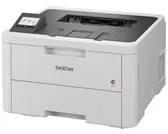
The HL-L3280CDW is a color LED laser printer that prints on both sides by itself and connects over USB, Ethernet and Wi-Fi. In addition, the key figures below come from Brother’s specifications page for this model.
Print speedUp to 27 pages/minute (Letter) or 26 pages/minute (A4), monochrome2-sided printingUp to 10 sides/minute (5 sheets/minute), automaticResolution600 x 600 dpi, 2,400 dpi class (600 x 2400) qualityFirst print timeLess than 13.5 seconds (monochrome)Memory256 MBDisplay2.7 in. (67.5 mm) color touchscreenPaper trayUp to 250 sheets of 20 lb (80 g/m²) plain paperPaper outputUp to 150 sheets, face downUSBHi-Speed USB 2.0Wired network10Base-T/100Base-TX/1000Base-TWireless networkIEEE 802.11a/b/g/n (infrastructure), 802.11a/g/n (Wi-Fi Direct)Weight33.9 lb (15.4 kg)Firmware update
Besides the drivers, Brother offers the Firmware Update Tool (20.11 MB). It is the same file on the download pages of different Brother models: it detects your connected machine and downloads the matching firmware from Brother’s server, and for the HL-L3280CDW Brother lists firmware version 1.41/C (Oct 8, 2026). Because it updates the printer itself and is not a driver, you only need it when Brother support suggests it. In that case, install the driver first.
Install the driver step by step
First, download the file for your system from the table above. Then, on Windows, double-click Y21B_C1_ULWT-inst-E1.EXE and follow the installer. Next, connect the printer by USB cable or pick it on the network when the installer asks. Finally, print a test page to confirm that everything works. If the installer stops with an error, restart the computer and run it again, because a pending Windows update can block the installation.
On Linux, however, the easiest route is the Driver Install Tool (linux-brprinter-installer-2.2.6-1.gz): unpack it and run it as root, and it installs the matching LPR and CUPSwrapper packages for you.
For installer errors on Windows, see the driver installation guide for Windows 11 and the driver installation error guide.
Last checked: Nov 16, 2026. Brother is a trademark of Brother Industries, Ltd. This site is not affiliated with Brother.