Advertisement
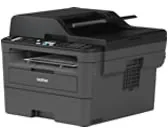 The main Brother MFC-L2710DW download for Windows is the Full Driver & Software Package (version L1, Aug 7, 2026, 496.32 MB). Below, every file Brother lists for this printer is shown once, for Windows, macOS and Linux, and each button downloads it straight from Brother’s own server.
Download the Brother MFC-L2710DW driver
Moreover, each row names the systems the file supports, as listed by Brother. Where one file serves several systems, they appear together in that row.
Windows files for the Brother MFC-L2710DW
| File | Version | Size | |
|---|---|---|---|
Full Driver & Software PackageDriver · Y17C_C1_ULWL_PP-inst-L1.exeIf you are using Windows 11, please refer to this FAQ and change your Windows settings before installation.Supports: Windows 11, Windows 10 (32-bit), Windows 10 (64-bit) |
L1Aug 7, 2026 |
496.32 MB |
Download |
Printer Driver & Scanner Driver for USBDriver · Y17C_C1-hostm-L1.EXEThis download only includes the printer and scanner (WIA and/or TWAIN) drivers, optimized for USB interface.Supports: Windows 11, Windows 10 (32-bit), Windows 10 (64-bit), Windows Server 2025, Windows Server 2022, Windows Server 2019, Windows Server 2016 |
L1Aug 12, 2026 |
41.79 MB |
Download |
XML Paper Specification Printer DriverDriver · Y17C_C1-xmlpaper-1110.EXEThe XML Paper Specification Printer Driver is an appropriate driver to use with applications that support XML Paper Specification documents.Supports: Windows 11, Windows 10 (32-bit), Windows 10 (64-bit), Windows Server 2025, Windows Server 2022, Windows Server 2019, Windows Server 2016 |
1.11.0.0Dec 2, 2024 |
20.59 MB |
Download |
BRAdmin LightUtility · BRAdminLight_1400000.exeThis software allows you to search for Brother products in a TCP/IP environment, view the status and configure basic network settings, such as IP address.Supports: Windows 11, Windows 10 (32-bit), Windows 10 (64-bit), Windows Server 2025, Windows Server 2022, Windows Server 2019, Windows Server 2016 |
1.40.0000Aug 7, 2024 |
42.02 MB |
Download |
BRAdmin Professional 4Utility · Setup_BRAdminPro4_1.24.0000.exeThis software allows system administrators deploy and manage their networked/USB connected Brother printers and scanners and view the status of most other SNMP Supports: Windows 11, Windows 10 (32-bit), Windows 10 (64-bit), Windows Server 2025, Windows Server 2022, Windows Server 2019, Windows Server 2016 |
1.24.0000Oct 30, 2026 |
38.26 MB |
Download |
BRAgentUtility · bragent1390000.exeThe BRAdmin Professional software is able to communicate with Remote "Agents".Supports: Windows 11, Windows 10 (32-bit), Windows 10 (64-bit), Windows Server 2025, Windows Server 2022, Windows Server 2019, Windows Server 2016 |
1.39.0000Mar 21, 2025 |
9.50 MB |
Download |
Brother iPrint&ScanUtility · iPrintScan-Setup-17_1_0_61.exeThis application provides access to printing, scanning and workflow functionality.Supports: Windows 11, Windows 10 (32-bit), Windows 10 (64-bit) |
17.1.0.61Nov 6, 2026 |
371.29 MB |
Download |
Driver Language Switching ToolUtility · DrvLangChg_10161.EXEThis tool enables you to switch the language of the printer driver* and scanner driver.Supports: Windows 11, Windows 10 (32-bit), Windows 10 (64-bit), Windows Server 2025, Windows Server 2022, Windows Server 2019, Windows Server 2016 |
1.0.16.1Feb 3, 2023 |
0.74 MB |
Download |
Mass Deployment ToolUtility · BrotherMassDeploymentTool_v2130.zipThis tool allows administrators to change settings on many Brother network devices.Supports: Windows 11, Windows 10 (32-bit), Windows 10 (64-bit), Windows Server 2025, Windows Server 2022, Windows Server 2019, Windows Server 2016 |
2.13.0Nov 4, 2026 |
29.52 MB |
Download |
Network Connection Repair ToolUtility · nettool_1230.EXEThis utility assists you in restoring printing capability with minimal user interaction.Supports: Windows 11, Windows 10 (32-bit), Windows 10 (64-bit), Windows Server 2025, Windows Server 2022, Windows Server 2019, Windows Server 2016 |
1.2.30.0Jan 21, 2026 |
1.67 MB |
Download |
PaperPort™ Install ToolUtility · PP14Downloader_1_0_40_0.EXEThis tool installs PaperPort™ via internet.Supports: Windows 11, Windows 10 (32-bit), Windows 10 (64-bit) |
14.8.0May 11, 2026 |
2.03 MB |
Download |
Software Update Notification UpdaterUtility · SoftUpdNotificationUpdater_1_0_21_0_IS23a.exeSoftware Update Notification is a tool for updating installed software and firmware for each Brother product.Supports: Windows 11, Windows 10 (32-bit), Windows 10 (64-bit), Windows Server 2022, Windows Server 2019, Windows Server 2016 |
1.0.21.0Jan 7, 2026 |
20.52 MB |
Download |
Status Monitor Update ToolUtility · StatusMonitorUpdater_1_43_0_0_IS23a.exeThis tool updates the Status Monitor which is installed on your computer.Supports: Windows 11, Windows 10 (32-bit), Windows 10 (64-bit) |
1.43.0.0Jan 7, 2026 |
21.60 MB |
Download |
Status Monitor Update ToolUtility · StatusMonitorUpdater_1_37_1_0.exeThis tool updates the Status Monitor which is installed on your computer.Supports: Windows 11, Windows 10 (32-bit), Windows 10 (64-bit), Windows Server 2022, Windows Server 2019, Windows Server 2016 |
1.37.1.0Sep 20, 2023 |
70.14 MB |
Download |
Uninstall ToolUtility · delinf_10860.EXEThis Uninstall Tool is useful if you want to reinstall the driver through Windows Plug and Play.Supports: Windows 11, Windows 10 (32-bit), Windows 10 (64-bit), Windows Server 2025, Windows Server 2022, Windows Server 2019, Windows Server 2016 |
1.0.86.0Oct 28, 2026 |
0.88 MB |
Download |
Wireless Setup HelperUtility · WirelessSetupHelper1.4.0_enus.exeThis utility assists you in finding the security settings (SSID and Network Key) of your wireless network required to configure the wireless network settings ofSupports: Windows 11, Windows 10 (32-bit), Windows 10 (64-bit) |
1.04.0000Mar 21, 2025 |
2.01 MB |
Download |
Firmware Update ToolFirmware · BrMain4905.exeThis tool updates your Brother machine firmware via the internet, by sending the firmware to your machine from the Brother internet server.Supports: Windows 11, Windows 10 (32-bit), Windows 10 (64-bit) |
ZJJul 16, 2026 |
20.11 MB |
Download |
macOS files for the Brother MFC-L2710DW
| File | Version | Size | |
|---|---|---|---|
Full Software PackageUtility · StartHereMac_1_0_0_19.dmgWe recommend this download to get the most functionality out of your Brother machine.Supports: macOS 27.x, macOS 26.x, macOS 15.x |
1.0.0Sep 29, 2026 |
246.56 MB |
Download |
Wireless Setup WizardUtility · brotherwdswML17_ULW_NonTouchPanel_1_0_1.dmgThis wizard guides you on configuring the wireless network settings of your Brother machine.Supports: macOS 26.x, macOS 15.x, macOS 14.x, macOS 13.x |
1.18.1Nov 2, 2022 |
2.04 MB |
Download |
iPrint&Scan Push Scan ToolUtility · BrotherPushScanTool_1_15_0_0.dmgAdditional software for scanning directly from your Brother machine using the iPrint&Scan software.Supports: macOS 27.x, macOS 26.x, macOS 15.x, macOS 14.x, macOS 13.x |
1.15.0.0Jun 5, 2025 |
11.25 MB |
Download |
Firmware Update ToolFirmware · BrMain423.dmgThis tool updates your Brother machine firmware via the internet, by sending the firmware to your machine from the Brother internet server.Supports: macOS 27.x, macOS 14.x, macOS 26.x, macOS 13.x, macOS 15.x |
ZJJul 16, 2026 |
20.31 MB |
Download |
Linux files for the Brother MFC-L2710DW
| File | Version | Size | |
|---|---|---|---|
Driver Install ToolDriver · linux-brprinter-installer-2.2.6-1.gzThe tool will install LPR, CUPSwrapper driver and scanner driver (for scanner models).Supports: Linux (rpm), Linux (deb) |
2.2.6-1Oct 22, 2026 |
0.02 MB |
Download |
Linux printer driver (deb package) (32-bit i386 package)Driver · mfcl2710dwpdrv-4.0.0-1.i386.debThis is Linux printer driver.Supports: Linux (deb) |
4.0.0-1Sep 29, 2017 |
0.12 MB |
Download |
Linux printer driver (rpm package) (32-bit i386 package)Driver · mfcl2710dwpdrv-4.0.0-2.i386.rpmThis is Linux printer driver.Supports: Linux (rpm) |
4.0.0-2Apr 22, 2026 |
0.13 MB |
Download |
Scanner Setting file (deb package)Scanner driver · brother-udev-rule-type1-1.0.2-0.all.debThis package is for using the scanner connected via USB without administrator privileges.Supports: Linux (deb) |
1.0.2-0Nov 25, 2016 |
1.52 KB |
Download |
Scanner Setting file (rpm package)Scanner driver · brother-udev-rule-type1-1.0.2-0.noarch.rpmThis package is for using the scanner connected via USB without administrator privileges.Supports: Linux (rpm) |
1.0.2-0Nov 25, 2016 |
3.46 KB |
Download |
Scanner driver 32bit (deb package) (32-bit i386 package)Scanner driver · brscan4-0.4.11-1.i386.debThis is Scanner driver.Supports: Linux (deb) |
0.4.11-1Dec 21, 2021 |
0.09 MB |
Download |
Scanner driver 32bit (rpm package) (32-bit i386 package)Scanner driver · brscan4-0.4.11-2.i386.rpmThis is Scanner driver.Supports: Linux (rpm) |
0.4.11-2Apr 16, 2026 |
0.10 MB |
Download |
Scanner driver 64bit (deb package)Scanner driver · brscan4-0.4.11-1.amd64.debThis is Scanner driver.Supports: Linux (deb) |
0.4.11-1Dec 21, 2021 |
0.11 MB |
Download |
Scanner driver 64bit (rpm package) (32-bit i386 package)Scanner driver · brscan4-0.4.11-2.x86_64.rpmThis is Scanner driver.Supports: Linux (rpm) |
0.4.11-2Apr 16, 2026 |
0.12 MB |
Download |
PC-FAX driver (deb package)Fax driver · brmfcfaxdrv-2.0.2-3.amd64.debThis is PC-FAX driver.Supports: Linux (deb) |
2.0.2-3Oct 22, 2026 |
0.03 MB |
Download |
PC-FAX driver (rpm package) (32-bit i386 package)Fax driver · brmfcfaxdrv-2.0.2-3.x86_64.rpmThis is PC-FAX driver.Supports: Linux (rpm) |
2.0.2-3Oct 22, 2026 |
0.05 MB |
Download |
Mass Deployment Tool for UbuntuUtility · BrotherMassDeploymentTool_.NET_v2100100.tar.gzThis tool allows administrators to change settings on many Brother network devices (command line Interface only on the Linux version).Supports: Linux (deb) |
2.10.0.100Jan 27, 2025 |
4.89 MB |
Download |
Scan-key-tool 32bit (deb package) (32-bit i386 package)Utility · brscan-skey-0.3.6-0.i386.debWith this tool, you can start a scan by the button on the machine.Supports: Linux (deb) |
0.3.6-0Oct 23, 2026 |
0.05 MB |
Download |
Scan-key-tool 32bit (rpm package) (32-bit i386 package)Utility · brscan-skey-0.3.6-0.i386.rpmWith this tool, you can start a scan by the button on the machine.Supports: Linux (rpm) |
0.3.6-0Oct 23, 2026 |
0.08 MB |
Download |
Scan-key-tool 64bit (deb package)Utility · brscan-skey-0.3.6-0.amd64.debWith this tool, you can start a scan by the button on the machine.Supports: Linux (deb) |
0.3.6-0Oct 23, 2026 |
0.06 MB |
Download |
Scan-key-tool 64bit (rpm package) (32-bit i386 package)Utility · brscan-skey-0.3.6-0.x86_64.rpmWith this tool, you can start a scan by the button on the machine.Supports: Linux (rpm) |
0.3.6-0Oct 23, 2026 |
0.08 MB |
Download |
You can compare this list with Brother’s own MFC-L2710DW downloads page. Therefore, pick the file by your operating system; the Full Driver & Software Package is the simplest choice on Windows.
In addition, the same Windows printer driver is listed for DCP-L2550DW, MFC-L2717DW, so these models share it.
About the Brother MFC-L2710DW
The MFC-L2710DW is a monochrome laser all-in-one: it prints, copies, scans and faxes. It feeds originals from a 50-sheet document feeder and prints on both sides by itself. It connects over USB, Ethernet or Wi-Fi, so the installer offers all three. In addition, the key figures below come from Brother’s specifications page for this model.
Print speed |
Up to 30 pages/minute (A4 size) Up to 32 pages/minute (Letter size) |
2-sided printing |
Up to 15 sides/minute (Up to 7.5 sheets/minute) (Letter or A4 size) |
Resolution |
600 x 600 dpi, HQ1200 (2400 x 600 dpi) quality, 1200 x 1200 dpi |
First print time |
Less than 8.5 seconds at 73.4 °F (23 °C) / 115 V |
Memory |
64 MB |
Display |
16 characters x 2 lines |
Paper tray |
Up to 250 sheets of 20 lb (80 g/m 2 ) Plain Paper |
Paper output |
Up to 100 Sheets of 20 lb (80 g/m 2 ) Plain Paper (face down delivery to the face down output paper tray) |
Automatic 2-sided |
Yes |
USB |
Hi-Speed USB 2.0 |
Wired network |
10Base-T/100Base-TX |
Wireless network |
IEEE 802.11b/g/n (Infrastructure Mode) IEEE 802.11g/n (Wi-Fi Direct ® ) |
ADF capacity |
Up to 50 sheets |
Fax modem |
33,600 bps (with Automatic Fallback) |
Weight |
26.0 lb (11.8 kg) |
Firmware update
Besides the drivers, Brother lists the Firmware Update Tool (version ZJ, Jul 16, 2026, 20.11 MB). Because it updates the printer itself and is not a driver, you only need it when Brother support suggests it. In that case, install the driver first.
Install the driver step by step
First, download the file for your system from the table above. Then, on Windows, double-click Y17C_C1_ULWL_PP-inst-L1.exe and follow the installer. Next, connect the printer by USB cable or pick it on the network when the installer asks. Finally, print a test page to confirm that everything works. If the installer stops with an error, restart the computer and run it again, because a pending Windows update can block the installation.
On Linux, however, the easiest route is the Driver Install Tool (linux-brprinter-installer-2.2.6-1.gz): unpack it and run it as root, and it installs the matching LPR and CUPSwrapper packages for you.
For installer errors on Windows, see the driver installation guide for Windows 11 and the driver installation error guide.
Last checked: Nov 12, 2026. Brother is a trademark of Brother Industries, Ltd. This site is not affiliated with Brother.
Advertisement