Advertisement
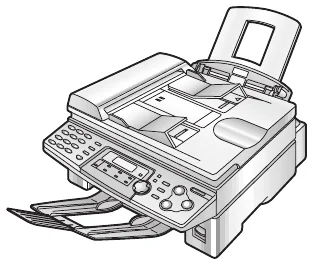 The newest Panasonic KX-FLB751 driver on Panasonic’s support site is the Multi-Function Station 1.32 (published Feb 18, 2008). Also, each button below downloads the file straight from the maker’s own server, and the list covers Windows.
Which models this driver covers
One download covers the whole family: KX-FLB750BL, KX-FLB750FR, KX-FLB750G, KX-FLB750JT, KX-FLB750KR, KX-FLB750NE, KX-FLB750SP, KX-FLB751, KX-FLB751AL, KX-FLB751C, KX-FLB751E, KX-FLB751GR, KX-FLB751KR, KX-FLB751NL, KX-FLB751PR, KX-FLB751SL, KX-FLB751TK, KX-FLB752CX, KX-FLB752EX, KX-FLB752FX, KX-FLB752SN, KX-FLB753CN, KX-FLB753HK, KX-FLB753KR, KX-FLB753ML, KX-FLB753PD, KX-FLB753RU, KX-FLB753SA, KX-FLB753TK, KX-FLB755BL, KX-FLB755FR, KX-FLB755G, KX-FLB755JT, KX-FLB755NE, KX-FLB755SP, KX-FLB756, KX-FLB756AL, KX-FLB756CX, KX-FLB756E, KX-FLB756GR, KX-FLB756NL, KX-FLB756PR, KX-FLB756SL, KX-FLB758AG, KX-FLB758EX, KX-FLB758FR, KX-FLB758FX, KX-FLB758HK, KX-FLB758ML, KX-FLB758PD, KX-FLB758RU, KX-FLB758SN, KX-FLM551, KX-FLM551E, KX-FLM551G, KX-FLM551GR, KX-FLM551JT, KX-FLM551KR, KX-FLM551NE, KX-FLM551NL, KX-FLM551SP, KX-FLM552EX, KX-FLM552FX, KX-FLM553PD, KX-FLM553RU. Therefore, the files below fit every one of these models, whatever the suffix after the number. However, check the exact model on the label of your printer first.
Download the Panasonic KX-FLB751 driver
Each file appears once, with every system it supports. The vendor lists Windows up to Windows Vista or 7, so Windows 11 is not officially covered for this family.
Windows files for the Panasonic KX-FLB751 driver
| File | Version | Size | |
|---|---|---|---|
Multi-Function Station (driver and software)DriverSupports: Windows 95/98/Me/NT4/2000/XP (32-bit)/Vista (32-bit) |
1.32Feb 18, 2008 |
13.28 MB |
Download |
Multi-Function Station Cleaner (removes a failed installation)UtilitySupports: Windows 95/98/Me/NT4/2000/XP (32-bit)/Vista (32-bit) |
-- |
170 KB |
Download |
You can compare every file with Panasonic’s own download page.
Install the driver step by step
First, download the Multi-Function Station file that matches your Windows version. Then run the downloaded file; it extracts itself, so start the installer inside it and follow the instructions. Next, connect the printer by USB cable or LAN when the installer asks. If you already have an earlier version, however, run the matching update file instead of the full installer. Finally, print a test page. If an installation fails, run the Multi-Function Station Cleaner and start again.
For installer errors on Windows, see the driver installation guide for Windows 11 and the driver installation error guide.
Last checked: Nov 9, 2026. The Panasonic name is a trademark of Panasonic Holdings Corporation. This site is not affiliated with Panasonic.
Advertisement