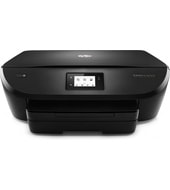
Thermal inkjet printing means this printer runs on ink cartridges: HP 651 black rated for about 600 pages and HP 651 tri-color for about 300. The HP DeskJet Ink Advantage 5570 All-in-One series prints, scans, copies, and offers web and photo functions. HP rates it for 100 to 250 pages a month, which suits light home use.
HP DeskJet 5570 series Full Feature Software and Drivers
Win 11Win 10 64-bitWin 7 64-bit
On Windows, download HP DeskJet 5570 series Full Feature Software and Drivers (148.2 MB). On macOS, download Install HP Easy Start (6.3 MB).
Quick install: download the recommended file above, run it, and choose Wi-Fi or USB when the installer asks, then print a test page. Full steps
HP DeskJet Ink Advantage 5570 All-in-One series driver for Windows
Full software and drivers
Win 11Win 10 64-bitWin 7 64-bit
Details
- File name
Full_Webpack-40.15.1230-DJ5570_Full_Webpack.exe- MD5 checksum (from HP)
671d9b82f216f42c8a0eb0e0095c9049- Software ID (HP)
- mp-147083-4 · verify on HP
Basic driver only
Win 11Win 10 64-bitWin 7 64-bit
Details
- Description
- This basic feature software solution is a driver-only software solution intended for customers who only want a basic driver to use with their HP…
- File name
Basic_Webpack_x64-40.15.1230-DJ5570_Basicx64_Webpack.exe- MD5 checksum (from HP)
67614cb165cca7895f8f6fa7a4042be3- Software ID (HP)
- mp-147086-4 · verify on HP
Setup apps
Win 11Win 10 64-bit
Details
- Software ID (HP)
- mp-366135-1 · verify on HP
Firmware
Win 10 64-bitWin 7 64-bit
Details
- File name
DJ5570_2023A.exe- MD5 checksum (from HP)
af908c54cfef0f1038fa2a11c6f7226e- Software ID (HP)
- mp-214921-3 · verify on HP
Utilities and other software
Win 10 64-bitWin 7 64-bit
Details
- File name
HPEPrintAppSetupx64.exe- MD5 checksum (from HP)
f47f746e9f3a0bf359c06d3a4d889b43- Software ID (HP)
- lj-166432-4 · verify on HP
HP DeskJet Ink Advantage 5570 All-in-One series driver for macOS
macOS 26macOS 15
Details
- File name
HP_Easy_Start.app.zip- MD5 checksum (from HP)
19c1a5f786f5f93f9f778ad71ee444a3- Software ID (HP)
- mp-166618-27 · verify on HP
macOS 26macOS 15macOS 13
Details
- Software ID (HP)
- mp-351535-1 · verify on HP
HP DeskJet Ink Advantage 5570 All-in-One series driver for Linux
Linux
Details
- Software ID (HP)
- mp-54524-1 · verify on HP
All files come straight from HP (ftp.hp.com). We checked them against HP’s list on Oct 25, 2026. Systems checked: Win 11, Win 10 64-bit, Win 7 64-bit, macOS 26, macOS 15, macOS 13, Linux. Older systems may have more files on HP’s page for this model.
HP DeskJet Ink Advantage 5570 All-in-One series driver support by operating system
64-bit
64-bit
Which HP DeskJet Ink Advantage 5570 All-in-One series driver should I choose?
The Basic driver (53.4 MB) installs only the driver, for people who want no extra software. Full software and drivers (148.2 MB) includes everything needed to install and use the printer, so it is the recommended Windows choice. The HP ePrint utility (31.2 MB) lets a Windows PC print to an HP ePrinter. Install the firmware update (17.9 MB) only if you have the network problem it fixes. On a Mac, the setup app HP Easy Start (6.3 MB) prepares the computer for printing.
Duplex printing is automatic, so two-sided jobs need no manual flipping. Connections are USB 2.0 and Wi-Fi 802.11b/g/n, with AirPrint, Mopria, HP ePrint, and Wireless Direct Printing for mobile devices. The main tray holds 125 sheets, the photo tray holds 15, and the output tray holds 25.
How to install the HP DeskJet Ink Advantage 5570 All-in-One series driver
- Download HP DeskJet 5570 series Full Feature Software and Drivers (148.2 MB) from this page.
- Double-click the downloaded file to start the installer.
- Follow the on-screen prompts until the installer asks how the printer connects.
- Pick Wi-Fi or USB if the installer offers both, whichever you use.
- Finish the prompts, then print a test page from any Windows app.
- On a Mac, download Install HP Easy Start (6.3 MB) instead and follow its prompts.
Adding the printer by hand or installing on Linux? See our printer driver install guide.
HP DeskJet Ink Advantage 5570 All-in-One series specifications
Source: HP product specifications for the HP DeskJet Ink Advantage 5570 All-in-One Printer series.
Each file lists the MD5 checksum HP publishes. Our guide to checking a driver download shows how to compare it. If an HP link is down, try the Microsoft Update Catalog search for the HP DeskJet Ink Advantage 5570 All-in-One series.
HP DeskJet Ink Advantage 5570 All-in-One series driver troubleshooting
Printer drops off the network or the network connection misbehaves
Firmware 2023A includes a network component update. Install it on Windows 10 64-bit or Windows 7 64-bit if this matches your problem. Skip it otherwise, since no other fix is listed.
Computer does not detect the printer over USB
Plug the USB 2.0 cable straight into the computer, not a hub. Try a different port or cable next. Restart the printer and the computer, then run the installer again.
Printouts look faded or streaky
Inspect the HP 651 cartridges first, since thermal inkjet output fades as ink runs low. Replace any empty cartridge with a genuine HP 651 black or tri-color, then print again.
For “driver is unavailable”, offline printers and stuck print jobs, see our printer driver troubleshooting guide.
HP DeskJet Ink Advantage 5570 All-in-One series driver FAQ
Which Windows versions do the drivers support?
Both the Basic Driver and the Full Feature Software and Drivers (version 40.15.1230) support Windows 11, Windows 10 64-bit, and Windows 7 64-bit.
How big is the recommended Windows download?
HP DeskJet 5570 series Full Feature Software and Drivers is 148.2 MB. The Basic Driver is smaller at 53.4 MB but installs only the driver.
What does the firmware update fix?
Firmware version 2023A, dated Jul 21, 2020, lists a network component update. It is 17.9 MB and runs on Windows 10 64-bit and Windows 7 64-bit.
Does this printer print on both sides automatically?
Yes. HP lists automatic duplex printing for this printer. It also offers a 125-sheet main input tray and a 25-sheet output tray.
Drivers for similar HP printers
Owners of related models can find the matching downloads here: HP DeskJet GT 5820 All-in-One driver, HP Deskjet 5743 Color Inkjet driver, HP Deskjet 5748 Color Inkjet driver, HP Deskjet Ink Advantage 5525 e-All-in-One driver.
Last checked: Oct 25, 2026. HP and HP DeskJet Ink Advantage 5570 All-in-One series are trademarks of HP Inc. This site is not affiliated with HP.
2 thoughts on “HP DeskJet Ink Advantage 5570 All-in-One series Driver Download”