Advertisement
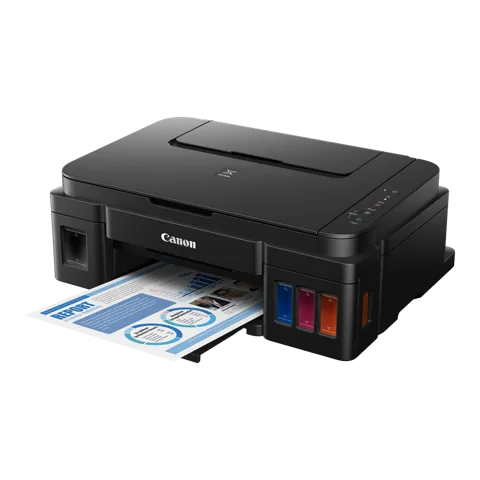 For the Canon PIXMA G2000, Canon's newest Windows listing is the Full Driver & Software Package 1.2 from 21 May 2026. The newest macOS driver is CUPS Printer Driver 16.91.0.0 from 14 Sep 2026. The buttons on this page open Canon's own download link.
Which Canon PIXMA G2000 driver do I need?
| Your system | Download this file | |
|---|---|---|
| Windows: Windows 11 (64-bit), Windows 10 (32/64-bit), Windows 8.1 (32/64-bit), Windows 8 (32/64-bit), Windows 7 (32/64-bit), Windows Vista (32/64-bit), Windows XP (32-bit) | Full driver & software package v1.2May 21, 2026 · 48.15 MB | Download |
| macOS: macOS 27, macOS 26, macOS 15, macOS 14, macOS 13, macOS 12, macOS 11 | CUPS printer driver v16.91.0.0Sep 14, 2026 · 15.38 MB | Download |
All Canon PIXMA G2000 downloads from Canon
Each button opens Canon’s own download link. Canon publishes no checksums, so we list the version, date and size from Canon’s page. Our guide to checking a driver download shows how to verify a file.
Windows downloads for the Canon PIXMA G2000
| File | |
|---|---|
| Full driver & software packageFor Windows 11 (64-bit), Windows 10 (32/64-bit), Windows 8.1 (32/64-bit), Windows 8 (32/64-bit), Windows 7 (32/64-bit), Windows Vista (32/64-bit), Windows XP (32-bit) | Download |
| MP Drivers (print and scan)For Windows 11 (64-bit), Windows 10 (32/64-bit), Windows 8.1 (32/64-bit), Windows 8 (32/64-bit), Windows 7 (32/64-bit), Windows Vista (32/64-bit), Windows XP (32-bit) | Download |
| Windows security patchFor Windows 11 (64-bit), Windows 10 (32/64-bit), Windows 8.1 (32/64-bit), Windows Server 2012 R2 (64-bit), Windows Server 2016 (64-bit), Windows Server 2019 (64-bit), Windows Server 2022 (32-bit), Windows Server 2025 (32-bit) | Download |
| XPS printer driverFor Windows 11 (64-bit), Windows 10 (32/64-bit), Windows 8.1 (32/64-bit), Windows 8 (32/64-bit), Windows 7 (32/64-bit), Windows Vista (32/64-bit) | Download |
| Windows security patchFor Windows 7 (32/64-bit) | Download |
macOS downloads for the Canon PIXMA G2000
| File | |
|---|---|
| CUPS printer driverFor macOS 27, macOS 26, macOS 15, macOS 14, macOS 13, macOS 12, macOS 11 | Download |
| ICA scanner driverFor macOS 27, macOS 26 | Download |
| Full driver & software packageFor macOS 15, macOS 14, macOS 13, macOS 12, macOS 11, macOS 10.15, macOS 10.14, macOS 10.13, macOS v10.12, OS X v10.11, OS X v10.10 | Download |
| ICA scanner driverFor macOS 15, macOS 14, macOS 13 | Download |
| CUPS printer driverFor macOS 10.15, macOS 10.14, macOS 10.13, macOS v10.12, OS X v10.11, OS X v10.10, OS X v10.9, Mac OS X v10.8, Mac OS X v10.7 | Download |
| ICA scanner driverFor macOS 12, macOS 11 | Download |
| ICA scanner driverFor macOS 10.15, macOS 10.14, macOS 10.13, macOS v10.12, OS X v10.11, OS X v10.10, OS X v10.9, Mac OS X v10.8, Mac OS X v10.7 | Download |
| Full driver & software packageFor OS X v10.9, Mac OS X v10.8, Mac OS X v10.7 | Download |
How to install the Canon PIXMA G2000 driver
Canon’s own steps for the full driver package:
- Download the file. For the location where the file is saved, check the computer settings.
- Double-click the downloaded .exe file. It will be decompressed and the Setup screen will be displayed. Follow the instructions to install the software and perform the necessary settings.
If an error appears, our driver installation error guide covers the common ones. The Windows 11 driver install guide shows the manual route.
Canon PIXMA G2000 driver troubleshooting
Windows or macOS does not detect the G2000
Check that the printer is on and the USB cable sits firmly in both ports. Try another USB port. If the PC still misses it, run the Full Driver & Software Package (Windows) or install the CUPS driver (Mac).
The installation stops partway through
Close other programs and restart the computer. Download the file again in case it is damaged. Pick the file that matches your system. The Windows package is an online installer, so it needs a working internet connection.
The scanner does not appear in scanning apps
On Windows, install the G2000 MP Drivers Ver.1.04, which add scanning and updated IJ Scan Utility. On a Mac, install the ICA Driver. Version 5.0.1 covers macOS 26 and 27, and an older 5.0.1 build covers macOS 13 to 15.
Other models that share files with the Canon PIXMA G2000
Canon lists these models for the same scanner (ICA) driver: PIXMA G3000, PIXMA MG3670, PIXMA MG5770, PIXMA MG6870, PIXMA MG7770.
You can find manuals and firmware for this model on Canon’s official support page.
Canon PIXMA G2000 driver FAQ
Which Windows file should I download first?
Start with the G2000 series Full Driver & Software Package 1.2. It sets up the printer over USB or network. The G2000 MP Drivers Ver.1.04 add full printing and scanning if you want that file instead.
Which macOS versions does the newest Mac driver cover?
CUPS Printer Driver 16.91.0.0 covers macOS 11 through macOS 27. Older Macs need older files. Canon lists CUPS 16.40.1.0 for macOS 10.15 and earlier, down to Mac OS X v10.7.
Are older Windows versions covered?
Yes. The Full Driver & Software Package lists Windows 11 down to Windows XP. It includes 64-bit (x64) builds for Windows 10, 8.1, 8, 7 and Vista. The XPS driver 5.91a skips Windows XP.
What is the Windows security patch?
Ver.1.0.2 fixes a folder vulnerability in installed printer drivers. Without it, other users can access and replace that folder. The 11 Dec 2024 release covers Windows 10, 11, 8.1 and Windows Server 2012 R2 to 2025.
Advertisement