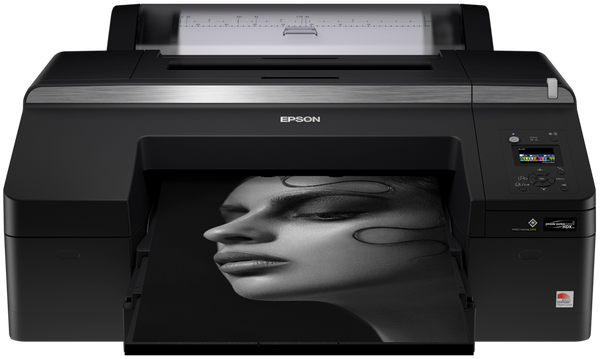
 The newest Epson SureColor SC-P5000 driver is version 5.0 for Windows (released Nov 5, 2024) and version 5.0 for macOS (released Sep 29, 2023). Each button opens Epson’s official Download Center for your system.
Which Epson SureColor SC-P5000 driver do I need?
These files install the printer driver on its own. To get the driver and Epson’s utilities together, use the Combo Package Installer in the extras below. Epson says it has everything you need to use the printer.
Epson SureColor SC-P5000 driver at a glance
All Epson SureColor SC-P5000 downloads from Epson
Epson SureColor SC-P5000 Windows extras: setup installer
Epson SureColor SC-P5000 macOS extras: setup installer, utilities
Buttons open Epson’s Download Center for this model and system; Epson serves the file there. Epson publishes no checksums, so we show the version, date and size from Epson’s own list. Our guide to checking a driver download shows how to compare a file. Older systems may have more files on Epson’s page for the Epson SureColor SC-P5000.
How to install the Epson SureColor SC-P5000 driver
- Download the Windows installer that matches your system from the table above.
- Close any other programs before you start.
- Run the downloaded file and follow the prompts on screen.
- Connect the printer when the installer asks for it, then print a test page.
- On a Mac, download the macOS installer instead and run it the same way.
Epson also publishes a guided setup for the Epson SureColor SC-P5000: Epson Setup Navi. Adding the printer by hand or installing on Linux? See our printer driver install guide.
Epson SureColor SC-P5000 driver troubleshooting
The computer does not detect the printer
Check the cable at both ends and try a different port. Restart the printer and the computer, then connect again. Reinstall the driver if it still does not appear.
Printing fails right after installation
Download a fresh copy of the installer for your system from the table. Run it again and follow the prompts. Restart the computer when it finishes, then print a test page.
A Mac needs newer firmware or utilities
Grab Software Updater from the table above. It downloads and updates the printer's firmware and utilities from the Internet. Restart the printer afterward, then try printing again.
For “driver is unavailable”, offline printers and stuck print jobs, see our printer driver troubleshooting guide.
Epson SureColor SC-P5000 driver FAQ
Which download do I need for the SC-P5000?
Get the Drivers and Utilities Combo Package Installer for your operating system. Epson lists one for Windows and one for macOS. Both are version 5.0.
How big are the downloads?
The Windows installer is 2.4 MB. The macOS installer is 14.0 MB. Software Updater, which is a Mac utility, is 15.2 MB.
Which operating systems are covered?
Windows 11, Windows 10 (64-bit and 32-bit), and Windows 7 (64-bit and 32-bit) are covered. On Mac, the list is macOS 26, 15, 13, and 10.15.
What does Software Updater do?
It downloads and updates the printer's firmware, utilities, and similar items from the Internet. Epson lists it for macOS 26, 15, 13, and 10.15 only. The version is 3.0.1.
Last checked: Nov 4, 2026. Epson and Epson SureColor SC-P5000 are trademarks of Seiko Epson Corporation. This site is not affiliated with Epson.