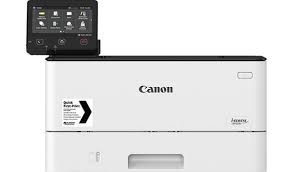
 Canon lists Generic Plus V3.50 (21 Oct 2026) as the newest Windows driver and V10.19.26 (22 Oct 2026) as the newest macOS driver for the Canon i-SENSYS LBP223dw. The buttons below open Canon's own download link for each file.
Which Canon i-SENSYS LBP223dw driver do I need?
All Canon i-SENSYS LBP223dw downloads from Canon
Each button opens Canon’s own download link. Canon publishes no checksums, so we list the version, date and size from Canon’s page. Our guide to checking a driver download shows how to verify a file.
Windows downloads for the Canon i-SENSYS LBP223dw
macOS downloads for the Canon i-SENSYS LBP223dw
How to install the Canon i-SENSYS LBP223dw driver
Canon’s own steps for the full driver package:
- To download files, click the file link, select [Save], and specify the directory where you want to save the file.The download will start automatically.
- Downloaded files are saved in the specified folder in a self-extracting format (.exe format).
- Double-click the files to decompress them. A new folder will be created in the same folder. The new folder will have the same name as the compressed file.
- Double-click the decompressed Setup.exe file to start installation.
If an error appears, our driver installation error guide covers the common ones. The Windows 11 driver install guide shows the manual route.
Canon i-SENSYS LBP223dw driver troubleshooting
Windows or macOS does not detect the printer
Restart the printer and your computer. Check the USB cable, or confirm both devices use the same network. Then run the driver installer again before you add the printer in system settings.
The Windows installer stops partway through
Close other installers and restart Windows. Check that the file matches your system: 32-bit or 64-bit. Run the file again as administrator. Pick the UFR II or PCL6 file, not both.
The Mac installer will not run or the printer does not appear
Check your macOS version against the file. V10.19.26 covers macOS 11.7.11 to 27.0.1. Older Macs need V10.19.23 (macOS 10.15), V10.19.20 (10.14), V10.19.16 (10.13) or V10.19.13 (10.12).
You can find manuals and firmware for this model on Canon’s official support page.
Canon i-SENSYS LBP223dw driver FAQ
Which Windows driver file should I pick?
Canon lists Generic Plus UFR II and Generic Plus PCL6, both V3.50, in 32-bit and 64-bit builds. Choose the bitness that matches your Windows. The 64-bit UFR II file is 39.52 MB; the 64-bit PCL6 file is 37.61 MB.
Which macOS versions do the drivers cover?
V10.19.26 covers macOS 11.7.11 to 27.0.1. Canon also lists V10.19.23 for macOS 10.15, V10.19.20 for 10.14, V10.19.16 for 10.13 and V10.19.13 for 10.12.
What is the difference between the Windows and Mac downloads?
Windows gets Generic Plus printer drivers, version V3.50, dated 21 Oct 2026. Mac gets the UFR II/UFRII LT Printer Driver & Utilities, V10.19.26, dated 22 Oct 2026, at 78.06 MB.
What is the SAP Device Types file?
It is a separate download for SAP systems. Canon lists it as version V2.9.1, dated 19 Nov 2025, at 21.57 MB. Most Windows and Mac users do not need it for normal printing.