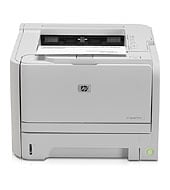
This HP LaserJet P2035 / P2035n prints black-only pages at up to 30 ppm, with the first page out in as fast as 8.0 seconds. It suits small offices printing 500 to 2500 pages a month. The 50-sheet multipurpose tray and 250-sheet tray 2 cover everyday paper needs.
HP LaserJet P2035 and P2035n GDI Plug and Play Package
Win 10 64-bitWin 7 64-bit
HP lists no model-specific driver for this printer, only generic drivers and utilities. On Windows, download the HP LaserJet P2035 and P2035n GDI Plug and Play Package (5.2 MB), HP's generic option.
Quick install: download the recommended file above, run it, and choose Wi-Fi or USB when the installer asks, then print a test page. Full steps
HP LaserJet P2035 / P2035n driver for Windows
Firmware
Win 7 64-bit
Details
- Description
- This firmware update utility is for the HP LaserJet P2030 series printers only. This update is recommended for HP LaserJet P2030 series printers that…
- File name
P2035_FW_Upgrade_Utility_20131111_signed.exe- MD5 checksum (from HP)
a15a4fd86ac271c8c9d398f6c0ac3a7d- Software ID (HP)
- lj-65988-7 · verify on HP
- Release notes
- Read on HP
Utilities and other software
Win 7 64-bit
Details
- Description
- HP LaserJet P2035 printing software CD-ROM order information
- Software ID (HP)
- lj-65141-1 · verify on HP
Win 10 64-bitWin 7 64-bit
Details
- Description
- The GDI Plug and Play Package provides easy installation and offers basic printing functions
- File name
ljP2035-gdi-pnp-win64-en.exe- MD5 checksum (from HP)
3c1bda4db8917e95951174a3e162be71- Software ID (HP)
- lj-76599-3 · verify on HP
- Release notes
- Read on HP
HP LaserJet P2035 / P2035n driver for Linux
Linux
Details
- Software ID (HP)
- mp-163323-1 · verify on HP
All files come straight from HP (ftp.hp.com). We checked them against HP’s list on Oct 25, 2026. Systems checked: Win 11, Win 10 64-bit, Win 7 64-bit, macOS 26, macOS 15, macOS 13, Linux. Older systems may have more files on HP’s page for this model.
HP LaserJet P2035 / P2035n driver support by operating system
64-bit
64-bit
Latest HP LaserJet P2035 / P2035n driver and firmware updates
- HP LaserJet P2035 and P2035n GDI Plug and Play Package v20120627 (Jan 16, 2015): Win 8 support
- HP LaserJet P2030 Series Firmware Update Utility v20120105 (Dec 10, 2013): Enhancements and Fixes included in this 20120105 firmware release include previous fixes/enhancements from…
Which HP LaserJet P2035 / P2035n driver should I choose?
HP lists no model-specific driver here, only a Utility and a Firmware download. The Utility category holds the GDI Plug and Play Package (5.2 MB) for basic printing. It covers Windows 10 64-bit and Windows 7 64-bit, so choose it for a first install or reinstall. Firmware is the P2030 Series Firmware Update Utility (4.1 MB), for Windows 7 64-bit only. Skip it unless you need a fix that HP describes in its release notes.
Duplex printing is manual, with driver support provided. Wireless is optional and needs a hardware accessory, such as the HP Jetdirect ew2400 802.11g Wireless Print Server. The replacement cartridge is the HP LaserJet Black Print Cartridge (2300 pages).
How to install the HP LaserJet P2035 / P2035n driver
- Close any software programs running on your computer, and keep the USB cable unplugged for now.
- Download the GDI Plug and Play Package (5.2 MB) and double-click the file. It extracts the driver files and launches the installer.
- Follow the instructions the installation program shows.
- For USB, connect the cable only when the installer prompts you.
- On the P2035n network model, accept the license agreement and click Next. Driver installation then begins.
- Wireless printing needs the optional hardware accessory, which the install instructions do not cover.
Adding the printer by hand or installing on Linux? See our printer driver install guide.
HP LaserJet P2035 / P2035n specifications
Printing
Paper handling
Connectivity, supplies and size
Source: HP product specifications for the HP LaserJet P2035 Printer.
Each file lists the MD5 checksum HP publishes. Our guide to checking a driver download shows how to compare it. If an HP link is down, try the Microsoft Update Catalog search for the HP LaserJet P2035 / P2035n.
HP LaserJet P2035 / P2035n driver troubleshooting
The installer does not find the printer over USB
Restart the installer and leave the USB cable unplugged until it prompts you. Then connect the cable and let the setup finish before you test a page.
Pages print faint or with streaks
Remove the HP LaserJet Black Print Cartridge and rock it gently side to side to spread the toner. Reinstall it and reprint. Replace it if pages stay faint.
The printer does not work on Windows 8
Install the HP LaserJet P2035 and P2035n GDI Plug and Play Package, version 20120627. It added Win 8 support.
For “driver is unavailable”, offline printers and stuck print jobs, see our printer driver troubleshooting guide.
HP LaserJet P2035 / P2035n driver FAQ
Which Windows versions does the download support?
The GDI Plug and Play Package lists Win 10 64-bit and Win 7 64-bit. HP also notes that version 20120627 added Win 8 support.
How large are the downloads?
The GDI Plug and Play Package is 5.2 MB. The P2030 Series Firmware Update Utility is 4.1 MB.
Is the firmware update meant for this printer?
HP describes the firmware utility, version 20120105, as for P2030 series printers only. It runs on Win 7 64-bit. Update only to fix a problem HP describes.
Can I print wirelessly or from a phone?
Wireless is optional and needs a hardware accessory, such as the HP Wireless Printing Upgrade Kit. HP does not offer mobile print capability, and HP lists HP ePrint as No.
Drivers for similar HP printers
Owners of related models can find the matching downloads here: HP LaserJet P2035n Refurbished driver, HP LaserJet P2015x driver.
Last checked: Oct 25, 2026. HP and HP LaserJet P2035 / P2035n are trademarks of HP Inc. This site is not affiliated with HP.
2 thoughts on “HP LaserJet P2035 / P2035n Driver Download”