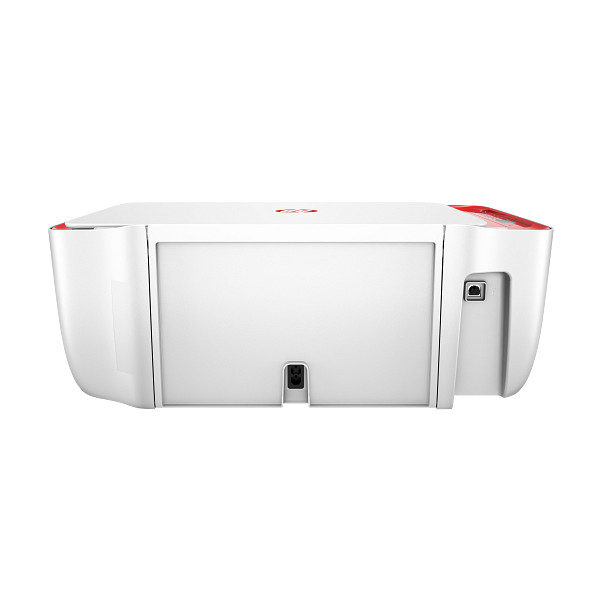
Prints, copies and scans for home users and small households that handle light paperwork. The HP DeskJet 2621 All-in-One uses HP Thermal Inkjet and prints color at up to 5.5 ppm. HP rates it for 50 to 100 pages a month, and it connects by USB or wireless.
HP DeskJet / Ink Advantage 2600 All-in-One Printer series Print and Scan Driver and Accessories
Win 11Win 10 64-bitWin 7 64-bit
On Windows, download HP DeskJet / Ink Advantage 2600 All-in-One Printer series Print and Scan Driver and Accessories (136.3 MB). On macOS, download Install HP Easy Start (6.3 MB).
Quick install: download the recommended file above, run it, and connect the USB cable only when the installer asks, then print a test page. Full steps
HP DeskJet 2621 All-in-One driver for Windows
Full software and drivers
Win 11Win 10 64-bitWin 7 64-bit
Details
- File name
Full_Webpack-43.4.2486-DJ2600_Full_Webpack.exe- MD5 checksum (from HP)
f4d9dda0ccf4a489075bf3ac6c810bb5- Software ID (HP)
- al-182912-8 · verify on HP
Setup apps
Win 11Win 10 64-bitWin 7 64-bit
Details
- File name
HPEasyStart_17_6_15.exe- MD5 checksum (from HP)
d3c5840776dec9f1f7e1ba23499a15e8- Software ID (HP)
- mp-366488-3 · verify on HP
Win 11Win 10 64-bit
Details
- Software ID (HP)
- mp-366135-1 · verify on HP
Firmware
Win 11Win 10 64-bitWin 7 64-bit
Details
- File name
DJ2600_2237A.exe- MD5 checksum (from HP)
144a62b5a1a6933f6bca50f44d780d38- Software ID (HP)
- al-214906-6 · verify on HP
HP DeskJet 2621 All-in-One driver for macOS
macOS 26macOS 15
Details
- File name
HP_Easy_Start.app.zip- MD5 checksum (from HP)
19c1a5f786f5f93f9f778ad71ee444a3- Software ID (HP)
- mp-166618-27 · verify on HP
macOS 26macOS 15macOS 13
Details
- Software ID (HP)
- mp-351535-1 · verify on HP
HP DeskJet 2621 All-in-One driver for Linux
Linux
Details
- Software ID (HP)
- mp-54524-1 · verify on HP
All files come straight from HP (ftp.hp.com). We checked them against HP’s list on Oct 25, 2026. Systems checked: Win 11, Win 10 64-bit, Win 7 64-bit, macOS 26, macOS 15, macOS 13, Linux. Older systems may have more files on HP’s page for this model.
HP DeskJet 2621 All-in-One driver support by operating system
64-bit
64-bit
Which HP DeskJet 2621 All-in-One driver should I choose?
Full software and drivers (136.3 MB) installs the driver and the scan software, so most Windows users should pick it. The Setup app, HP Easy Start, is smaller at 26.5 MB on Windows and 6.3 MB on Mac. It guides setup and needs an internet connection to install drivers. Firmware (3.4 MB) updates the printer itself. Install it only if you have a network problem, since HP lists a Network Stack Update.
Duplex printing is manual, with driver support. The input tray holds 60 sheets and the output tray holds 25. HP offers one Hi-Speed USB 2.0 port plus wireless, and the display is an icon LCD.
How to install the HP DeskJet 2621 All-in-One driver
- Download the 136.3 MB Print and Scan Driver and Accessories file from the table above.
- Run the downloaded file and follow the installer prompts.
- Connect the printer by USB cable, or join it to your wireless network when the installer asks.
- Print a test page once setup finishes to confirm the driver works.
- On a Mac, run Install HP Easy Start (6.3 MB) and follow its prompts.
Adding the printer by hand or installing on Linux? See our printer driver install guide.
Models supported by this HP DeskJet 2621 driver page
These printers use the same driver files, so every download on this page fits each of them.
Printing envelopes
Load one or more envelopes in the input tray of your HP DeskJet 2621 All-in-One and open the output tray before you print. However, avoid shiny or embossed envelopes, and anything with clasps or windows. For text layout on the envelope itself, check the help files in your word application.
On Windows, choose Print in your software, confirm the printer is selected, and open the Properties dialog box. It may be labeled Options, Printer Setup, Preferences or similar. Then set the paper type, envelope size and orientation. On a Mac, pick the envelope size in the Paper Size menu and keep Paper Type/Quality on Plain Paper.
Connecting to a wireless router with WPS
Before using WPS, you need a wireless 802.11b/g/n network with a WPS-enabled router or access point. The printer works only on 2.4GHz. Also have a computer on that network with the HP printer software installed. If your router has a WPS push button, use the push button method; if unsure, use the PIN method.
For the push button method, hold the Wireless button for more than three seconds until the Wireless light blinks, then press the WPS button on the router. The printer waits about two minutes, and a steady blue light means it connected. For the PIN method, press Wireless and Information together to print the network page with the PIN.
Wi-Fi Direct troubleshooting steps
First, check that the Wi-Fi Direct icon on the control panel is lit. If it is off, hold the Wireless and Resume buttons together for three seconds. Then turn on Wi-Fi on your computer or mobile device and connect to the printer's Wi-Fi Direct name. A device without Wi-Fi support cannot use Wi-Fi Direct.
If your mobile device lacks Wi-Fi Direct support, install a compatible printing app; HP Mobile Printing at www.hp.com/go/mobileprinting has details. When security is set to Manual, enter the correct Wi-Fi Direct password or PIN. Alternatively, if the icon blinks in step with the white Information light, press Information within one minute. Finally, the limit is five connected devices.
Print quality tips for HP DeskJet 2621 All-in-One
Start with original HP cartridges and good paper. Choose high quality HP paper or paper meeting the ColorLok standard, and make sure it is flat. For photos, HP Advanced Photo Paper gives the best results. Keep specialty paper in its original packaging inside a resealable bag, lying flat somewhere cool and dry.
On Windows, you can print a diagnostics page from the printer software: click Print & Scan, then Maintain Your Printer, then Print Diagnostic Information on the Device Reports tab. If color blocks show white lines, fading or gaps, load unused plain white letter or A4 paper and choose Clean Cartridges on the Device Services tab.
Cartridge warranty for HP DeskJet 2621 All-in-One
The HP cartridge warranty applies only while the cartridge is used in the HP printing device it was designed for. Coverage lasts during the warranty period, provided the HP ink has not run out and the end of warranty date has not passed.
However, cartridges that have been refilled, remanufactured, refurbished, misused or tampered with are not covered. You can find the end of warranty date on the cartridge itself, written as YYYY/MM/DD. For the full HP Limited Warranty Statement, look in the printed documentation that came with your printer.
HP DeskJet 2621 All-in-One specifications
Source: HP product specifications for the HP DeskJet 2621 All-in-One Printer.
Each file lists the MD5 checksum HP publishes. Our guide to checking a driver download shows how to compare it. If an HP link is down, try the Microsoft Update Catalog search for the HP DeskJet 2621 All-in-One.
HP DeskJet 2621 All-in-One driver troubleshooting
Windows cannot find the printer after setup
Restart the printer and your router. Confirm the PC and printer share the same wireless network. If that fails, connect the USB cable and rerun the installer.
Prints look faded or streaky
Check the ink levels first. Reseat the cartridges, and replace any that are empty. Thermal inkjet cartridges that sit unused for a long time can also cause streaks.
Network connection keeps failing even after reinstalling
Install Firmware Update version 001.2237A (3.4 MB). HP lists it as a Network Stack Update. Restart the printer afterward, then try printing again over your wireless network.
For “driver is unavailable”, offline printers and stuck print jobs, see our printer driver troubleshooting guide.
HP DeskJet 2621 All-in-One driver FAQ
Which Windows versions does the full driver support?
The full driver, version 43.4.2486, supports Windows 11, Windows 10 64-bit and Windows 7 64-bit.
How large is the recommended Windows download?
The Print and Scan Driver and Accessories package is 136.3 MB. HP Easy Start for Windows is only 26.5 MB, but it needs an internet connection.
Which Mac versions can use HP Easy Start?
HP lists Install HP Easy Start, version 2.16.7.260722, for macOS 26 and macOS 15. The download is 6.3 MB.
What does the firmware update fix?
HP lists a Network Stack Update in firmware version 001.2237A. It is 3.4 MB and supports Windows 11, Windows 10 64-bit and Windows 7 64-bit.
Drivers for similar HP printers
Owners of related models can find the matching downloads here: HP DeskJet 2620 All-in-One driver, HP DeskJet 2622 All-in-One driver, HP DeskJet 2623 All-in-One driver, HP DeskJet 2624 All-in-One driver, HP DeskJet 2628 All-in-One driver, HP DeskJet 2630 All-in-One driver.
Last checked: Oct 25, 2026. HP and HP DeskJet 2621 All-in-One are trademarks of HP Inc. This site is not affiliated with HP.