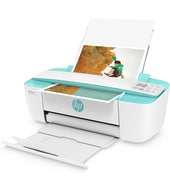
A 60-sheet input tray and a 25-sheet output tray handle everyday paper loads. Duplex is manual, with driver support to guide you. The HP DeskJet 3735 All-in-One prints, copies and scans, and it connects over Wi-Fi. It suits homes printing roughly 50 to 200 pages a month.
HP DeskJet and Ink Advantage 3700 All-in-One Print and Scan Driver and Accessories
Win 11Win 10 64-bitWin 7 64-bit
On Windows, download HP DeskJet and Ink Advantage 3700 All-in-One Print and Scan Driver and Accessories (102.6 MB). On a Mac, download Install HP Easy Start (6.3 MB).
Quick install: download the recommended file above, run it, and choose Wi-Fi or USB when the installer asks, then print a test page. Full steps
HP DeskJet 3735 All-in-One driver for Windows
Full software and drivers
Win 11Win 10 64-bitWin 7 64-bit
Details
- File name
Full_Webpack-40.16.1234-DJ3700_Full_Webpack.exe- MD5 checksum (from HP)
a64f64a599561e71c224398eda8410df- Software ID (HP)
- al-163859-7 · verify on HP
Setup apps
Win 11Win 10 64-bitWin 7 64-bit
Details
- File name
HPEasyStart_17_6_15.exe- MD5 checksum (from HP)
d3c5840776dec9f1f7e1ba23499a15e8- Software ID (HP)
- mp-366488-3 · verify on HP
Win 11Win 10 64-bit
Details
- Software ID (HP)
- mp-366135-1 · verify on HP
Firmware
Win 11Win 10 64-bitWin 7 64-bit
Details
- File name
DJ3700_2218A.exe- MD5 checksum (from HP)
753c33105bc9259912c3e12852483914- Software ID (HP)
- al-215329-4 · verify on HP
Utilities and other software
Win 11Win 10 64-bitWin 7 64-bit
Details
- File name
HPEasyStart-13.6.5-DJ3700_40_16_1234_1_Webpack.exe- MD5 checksum (from HP)
7cab4ab748df36b4f7bc7fc4fe0b5521- Software ID (HP)
- al-260049-4 · verify on HP
Win 11Win 10 64-bitWin 7 64-bit
Details
- File name
Basic_Webpack_x64-40.16.1234-DJ3700_Basicx64_Webpack.exe- MD5 checksum (from HP)
e4cb71f3feb7fe167792bf52808dd957- Software ID (HP)
- al-242680-4 · verify on HP
Win 10 64-bitWin 7 64-bit
Details
- File name
HPEPrintAppSetupx64.exe- MD5 checksum (from HP)
f47f746e9f3a0bf359c06d3a4d889b43- Software ID (HP)
- lj-166432-4 · verify on HP
HP DeskJet 3735 All-in-One driver for macOS
macOS 26macOS 15
Details
- File name
HP_Easy_Start.app.zip- MD5 checksum (from HP)
19c1a5f786f5f93f9f778ad71ee444a3- Software ID (HP)
- mp-166618-27 · verify on HP
macOS 26macOS 15macOS 13
Details
- Software ID (HP)
- mp-351535-1 · verify on HP
HP DeskJet 3735 All-in-One driver for Linux
Linux
Details
- Software ID (HP)
- mp-54524-1 · verify on HP
All files come straight from HP (ftp.hp.com). We checked them against HP’s list on Oct 25, 2026. Systems checked: Win 11, Win 10 64-bit, Win 7 64-bit, macOS 26, macOS 15, macOS 13, Linux. Older systems may have more files on HP’s page for this model.
HP DeskJet 3735 All-in-One driver support by operating system
64-bit
64-bit
Which HP DeskJet 3735 All-in-One driver should I choose?
Full software and drivers (102.6 MB) installs the driver plus HP's accessories, and suits most Windows owners. Setup app downloads, like HP Easy Start at 26.5 MB, guide setup and fetch drivers over the internet. Utilities cover special cases, like the offline package (173.5 MB) and the IT-only package (59.5 MB). Install the firmware update (4.3 MB) only to fix a specific problem.
Manual duplex works through driver support, so you flip the pages yourself. Connection options are USB 2.0, built-in Wi-Fi 802.11b/g/n, Apple AirPrint and Wi-Fi Direct. The input tray holds 60 sheets and the output tray holds 25.
How to install the HP DeskJet 3735 All-in-One driver
- Download the 102.6 MB driver package from this page and save it to your computer.
- Run the downloaded file and follow the installer prompts.
- Connect the printer by USB cable or over Wi-Fi, whichever the installer offers.
- Finish the install, then print a test page from any program.
- On a Mac, run Install HP Easy Start (6.3 MB) instead and follow its prompts.
Adding the printer by hand or installing on Linux? See our printer driver install guide.
Models supported by this HP DeskJet 3735 driver page
These printers use the same driver files, so every download on this page fits each of them.
Booklet and shortcut tips: HP DeskJet 3735 All-in-One
The series driver offers a Booklet option that puts two pages on each side of a sheet, so the folded result is half the paper size. Pick Left Binding if you read left to right, or Right Binding if you read right to left. However, the Layout tab preview will not show your Booklet choice.
Pages to Print lets you print odd pages, even pages, or all pages. Page Borders adds borders when you put two or more pages on one sheet, though the preview will not show them. Also, a printing shortcut stores settings for a kind of job. Save one with Save As after choosing settings; default shortcuts cannot be deleted.
Printing by email with HP ePrint
HP ePrint lets you print to the printer from anywhere by email. First, the printer must be on an active network with Internet access, and Web Services must be set up. Then press the Information button to print an information page, which shows the printer's email address.
Attach your document to a new email and send it to that address. Put only the ePrint address in the To field, and leave Cc empty, or the server rejects the job. Delivery time is not guaranteed. However, printouts may look different from the original, so print legal documents from your computer software instead.
Replacing cartridges in the HP DeskJet 3735 All-in-One
Make sure the printer is on before you start. Open the cartridge access door and wait for the print carriage to move to the center. Then press down on the cartridge to release it and pull it toward you out of its slot.
Take the new cartridge out of its packaging and pull off the plastic tape by the tab. Do not touch the electrical contacts. Next, slide the cartridge into the slot at a slight upward angle, then push up until it clicks. Finally, close the cartridge access door.
Clearing paper jams and feed problems
Paper can jam in the input tray, the output tray or the cartridge access area. In each case, press Cancel first, because it may clear the jam automatically. If it does not, pull the paper gently out of the input or output tray. For the input tray, check for foreign objects, reload paper, and press Resume.
For a jam in the cartridge access area, turn the printer off with Power, open the access door, and slide the carriage right if it sits in the center. Remove the jammed paper, close the door and turn the printer on. Also, leave the input tray shield up; it keeps debris out of the paper path.
HP DeskJet 3735 All-in-One specifications
Source: HP product specifications for the HP DeskJet 3735 All-in-One Printer.
Each file lists the MD5 checksum HP publishes. Our guide to checking a driver download shows how to compare it. If an HP link is down, try the Microsoft Update Catalog search for the HP DeskJet 3735 All-in-One.
HP DeskJet 3735 All-in-One driver troubleshooting
The computer cannot find the printer over Wi-Fi
Restart the printer and your router. Confirm both use the same network and sit close together. Then rerun the installer. A USB cable works as a fallback while you sort out the wireless connection.
Prints look faint, streaky or uneven
Check the ink levels on your computer. Replace any cartridge that is low or empty. Reseat the cartridges, then print another test page. Thermal inkjet output fades quickly once a cartridge runs dry.
Paper jams or the printer pulls in several sheets
Switch the printer off and gently remove any stuck paper. Keep the stack under the 60-sheet limit. Fan the sheets, reload them squarely in the tray, then try again.
For “driver is unavailable”, offline printers and stuck print jobs, see our printer driver troubleshooting guide.
HP DeskJet 3735 All-in-One driver FAQ
Which Windows versions does the recommended driver support?
The 3700 series Print and Scan Driver and Accessories (version 40.16.1234) supports Windows 11, Windows 10 64-bit and Windows 7 64-bit. It is a 102.6 MB download.
Which Mac download does HP offer?
HP offers Install HP Easy Start, version 2.16.7.260722, at 6.3 MB. It adds macOS 26 support and also lists macOS 15 as supported.
What does the firmware update fix?
Firmware version 001.2218A updates some basic information in the Embedded Web Server and includes a network stack update. It is 4.3 MB and supports Windows 11, 10 64-bit and 7 64-bit.
Can this printer print on both sides automatically?
No. HP lists duplex printing as manual, with driver support provided. You flip the pages yourself. The printer also does not support multitasking.
Drivers for similar HP printers
Owners of related models can find the matching downloads here: HP DeskJet 3720 All-in-One driver, HP DeskJet 3721 All-in-One driver, HP DeskJet 3722 All-in-One driver, HP DeskJet 3723 All-in-One driver, HP DeskJet 3724 All-in-One driver, HP DeskJet 3730 All-in-One driver.
Last checked: Oct 25, 2026. HP and HP DeskJet 3735 All-in-One are trademarks of HP Inc. This site is not affiliated with HP.