Advertisement
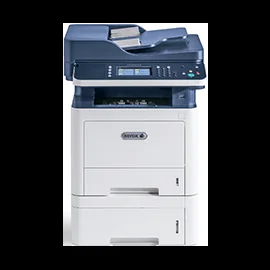

Download the Xerox WorkCentre 3335/3345 driver
Each file below appears once, with every system it supports. Where Xerox offers the same file for several systems, the row lists all of them together.
Xerox WorkCentre 3335/3345 files for Windows
| File | Version | Size | |
|---|---|---|---|
AS400 Workstation Customization Object Library for Xerox ProductsDriverSupports: IBM AS/400 (32-bit) |
1027Jun 23, 2026 |
2.02 MB |
Download |
Font Management UtilityDriverSupports: Windows 11, Windows 10 (32/64-bit), Windows Server 2022 (64-bit), Windows Server 2019 (64-bit), Windows Server 2016 (64-bit), Windows Server 2012 (64-bit), Windows Server 2012 R2 (64-bit) |
3.2.34.0Oct 23, 2026 |
4.04 MB |
Download |
Generic PPDDriverSupports: Windows 11, Windows 10 (32/64-bit), Windows 8 (32/64-bit), Windows 8.1 (32/64-bit), Windows 7 (32/64-bit), Windows Vista (32/64-bit), Windows Server 2016 (64-bit), Windows Server 2012 (64-bit), Windows Server 2012 R2 (64-bit), Windows Server 2008 (32/64-bit) |
5.499.0.0Sep 7, 2016 |
393.03 KB |
Download |
Generische PPD.DriverSupports: Windows 11, Windows 10 (32/64-bit), Windows 8 (32/64-bit), Windows 8.1 (32/64-bit), Windows 7 (32/64-bit), Windows Vista (32/64-bit), Windows Server 2016 (64-bit), Windows Server 2012 (64-bit), Windows Server 2012 R2 (64-bit), Windows Server 2008 (32/64-bit) |
5.499.0.0Sep 7, 2016 |
393.53 KB |
Download |
HPUX Xerox Office Standard Driver.DriverSupports: UNIX (32-bit) |
5.15.518.2842Oct 23, 2026 |
26.13 MB |
Download |
IBM AIX Xerox Office Standard Driver.DriverSupports: UNIX (32-bit) |
5.15.518.2842Oct 23, 2026 |
31.09 MB |
Download |
PCL6 Print Driver for Administrators (32-bit)DriverSupports: Windows 10 (32-bit), Windows 8 (32-bit), Windows 8.1 (32-bit) |
7.158.0.0Feb 17, 2020 |
2.55 MB |
Download |
PCL6 Print Driver for Administrators (64-bit)DriverSupports: Windows 11, Windows 10 (64-bit), Windows 8 (64-bit), Windows 8.1 (64-bit), Windows Server 2016 (64-bit), Windows Server 2012 (64-bit), Windows Server 2012 R2 (64-bit) |
7.158.0.0Feb 18, 2020 |
2.82 MB |
Download |
PPD generico.DriverSupports: Windows 11, Windows 10 (32/64-bit), Windows 8 (32/64-bit), Windows 8.1 (32/64-bit), Windows 7 (32/64-bit), Windows Vista (32/64-bit), Windows Server 2016 (64-bit), Windows Server 2012 (64-bit), Windows Server 2012 R2 (64-bit), Windows Server 2008 (32/64-bit) |
5.499.0.0Sep 7, 2016 |
393.50 KB |
Download |
PPD genérico.DriverLanguages: Brazilian · SpanishSupports: Windows 11, Windows 10 (32/64-bit), Windows 8 (32/64-bit), Windows 8.1 (32/64-bit), Windows 7 (32/64-bit), Windows Vista (32/64-bit), Windows Server 2016 (64-bit), Windows Server 2012 (64-bit), Windows Server 2012 R2 (64-bit), Windows Server 2008 (32/64-bit) |
5.499.0.0Sep 7, 2016 |
393.73 KB |
Download |
PPD générique.DriverSupports: Windows 11, Windows 10 (32/64-bit), Windows 8 (32/64-bit), Windows 8.1 (32/64-bit), Windows 7 (32/64-bit), Windows Vista (32/64-bit), Windows Server 2016 (64-bit), Windows Server 2012 (64-bit), Windows Server 2012 R2 (64-bit), Windows Server 2008 (32/64-bit) |
5.499.0.0Sep 7, 2016 |
393.51 KB |
Download |
PostScript Print Driver for Administrators (32-bit)DriverSupports: Windows 10 (32-bit), Windows 8 (32-bit), Windows 8.1 (32-bit) |
7.158.0.0Feb 18, 2020 |
2.54 MB |
Download |
PostScript Print Driver for Administrators (64-bit)DriverSupports: Windows 11, Windows 10 (64-bit), Windows 8 (64-bit), Windows 8.1 (64-bit), Windows Server 2016 (64-bit), Windows Server 2012 (64-bit), Windows Server 2012 R2 (64-bit) |
7.158.0.0Feb 18, 2020 |
2.82 MB |
Download |
Solaris Sparc Xerox Office Standard Driver.DriverSupports: UNIX (32-bit) |
5.15.518.2842Oct 23, 2026 |
22.32 MB |
Download |
Solaris X86 Xerox Office Standard Driver.DriverSupports: UNIX (32-bit) |
5.15.518.2842Oct 23, 2026 |
24.27 MB |
Download |
Xerox Desktop Print Experience (32-bit)DriverSupports: Windows 10 (32-bit), Windows 8.1 (32-bit) |
7.250.9.0Feb 15, 2022 |
16.37 MB |
Download |
Xerox Desktop Print Experience (64-bit)DriverSupports: Windows 11, Windows 10 (64-bit), Windows Server 2022 (64-bit), Windows Server 2019 (64-bit), Windows Server 2016 (64-bit), Windows Server 2012 R2 (64-bit) |
8.158.0.0Mar 12, 2025 |
19.05 MB |
Download |
Xerox Office Standard Driver .DEB i686DriverSupports: Linux (32-bit) |
5.20.661.4684Jun 23, 2026 |
12.70 MB |
Download |
Xerox Office Standard Driver .DEB x86 64DriverSupports: Linux (64-bit) |
5.20.661.4684Jun 23, 2026 |
13.31 MB |
Download |
Xerox Office Standard Driver .RPM x86 64DriverSupports: Linux (64-bit) |
5.20.661.4684Jun 23, 2026 |
24.83 MB |
Download |
Xerox Office Standard Driver .RPM i686DriverSupports: Linux (32-bit) |
5.20.661.4684Jun 23, 2026 |
23.68 MB |
Download |
Xerox Print Driver Installer (32-bit)DriverSupports: Windows 10 (32-bit), Windows 8.1 (32-bit) |
7.48.32.0Dec 14, 2018 |
5.72 MB |
Download |
Xerox Print Driver Installer (64-bit)DriverSupports: Windows 10 (64-bit), Windows 8.1 (64-bit), Windows Server 2016 (64-bit), Windows Server 2012 R2 (64-bit) |
7.48.32.0Dec 14, 2018 |
5.97 MB |
Download |
Xerox Smart Start – Driver InstallerDriverSupports: Windows 11, Windows 10 (32/64-bit) |
2.5.10.0Oct 23, 2026 |
6.17 MB |
Download |
Xerox WC3335 Network/USB Scan Driver v3.32.06.01DriverSupports: Windows 10 (32/64-bit), Windows 8 (32/64-bit), Windows 8.1 (32/64-bit), Windows 7 (32/64-bit) |
3.32.06.01Oct 31, 2018 |
20.36 MB |
Download |
Xerox WC3345 Network/USB Scan Driver v3.32.06.01DriverSupports: Windows 10 (32/64-bit), Windows 8 (32/64-bit), Windows 8.1 (32/64-bit), Windows 7 (32/64-bit) |
3.32.06.01Oct 31, 2018 |
21.02 MB |
Download |
WorkCentre 3335/3345 General Release v60.006.06.000FirmwareSupports: Windows 2000 (32-bit), IBM AS/400 (32-bit), Windows 98 (32-bit), Windows 95 (32-bit), Windows 10 (32/64-bit), Windows 8 (32/64-bit), Windows 8.1 (32/64-bit), Windows 7 (32/64-bit), Windows NT 4.0 (32-bit), SAP R/3 (32-bit), Windows 3.x (32-bit), Windows NT 3.5x (32-bit), Windows 3.1x (32-bit), Windows NT 3.1 (32-bit), IBM OS/2 (32-bit), Android (32-bit), Apple iOS (32-bit), BlackBerry OS (32-bit), DEC Alpha (32-bit), Linux (32-bit), MS-DOS (32-bit), Sun OS (32-bit), Sun Solaris (32-bit), UNIX (32-bit), Win. XP Embedded (32-bit), Windows Me (32-bit), Windows RT (32-bit), Windows Vista (32/64-bit), Windows XP (32/64-bit), macOS 10.15 - Catalina (32-bit), macOS 10.14 - Mojave (32-bit), macOS 10.13 - High Sierra (32-bit), Mac OS 10.13.4 (32-bit), macOS 10.12 - Sierra (32-bit), Mac OS 10.11 - El Capitan (32-bit), Mac OS 10.10 - Yosemite (32-bit), Mac OS 10.9 - Mavericks (32-bit), Mac OS 10.8 - Mountain Lion (32-bit), Mac OS 10.7 - Lion (32-bit), Mac OS 10.6 - Snow Leopard (32-bit), Mac OS 10.5 or lower (32-bit), Macintosh 9 (32-bit), Macintosh 8 (32-bit), Macintosh 7 (32-bit), Windows Server 2019 (64-bit), Windows Server 2016 (32/64-bit), Windows Server 2012 (64-bit), Windows Server 2012 R2 (64-bit), Windows Server 2008 (32/64-bit), Windows Server 2008 R2 (64-bit), Windows Server 2003 (32/64-bit) |
60.006.06.000Jan 13, 2020 |
237.18 MB |
Download |
Xerox WorkCentre 3335/3345 files for macOS
| File | Version | Size | |
|---|---|---|---|
ICA Scan DriverDriverSupports: Mac OS 10.11 El Capitan |
4.17.1(1980)Jul 2, 2018 |
10.13 MB |
Download |
ICA Scan DriverDriverSupports: macOS 10.12 Sierra |
5.2.0(2115)Oct 1, 2019 |
5.83 MB |
Download |
Mac OS Common Print Driver InstallerDriverSupports: Mac OS 10.10 Yosemite |
3.123.0(1865)May 3, 2017 |
103.50 MB |
Download |
Mac OS Common Print Driver InstallerDriverSupports: Mac OS 10.11 El Capitan |
4.17.1(1980)Jul 2, 2018 |
80.63 MB |
Download |
TWAIN Scan DriverDriverSupports: Mac OS 10.11 El Capitan |
4.17.1(1980)Jul 2, 2018 |
12.45 MB |
Download |
TWAIN Scan DriverDriverSupports: macOS 10.12 Sierra |
5.2.0(2115)Oct 1, 2019 |
5.75 MB |
Download |
macOS Common Print Driver InstallerDriverSupports: macOS 10.12 Sierra |
5.2.0(2115)Oct 1, 2019 |
81.32 MB |
Download |
macOS Print Driver InstallerDriverSupports: macOS 15 Sequoia, macOS 14 Sonoma |
5.20.0_2566Oct 23, 2026 |
92.79 MB |
Download |
macOS Print and Scan Driver InstallerDriverSupports: macOS 10.13 High Sierra |
5.6.0(2187)Jul 26, 2020 |
94.62 MB |
Download |
macOS Print and Scan Driver InstallerDriverSupports: macOS 10.14 Mojave |
5.8.0(2275)Jul 15, 2021 |
92.88 MB |
Download |
macOS Print and Scan Driver InstallerDriverSupports: macOS 10.15 Catalina |
5.10.1_2333Feb 15, 2022 |
89.97 MB |
Download |
macOS Print and Scan Driver InstallerDriverSupports: macOS 11 Big Sur |
5.13.2(2427)Sep 26, 2023 |
91.47 MB |
Download |
macOS Print and Scan Driver InstallerDriverSupports: macOS 12 Monterey |
5.15.0(2475)Aug 15, 2024 |
88.02 MB |
Download |
macOS Print and Scan Driver InstallerDriverSupports: macOS 13 Ventura |
5.17.0(2512)Jul 15, 2025 |
88.37 MB |
Download |
You can compare every file with Xerox’s own WorkCentre 3335/3345 downloads page, which shows the same list. Therefore, choose the file by your operating system, not by the printer’s model suffix.
Printer firmware
Besides the drivers, the download page lists WorkCentre 3335/3345 General Release v60.006.06.000 (version 60.006.06.000, Jan 13, 2020, 237.18 MB). Because this is a printer firmware update and not a driver, you only need it if Xerox support asks for it or you want the latest printer firmware. In that case, install the print driver first.
Install the driver step by step
First, download the file for your system from the table above. Then, on Windows, double-click XeroxOSDPkg-HPUXia64-5.15.518.2842.depot.gz and follow the installer. Next, connect the printer by USB cable or select it on the network when the installer asks. Finally, print a test page to confirm that the printer works. On a Mac, however, open the downloaded .dmg file, run the installer inside it and add the printer in System Settings afterwards. If the installer stops with an error, restart the computer and try again, because a pending Windows update can block the installation.
For installer errors on Windows, see the driver installation guide for Windows 11 and the driver installation error guide.
Last checked: Nov 8, 2026. Xerox is a trademark of Xerox Corporation. This site is not affiliated with Xerox.
Advertisement