Advertisement
Canon i-SENSYS MF4450 Laser MF Printer Driver Download for Windows 7, 8.1, 8, 10 64bit-32bit
i-SENSYS MF4450/MF4430/MF4410 MFDrivers (UFR II / FAX / ScanGear)
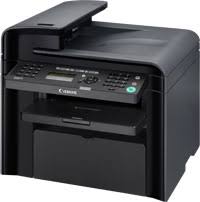
Canon i-SENSYS MF4450 Driver Download for Windows
| Driver Name | Version | Release date | Operating systems | Download Link |
| i-SENSYS MF4450/MF4430/MF4410 MFDrivers (UFR II / FAX / ScanGear) | V20.31 | 27 Nov, 2015 | Windows10x64 – Windows 8.1×64 – Windows 8×64 – Windows 7×64 | Download |
SETUP
UFR II Printer Driver – V20.31, Fax Driver – V8.31 (MF4450), ScanGear – V11.3
.Precaution When Using a USB Connection
Disconnect the USB cable that connects the device and computer before installing the driver.
Connect the USB cable after installing the driver.
Drivers and applications are compressed.
Click on the file link, and then click [Accept & Download].
.When clicking [Run] on the file download screen (file is not saved to disk)
1. If the User Account Control prompt is displayed, click [Yes], and then click [Run] on the subsequent Security Alert screen.
2. The Setup Wizard will start.
3. After the Setup Wizard has started, follow the instructions on the screen to perform installation.
Advertisement