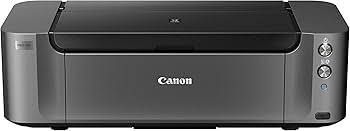
 For the Canon PIXMA PRO-10S, Canon's newest Windows driver is Printer Driver Ver.1.02 (15 Oct 2021), and the newest macOS driver is CUPS Printer Driver Ver. 16.90.1.0 (16 Dec 2024). Each button opens Canon's own download link for that file.
Which Canon PIXMA PRO-10S driver do I need?
All Canon PIXMA PRO-10S downloads from Canon
Each button opens Canon’s own download link. Canon publishes no checksums, so we list the version, date and size from Canon’s page. Our guide to checking a driver download shows how to verify a file.
Windows downloads for the Canon PIXMA PRO-10S
macOS downloads for the Canon PIXMA PRO-10S
Canon PIXMA PRO-10S driver troubleshooting
Windows or macOS does not detect the PRO-10S
Turn the printer on and check the USB cable or network link. Try a different USB port. If the printer still does not appear, remove the old entry and reinstall the driver that matches your operating system.
The Full Driver & Software Package stops partway through
The Windows package is an online installer, so it needs a working internet connection. Close other installers, restart the PC, and run it again. If it still stops, install the standalone printer driver instead.
The Mac driver fails after a macOS upgrade
Driver 16.41.0.0a covers macOS 10.15 Catalina and older. For macOS 11 Big Sur through macOS 15 Sequoia, remove the old driver and install CUPS Printer Driver Ver. 16.90.1.0.
You can find manuals and firmware for this model on Canon’s official support page.
Canon PIXMA PRO-10S driver FAQ
Which Mac driver do I need for macOS 15 Sequoia?
Use PRO-10S series CUPS Printer Driver Ver. 16.90.1.0. It covers macOS 15 Sequoia, 14 Sonoma, 13 Ventura, 12 Monterey and 11 Big Sur. Canon also recommends installing My Image Garden software with it.
Which Windows driver should I pick?
Pick Printer Driver Ver.1.02 for full functionality. It covers Windows 11 down to XP (32-bit). The XPS driver Ver. 5.87 adds 16-bit per color printing for smoother gradation, but it does not list Windows XP.
What does the Full Driver & Software Package do?
It installs the drivers, applications or manuals for full setup. The Windows version 1.0 (2015) covers USB or network setup. Mac versions are 1.6 for Catalina to High Sierra and 1.4 for Sierra and older.
What is the Windows security patch Ver.1.0.2?
It fixes a folder vulnerability in installed printer drivers. Without it, other users can access and replace files in that folder. The 11 Dec 2024 version covers Windows 11, 10, 8.1 and Server 2012 R2. The 18 Mar 2024 version covers Windows 7.